Prerequisites: the TSC Immo maintenance module and Odoo Maintenance installed. Profile: rental manager.
Step 1 · View the installations
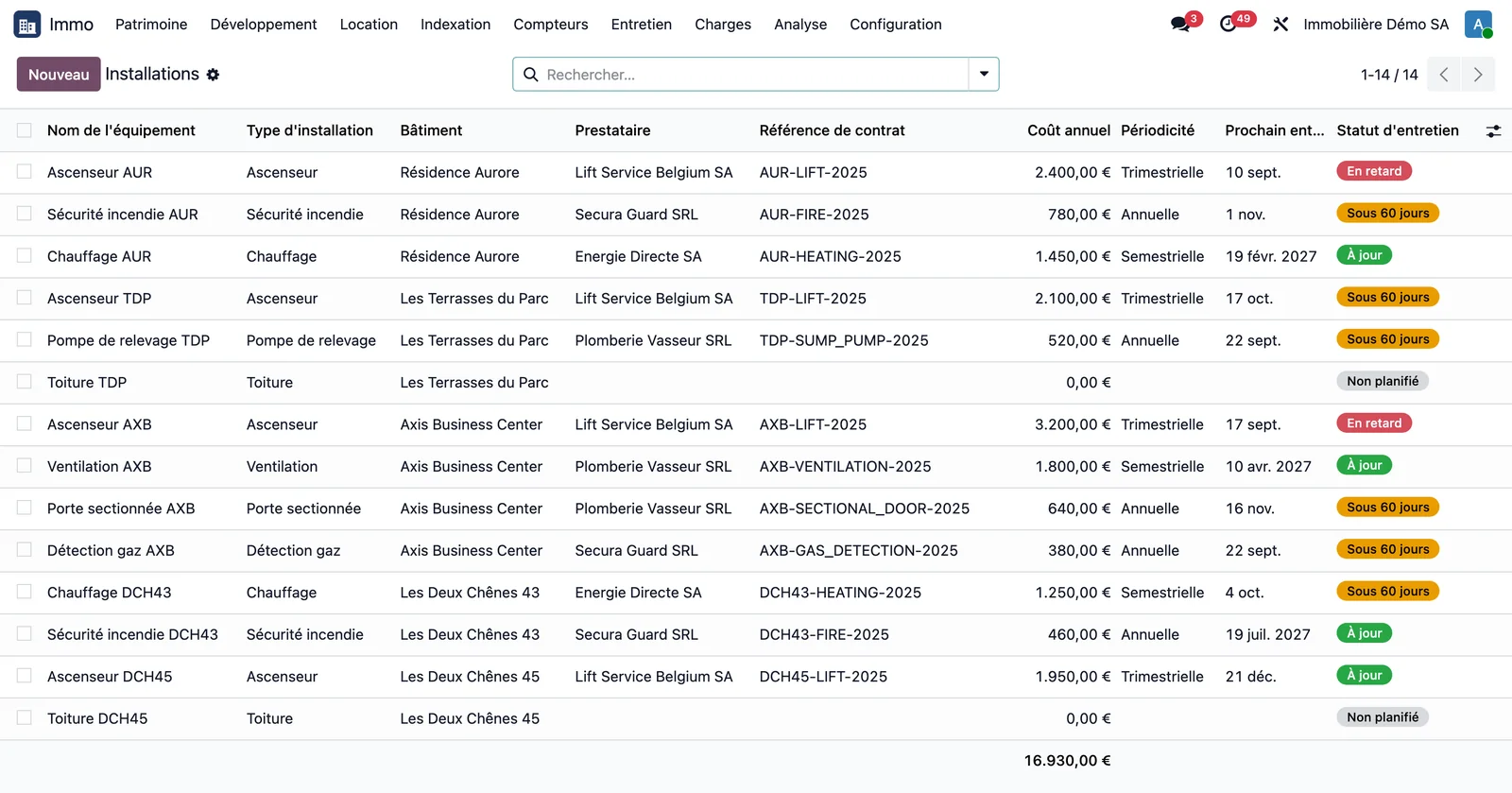
Open Immo > Maintenance > Installations. Each line shows the building, the type, the service provider, the contract reference, the annual cost, the frequency, the next maintenance and a colour-coded status: not scheduled, overdue, within 60 days, up to date. The list opens on the "Current contract" filter; remove it to see installations without a contract as well. The "Overdue maintenance", "Due within 60 days" and "No maintenance scheduled" filters isolate each situation.
Step 2 · Record a contract
Create an installation, choose its type (lift, fire safety, heating, sectional door, gas detection, sump pump, ventilation, roof), link it to the building and, if needed, to the unit. In the contract block, enter the service provider, reference, annual cost, frequency, validity dates and service charge type.
Step 3 · Schedule the maintenance
Click Schedule maintenance: the first preventive service is created, and the recurrence of Odoo Maintenance creates the following ones.
Step 4 · Read the building
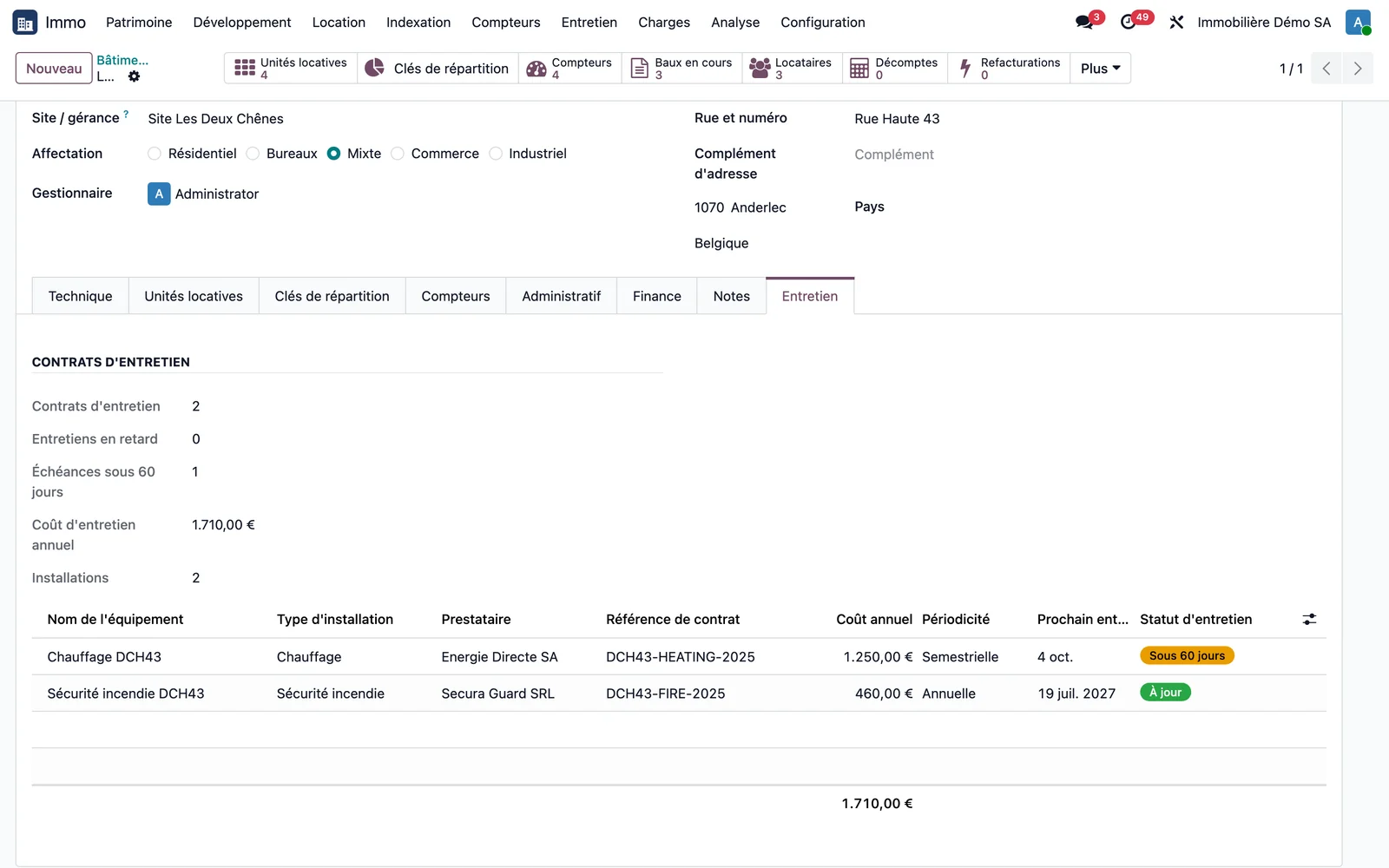
On the building record, the Maintenance tab shows the active contracts, overdue maintenance, items due within 60 days, the annual maintenance cost and the number of installations, followed by the table of the building's installations. The statistics button opens exactly the contracts counted.
Step 5 · Let the reminders run
Each day, the statuses are refreshed, an activity is created for the building's property manager at each approaching or overdue due date, and an email is sent to the service provider, once per due date.
Step 6 · Qualify the maintenance invoice
On the service provider's invoice, choose the building: the contract's service charge type is suggested, and the service charge is ready for the service charge statement.
Step 7 · Track a contract across several buildings
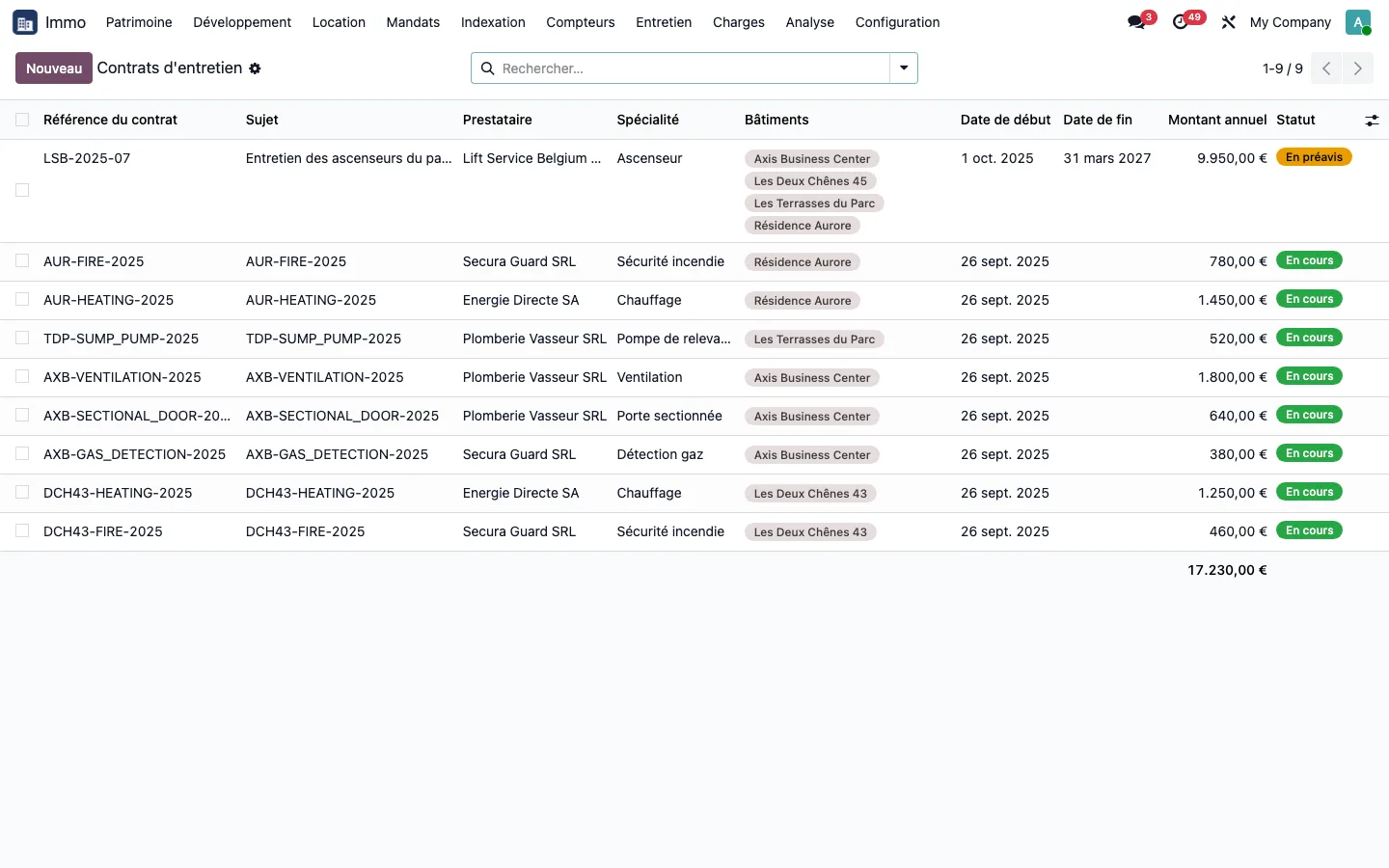
A contract can cover installations in several buildings: four lifts in four buildings under a single reference, each with its share of the annual amount. The status changes to Notice period as soon as the deadline for giving notice approaches, calculated from the contract's notice period and preparation time. An amendment creates a new version of the contract, and the old one remains readable; the expected invoices are checked at the service charge statement, which stays blocked as long as one of them is missing.
Step 8 · Track the cost of each appliance
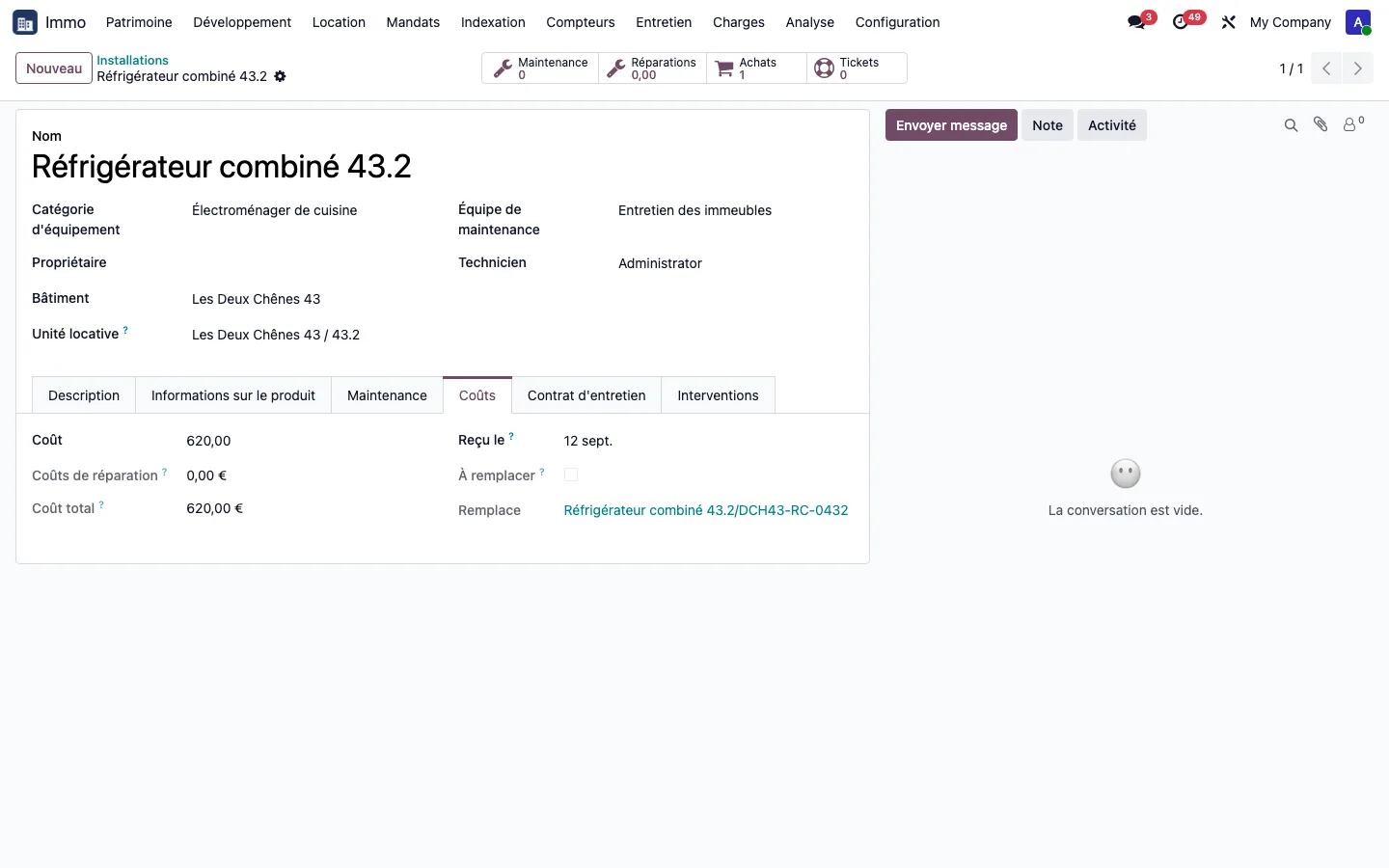
In the configuration of installation types, set a replacement threshold per type: a percentage of the purchase price, or an amount. When the repairs invoiced for an appliance exceed this threshold, its record carries the "To be replaced" banner. The Costs tab adds up the purchase price and the repairs.
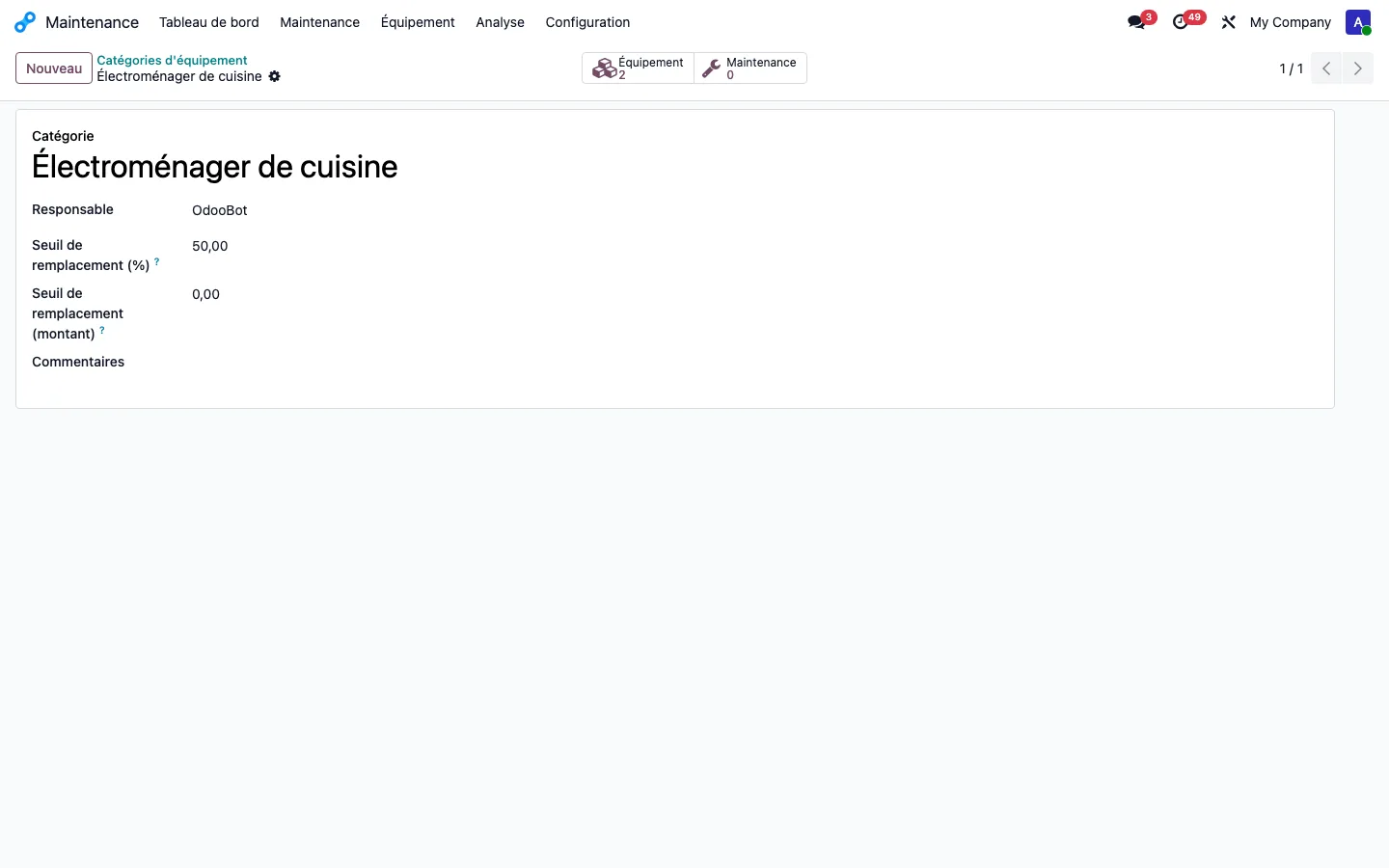
Step 9 · View the history of an appliance
On an appliance record, the Interventions tab lists the tickets already resolved for it: the number of times it has been repaired can be seen before deciding to replace it.
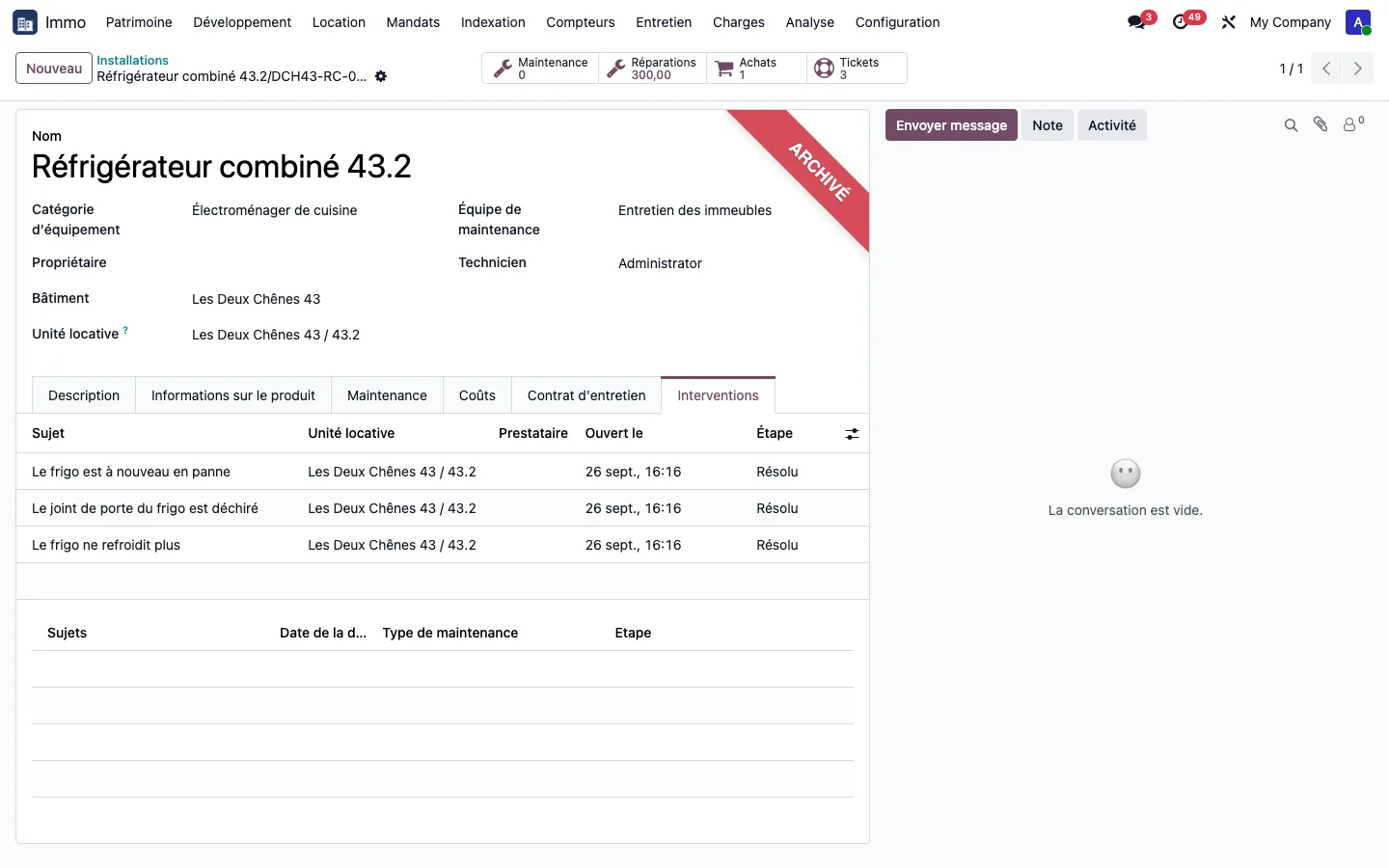
Step 10 · Link a ticket to the installation
On a support ticket, the Installation field only offers the appliances of the unit concerned and of the building's common areas.
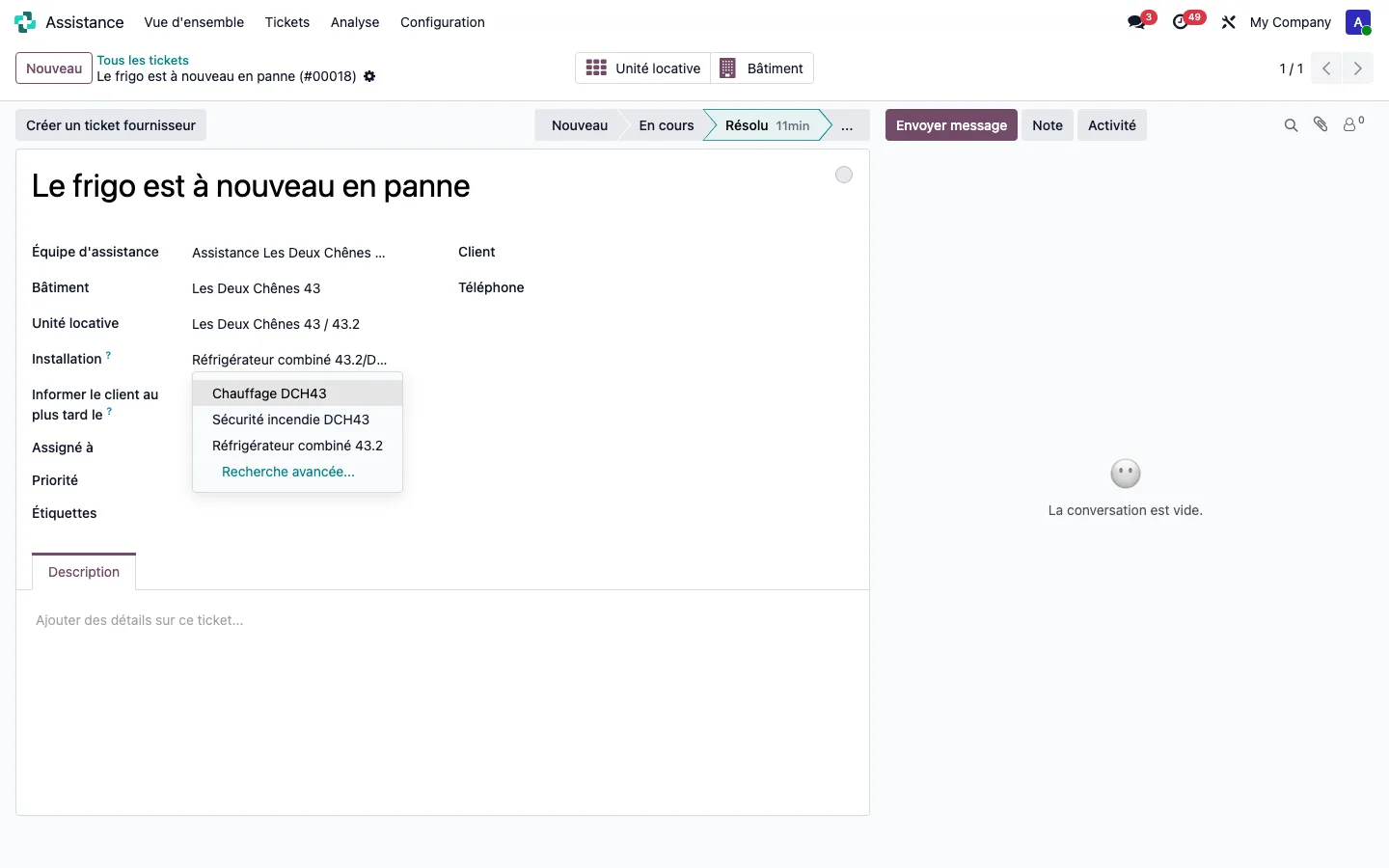
Step 11 · Qualify the vendor bill
On each vendor bill line, qualify the expense: repair or maintenance, or purchase of the appliance. The building, the unit and the analytic account are filled in automatically. A purchase is never counted as a repair and is never passed on in the tenants' service charge statement.
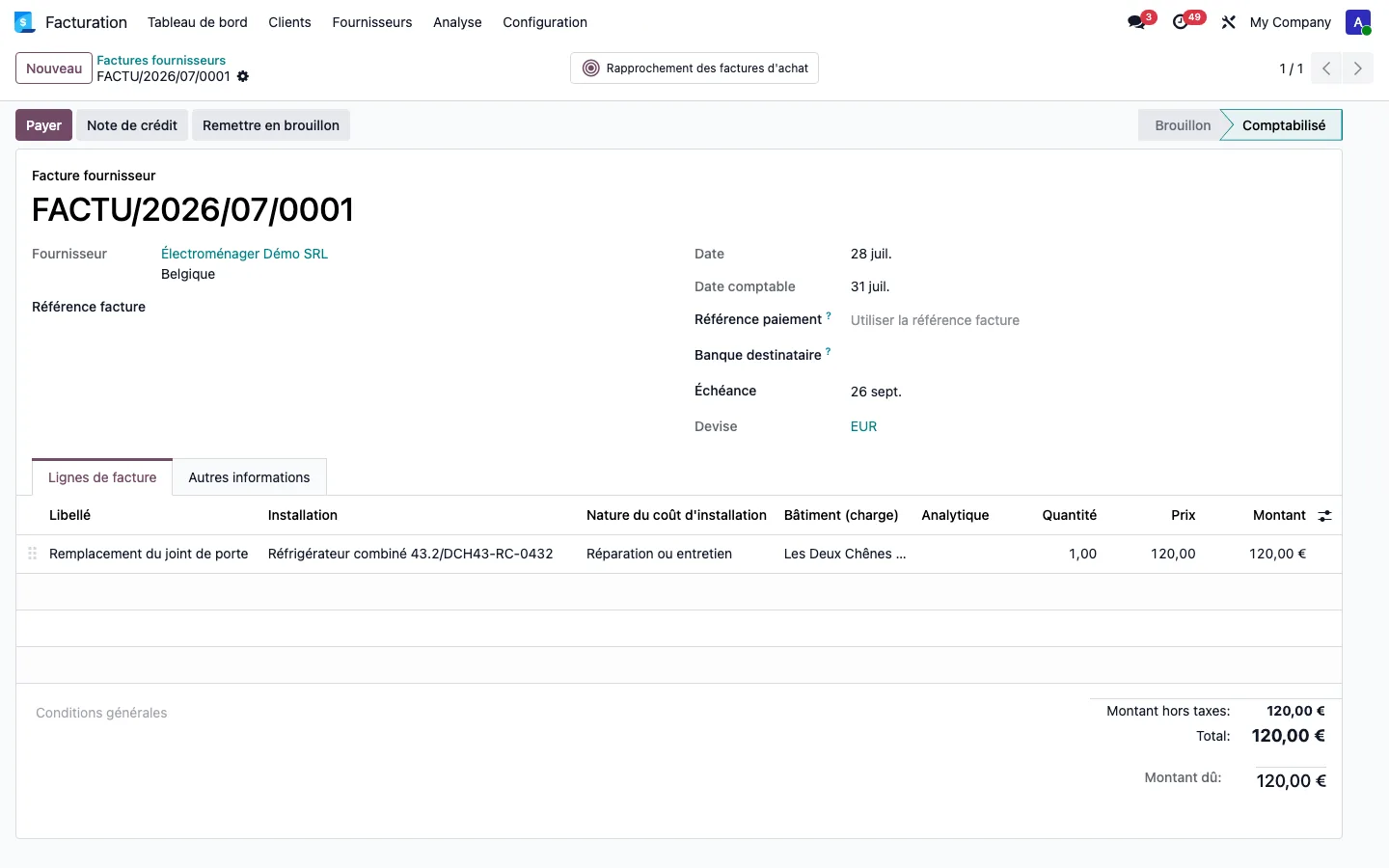
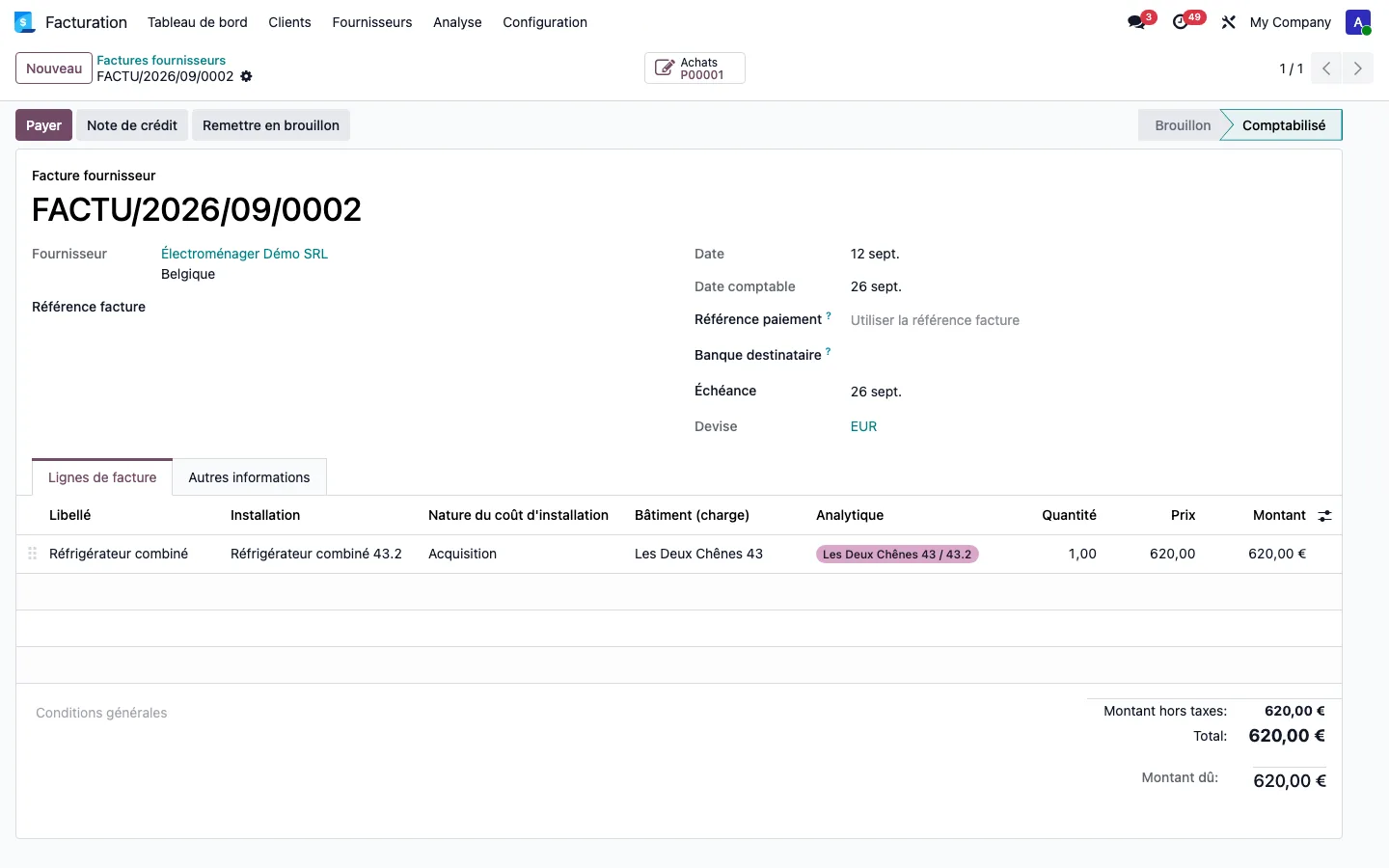
Step 12 · Order and receive the replacement
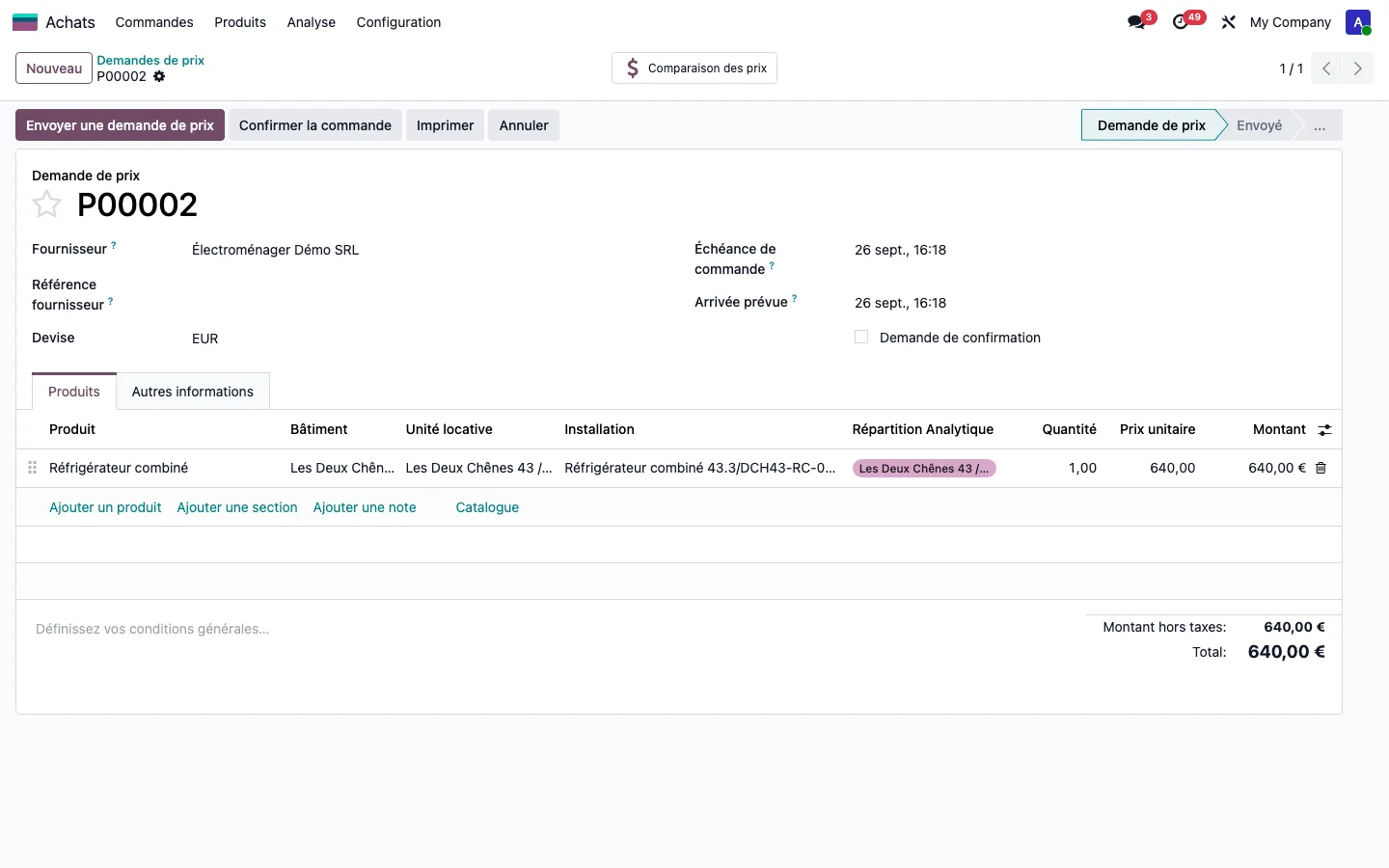
In the request for quotation, enter the building, the rental unit and the installation concerned on the line. On receipt, the new appliance is created in the dwelling and the old one is archived with its history intact. A pack of ten detectors received creates ten appliances at the unit price; an appliance cannot be replaced twice, even by two orders open at the same time.
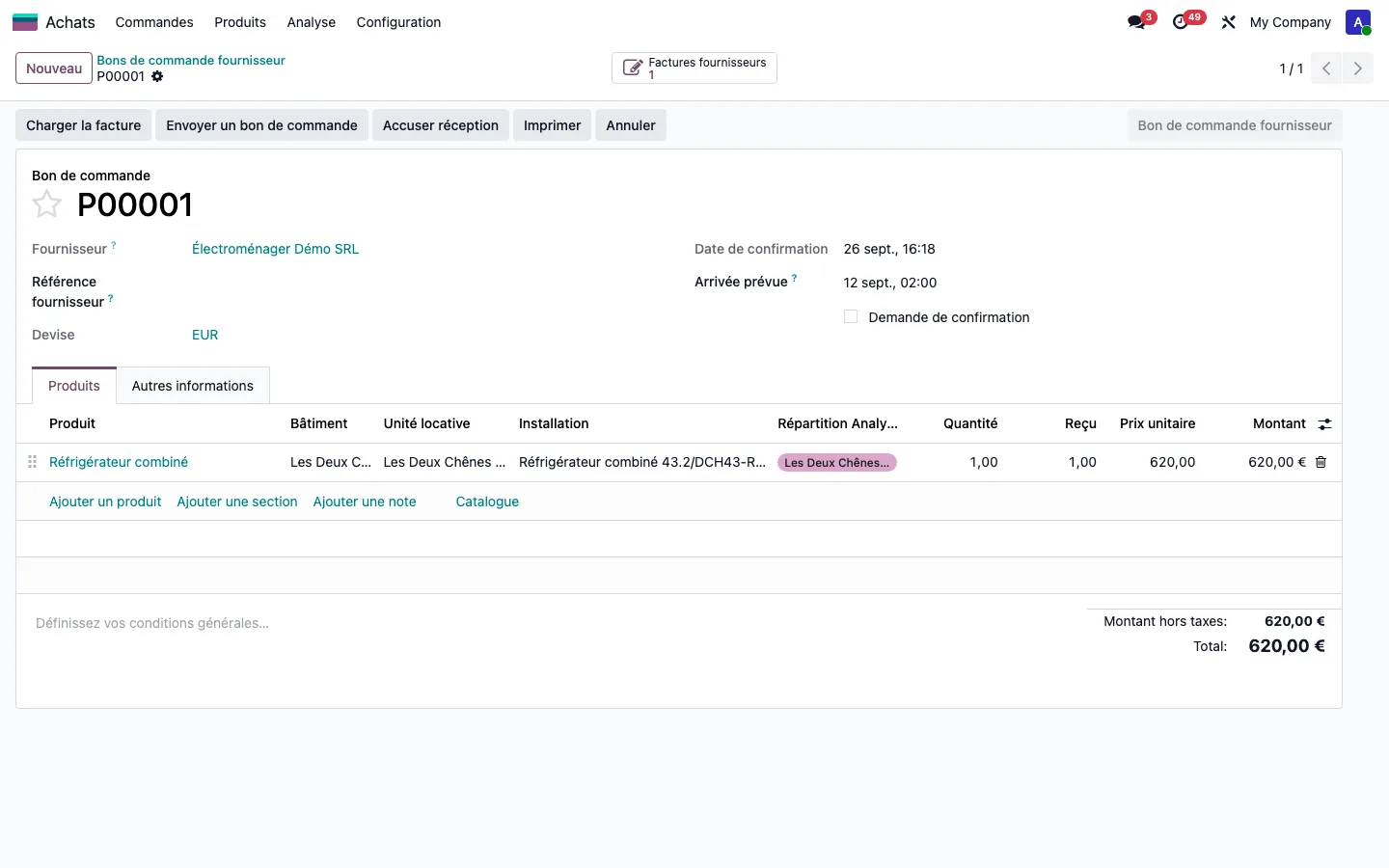
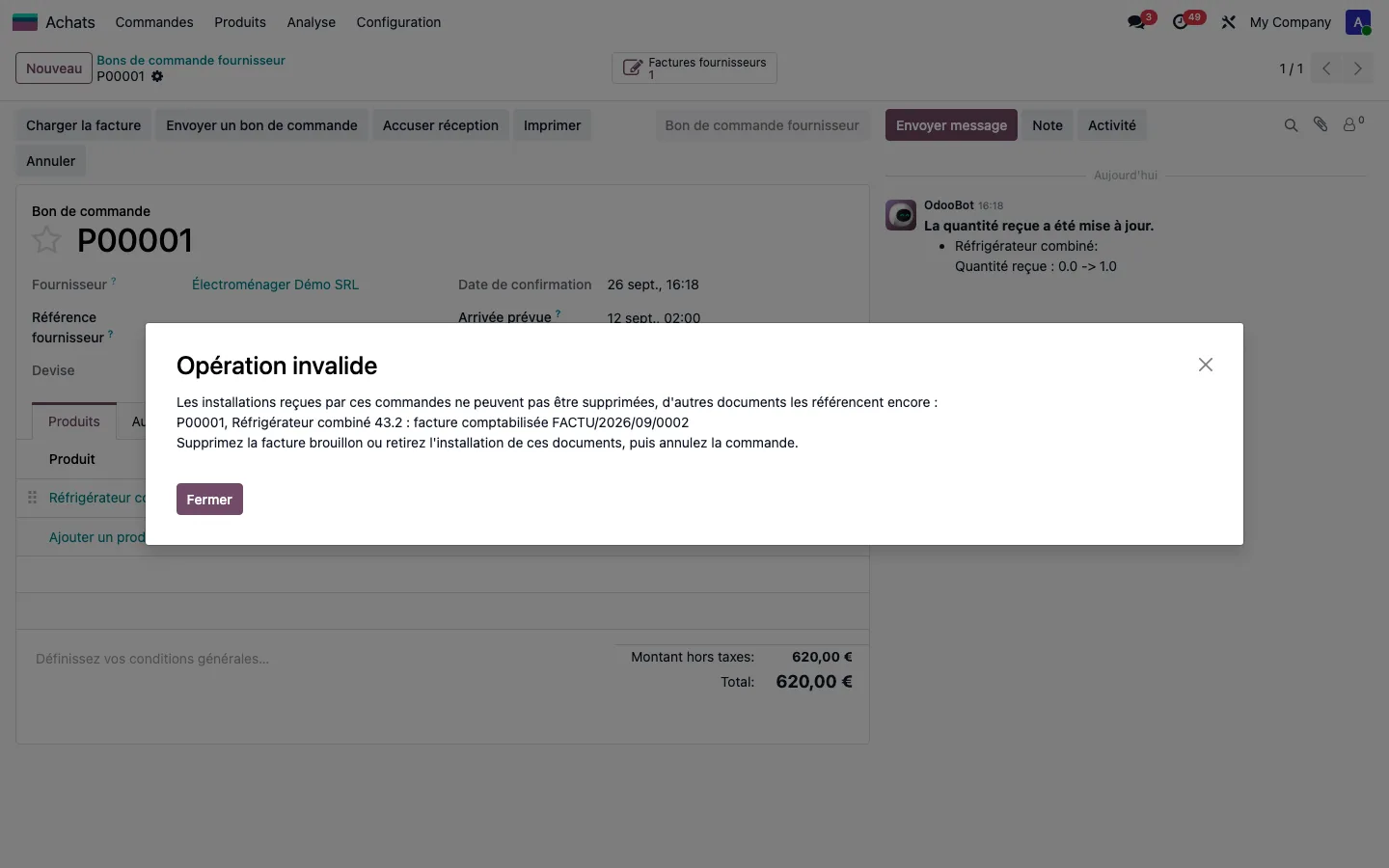
A receipt entered by mistake can be undone, unless an invoice, a ticket, a maintenance request or another order already refers to the appliance: the message then names what is blocking it.
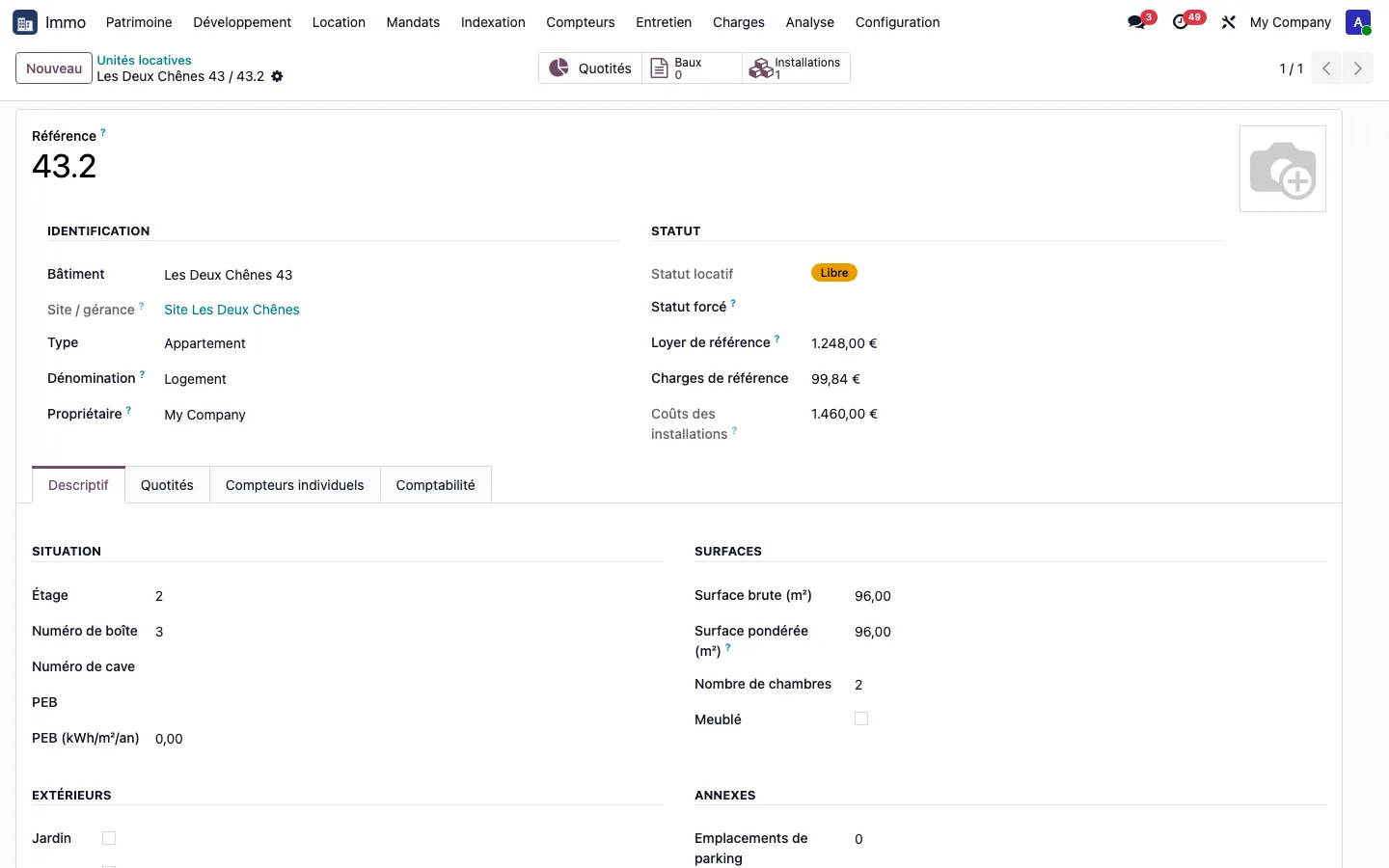
The cost of the unit can then be read on its record: purchase price, repairs and purchases are added together, here €1,460.00 for unit 43.2.