Profile: rental manager. The project manager receives the permit alerts.
Step 1 · View the projects
Open Immo > Development > Projects. Each project shows its status, its purpose (rental portfolio or resale) and its progress.
Step 2 · Open a project and its phases
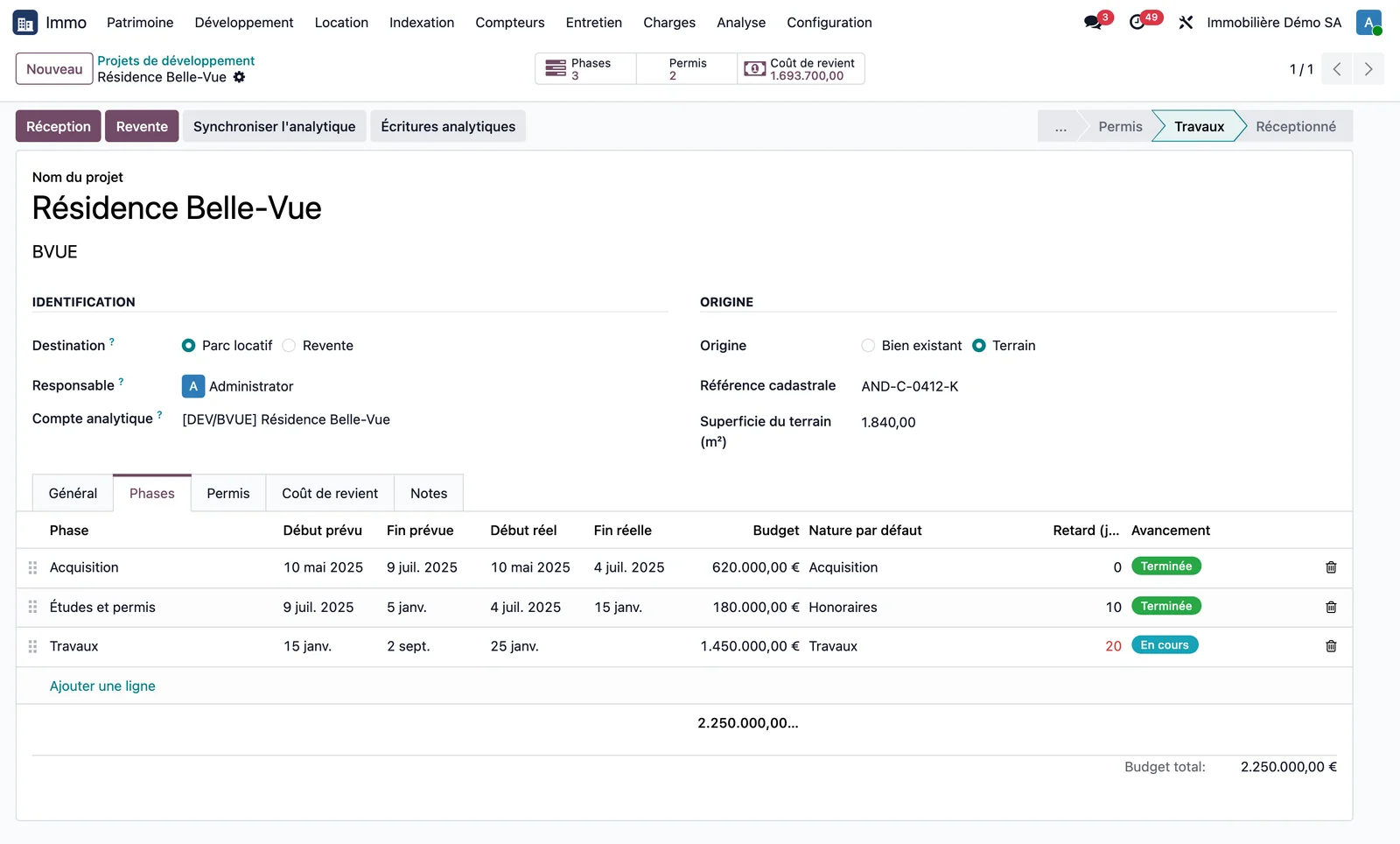
Open a project, for example “Résidence Belle-Vue” in the demonstration. The header shows the project status and the Phases, Permits and Cost price buttons. The Phases tab lists each phase with its planned and actual dates, its budget, its default cost type, its delay in days (in red when the phase is late) and its progress. The “Late phases” filter in Immo > Development > Phases finds those that are overrunning.
Step 3 · Track the permits
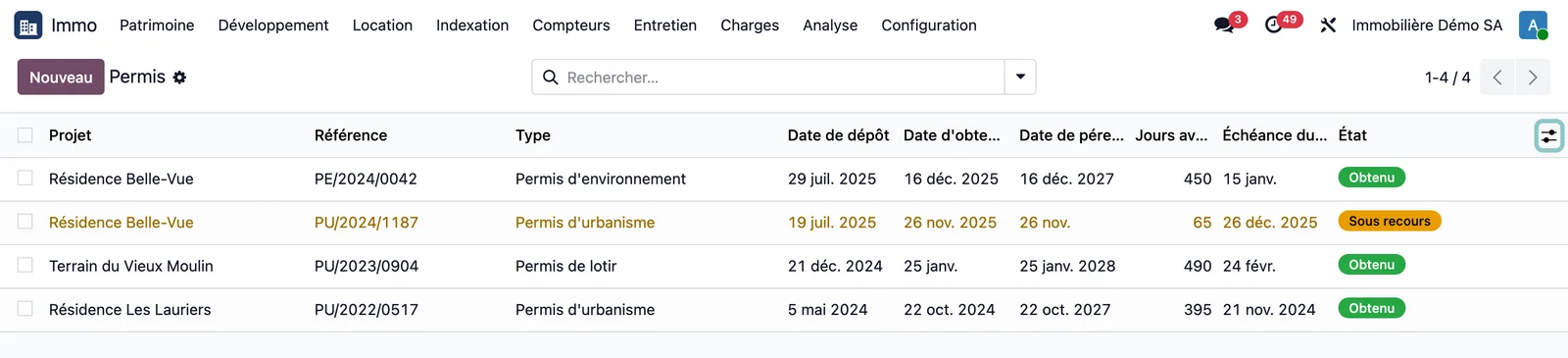
Open Immo > Development > Permits. Each permit shows its filing date, its date of grant or refusal, its expiry date and the number of days remaining, and the end of the appeal period (optional column), all calculated. A permit that expires within 90 days is shown in orange. The “Expiry within 90 days” and “Appeal in progress” filters support monitoring.
Step 4 · Allocate expenses
The project's purchase invoices carry its analytic account. On the project, Synchronise analytics brings these entries into the cost price.
Step 5 · Read the cost price
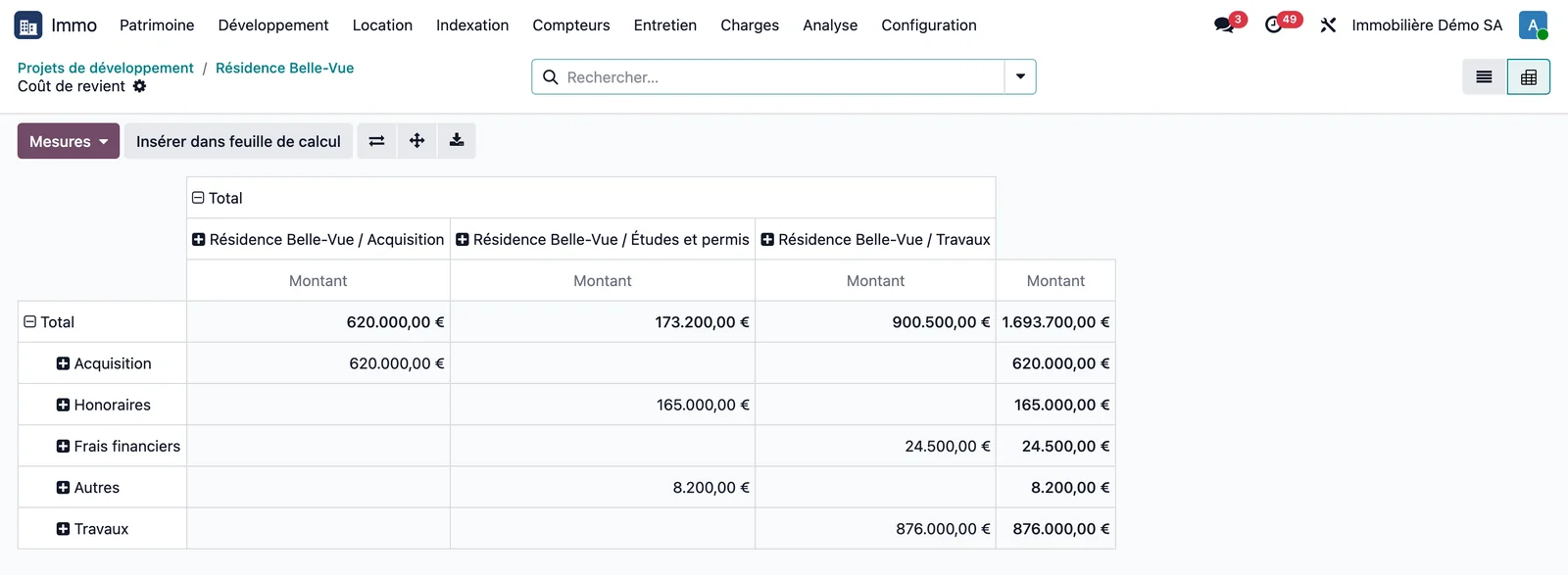
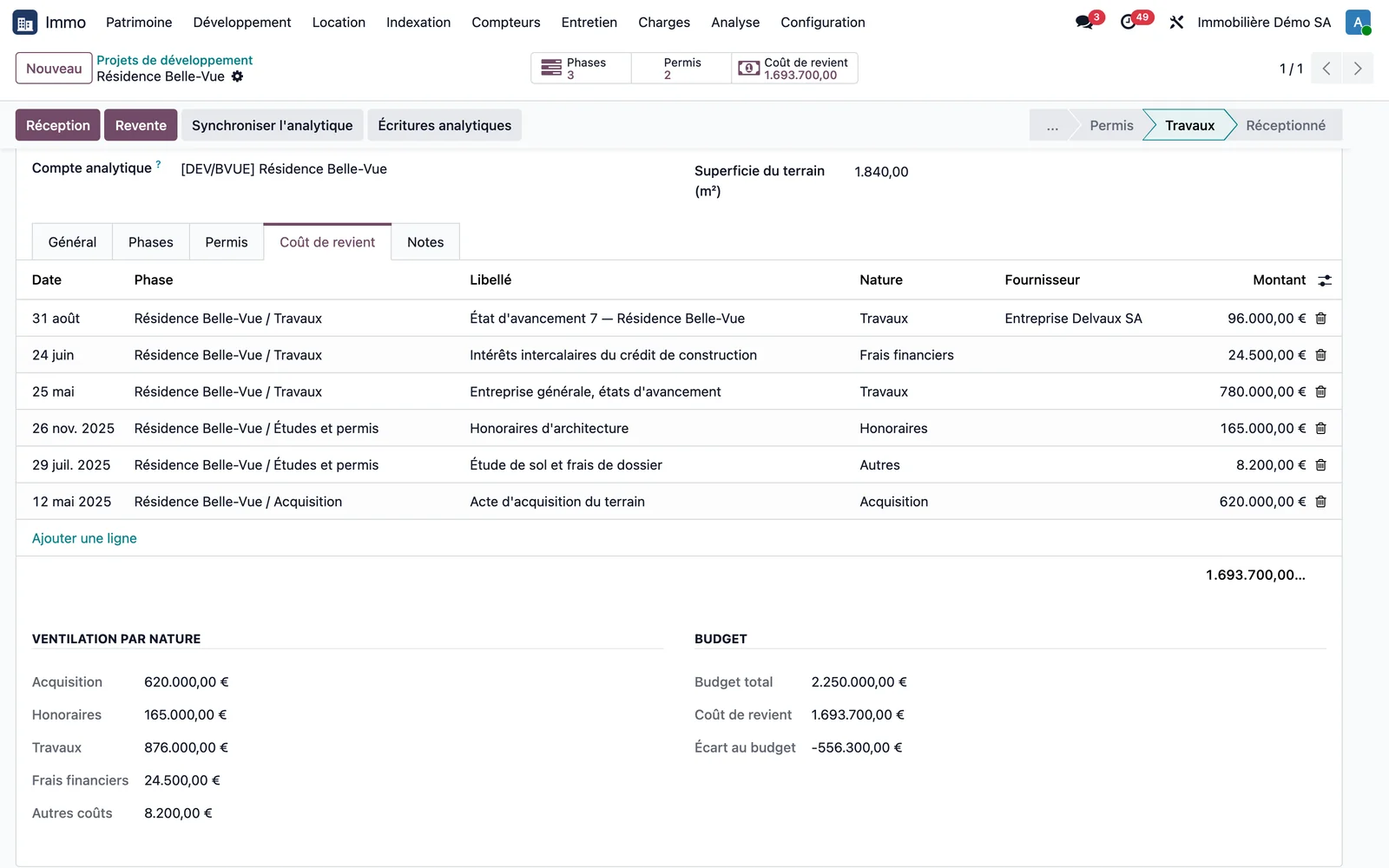
Open Immo > Development > Cost price, or the project's Cost price button, then the pivot view: amounts broken down by type in rows and by phase in columns. The project's Cost price tab shows the breakdown by type and compares it with the budget: total budget, cost price and variance from budget.
Step 6 · Take handover and transfer to the portfolio
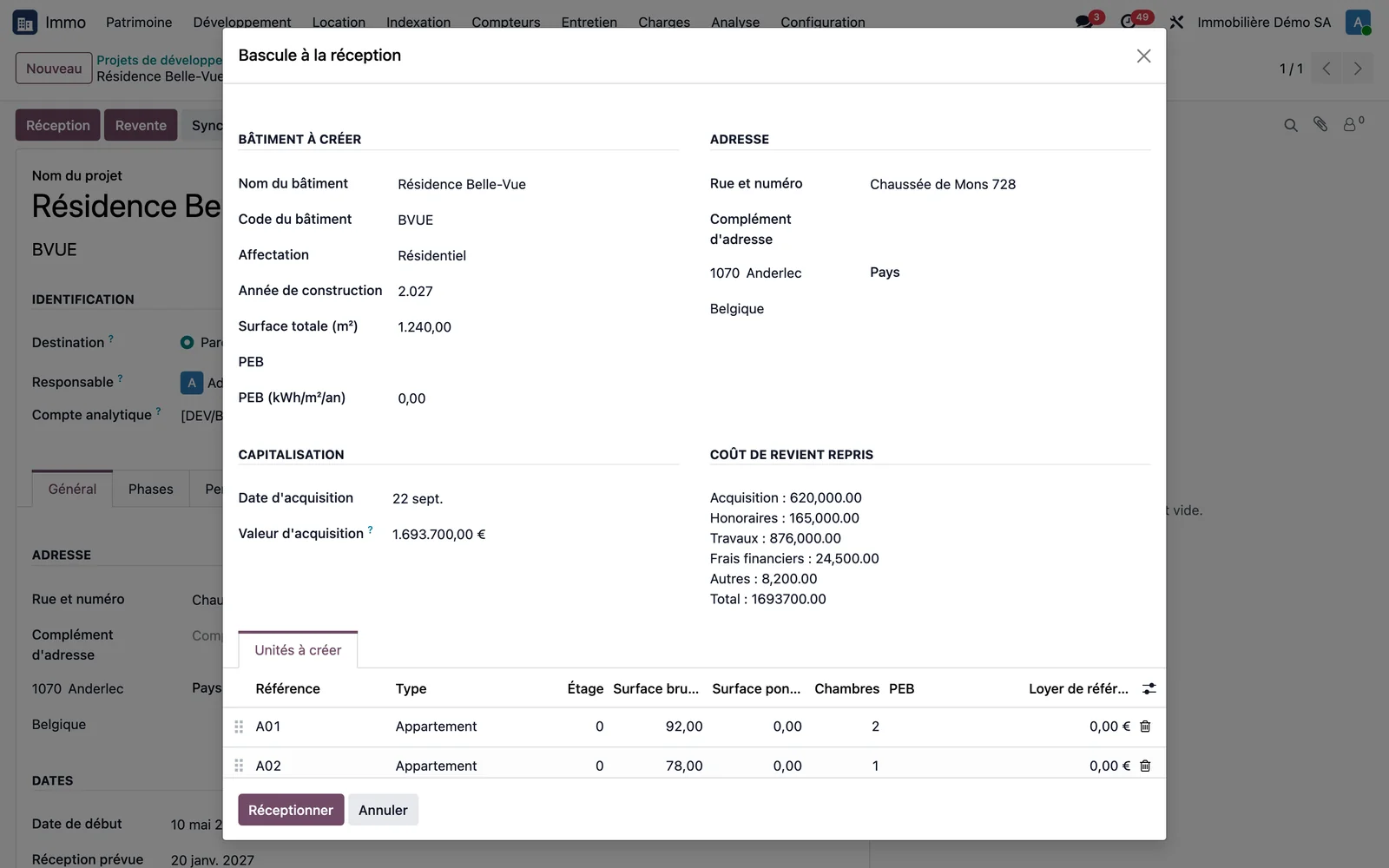
On handover of a project intended for the rental portfolio, the project's Handover button opens the transfer wizard. It picks up the project's name, code and address, suggests the cost price as the acquisition value with its breakdown by type, and waits for the list of units to create (reference, type, floor, areas, bedrooms, EPC, reference rent). Take handover creates the building and its units, moves the project to the Handed over status and links the building to the project. The units are ready to be let.
Step 7 · Or resell
For a project intended for resale, the Resale button opens the wizard that records the price and the date, and calculates the result against the cost price.
Step 8 · Handover sets the warranties automatically
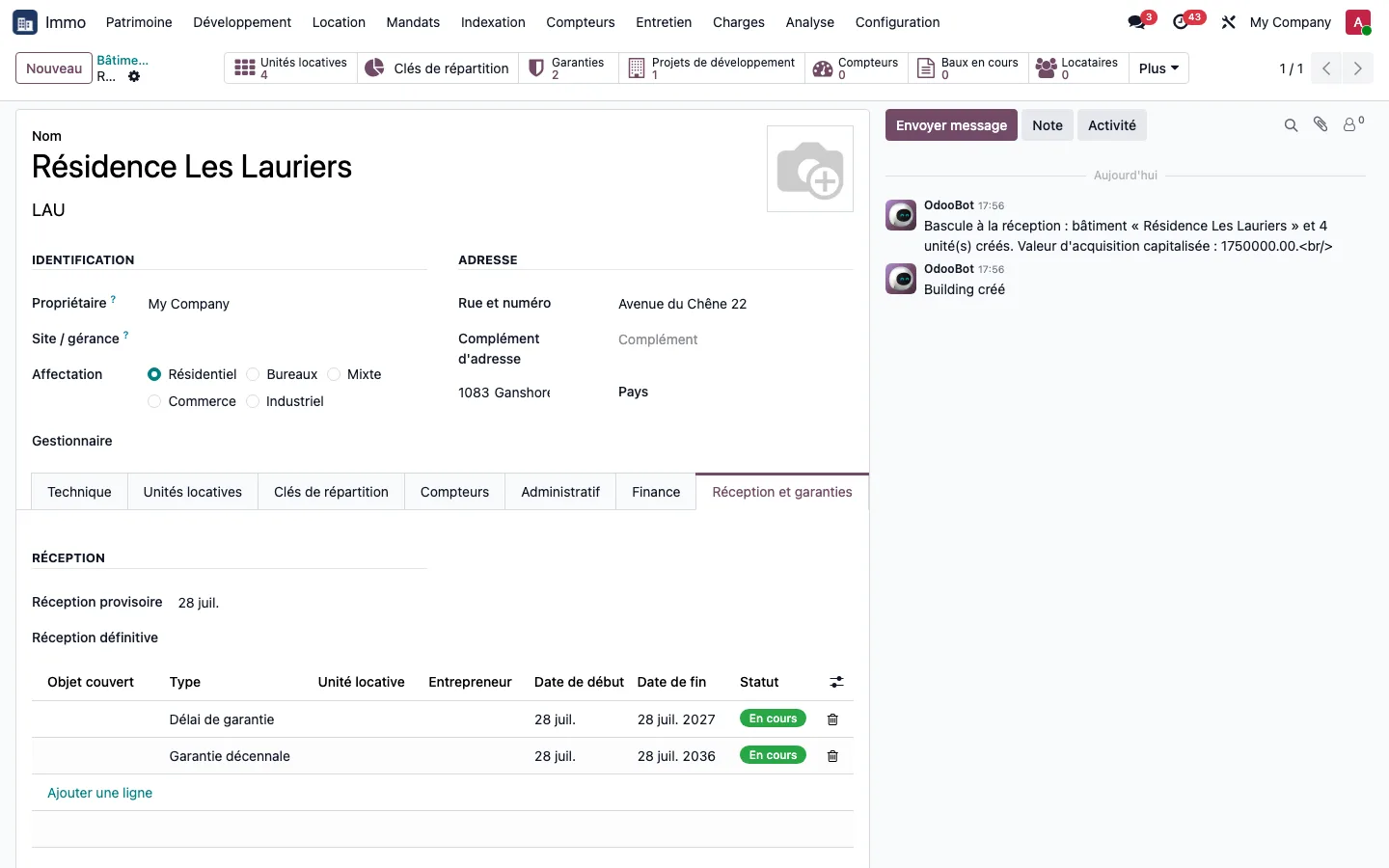
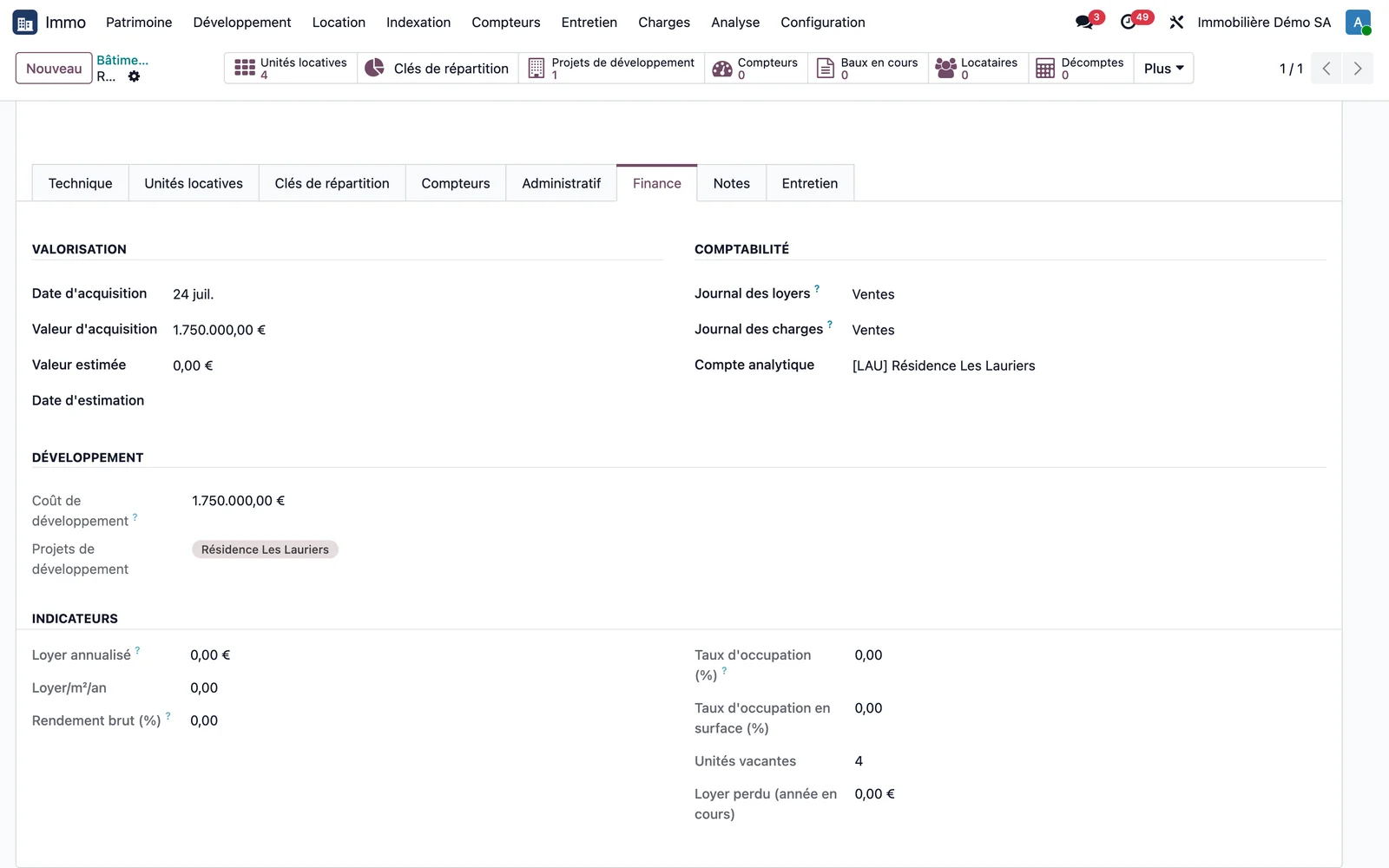
On handover of a project, the building and each of its units receive the handover date and the warranties inherited from the project. On the demonstration database, Résidence Les Lauriers carries, after the transfer, its handover and two warranties. A unit handed over later counts its warranty from its own date. Warranties continue to be set up in the building's Handover and warranties tab, described in the portfolio guide.