Required profile: rental manager. Index configuration is in the Configuration menu.
Step 1 · Check the index series
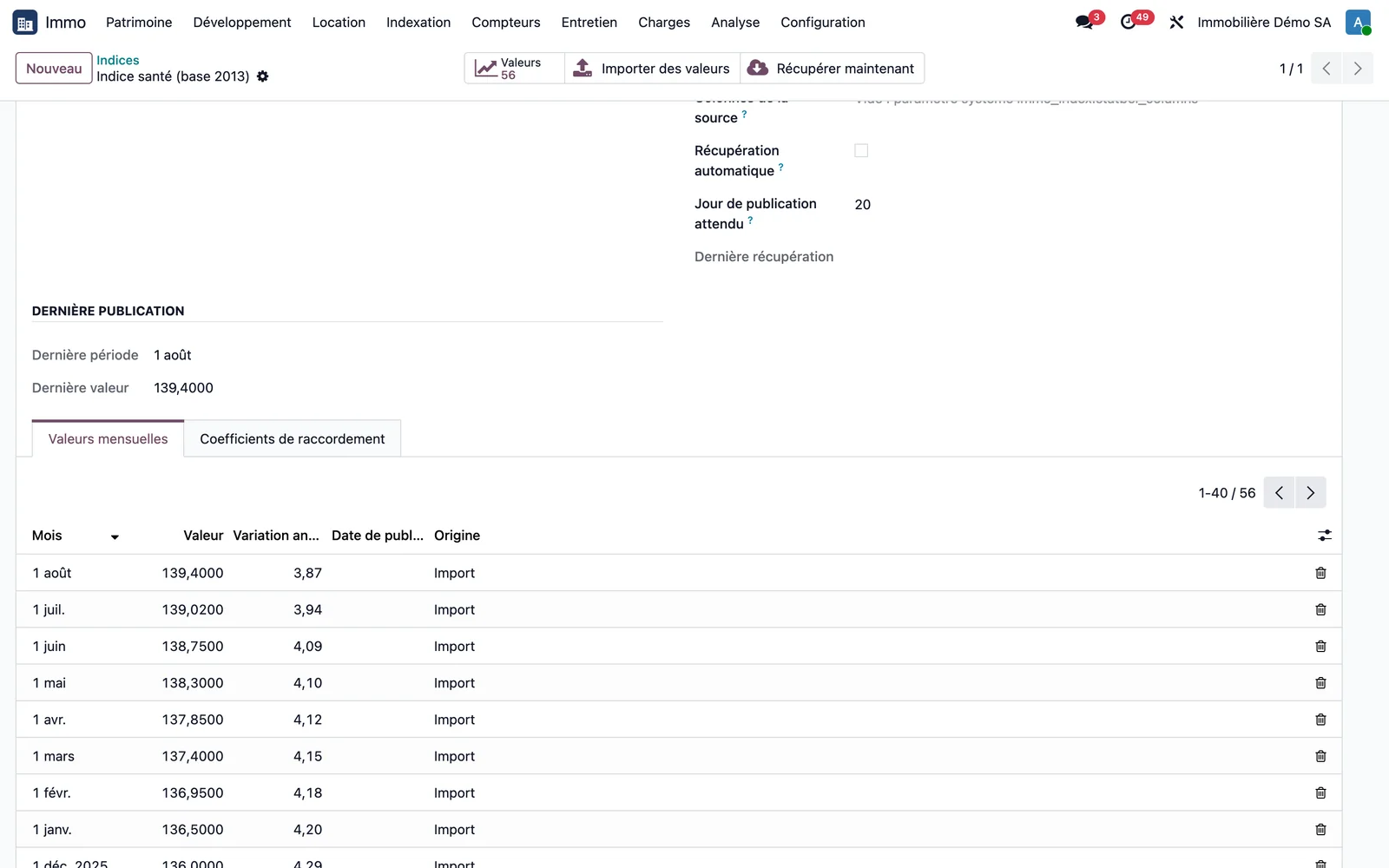
Open Immo > Configuration > Indices and open the series used by your leases, for example the health index base 2013. The record lists the monthly values with their annual change, their publication date when the source provides it, and their origin. It also shows the last published value and the date of the last retrieval.
Step 2 · Load the values
Two ways:
- on the series record, the Retrieve now button reads the Statbel open data file and only writes the months that are missing;
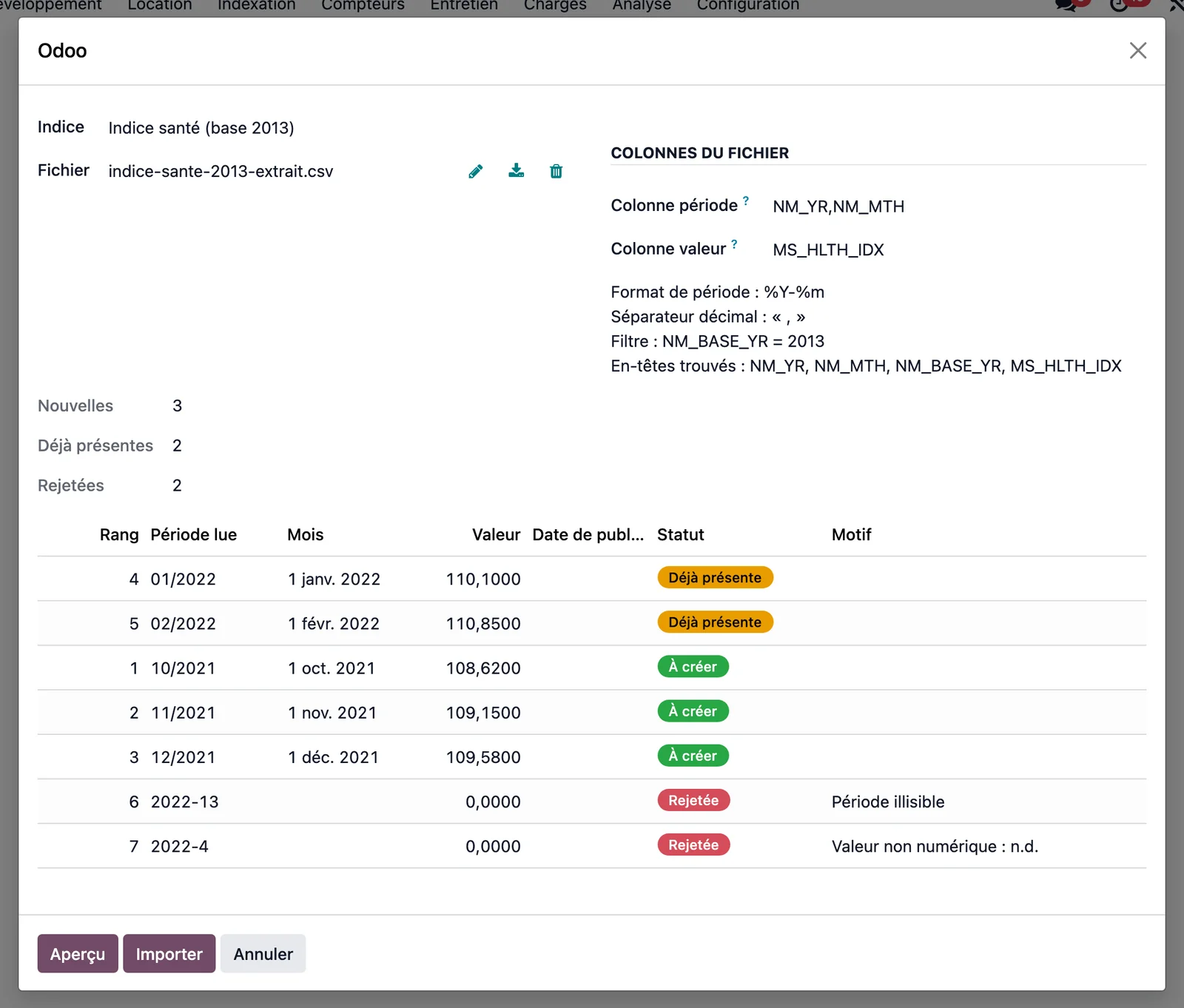
- Immo > Configuration > Import index values loads a CSV, XLS, XLSX or ODS file. The preview classifies each line as "To create", "Already present" or "Rejected" with the reason, and nothing is written before the Import button.
Before ticking automatic retrieval for a series, check its base and its indicator: retrieval refuses a series whose base or type does not match the file read.
Step 3 · Generate the indexations due
Open Immo > Indexation > Generate indexations due. The wizard creates a proposal for each lease that has reached its anniversary date. A scheduled task can do this every day.
Step 4 · Review a proposal
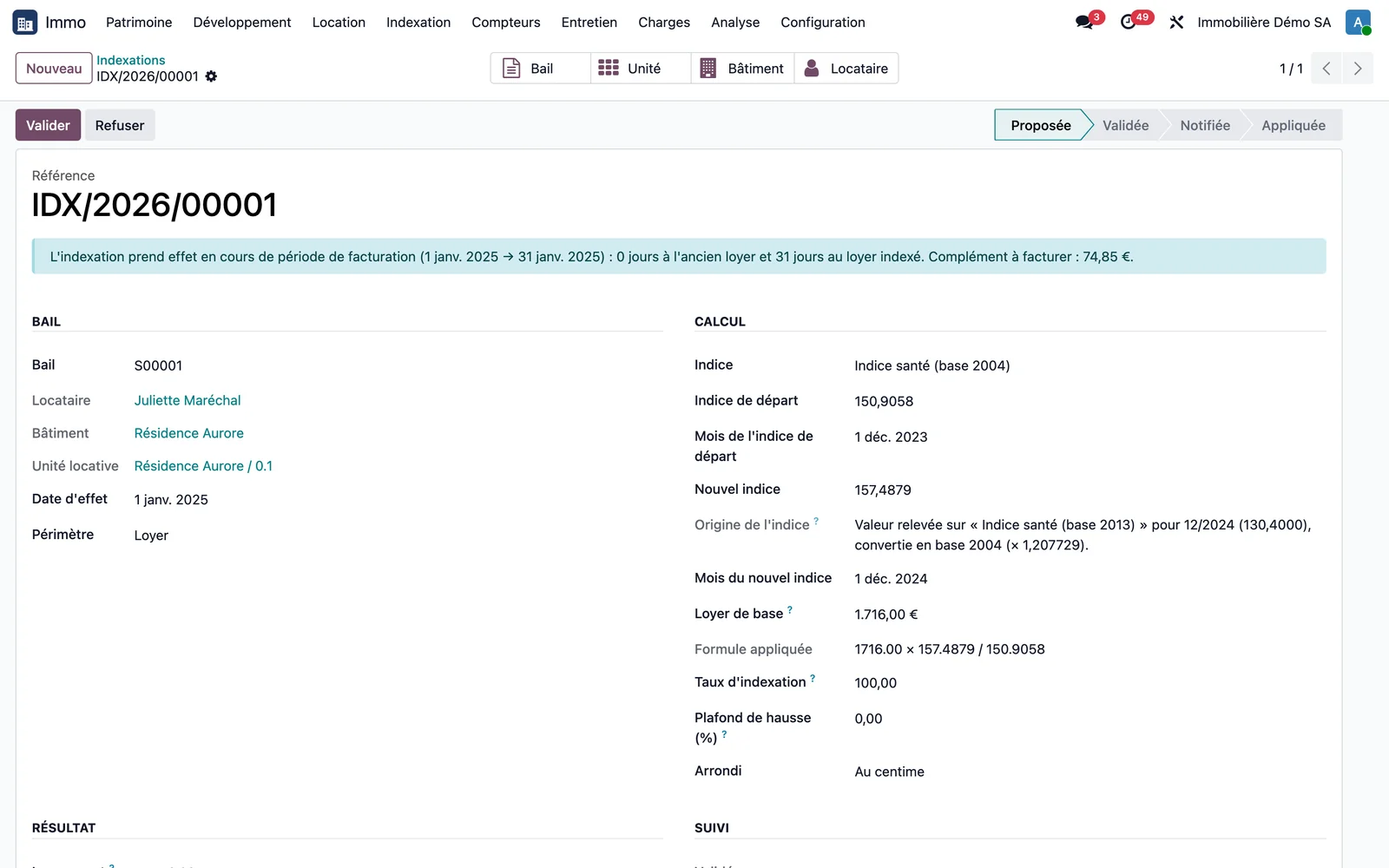
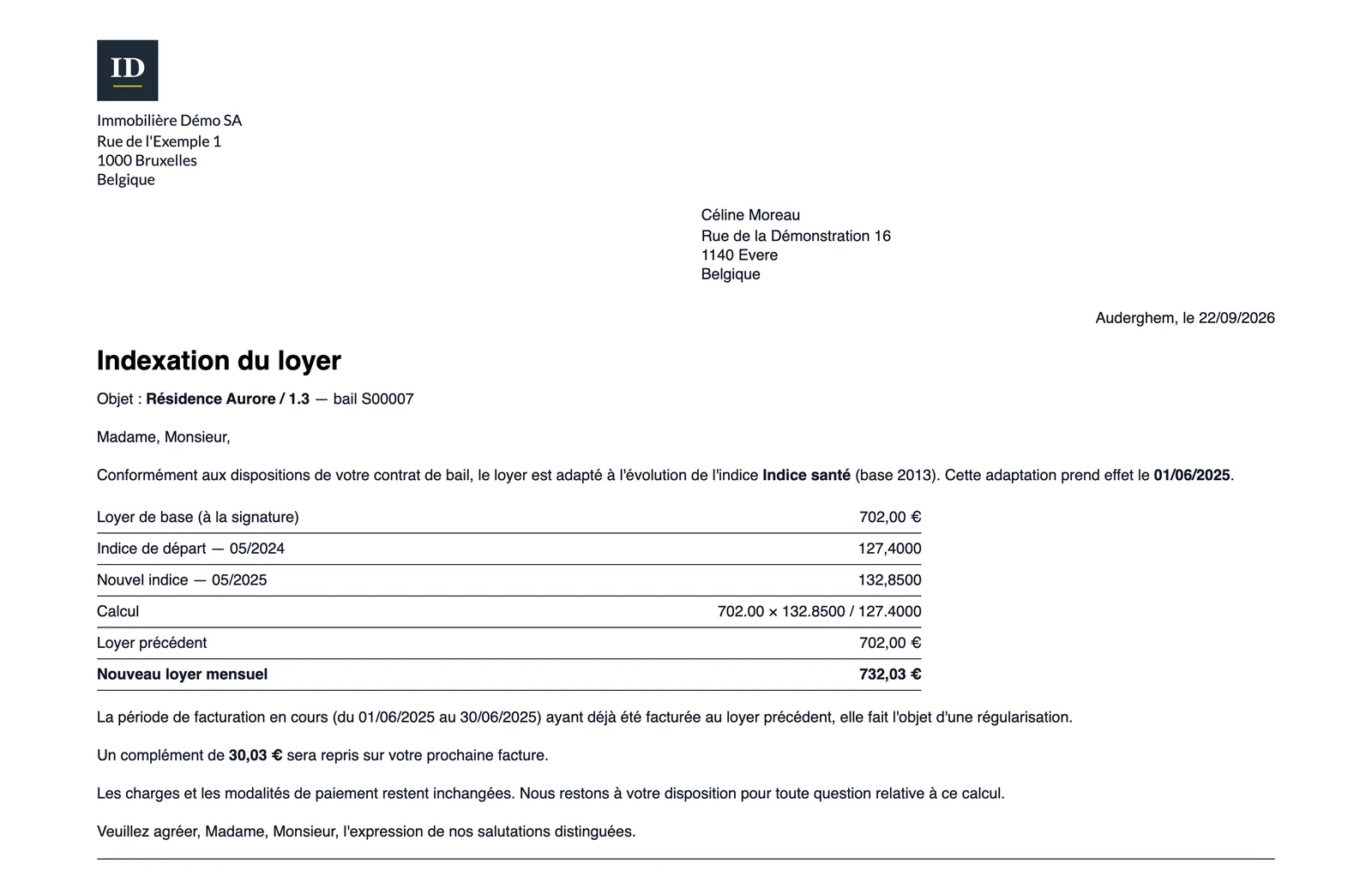
Open Immo > Indexation > Indexations and a proposal. The record shows the base rent, the starting index, the new index, the formula, the new rent and the effective date. If the index was read in another base, the "Index origin" field says which one and with what coefficient. If the effective date falls in a period that has already been invoiced, a banner announces the supplement.
Step 5 · Validate, notify, apply
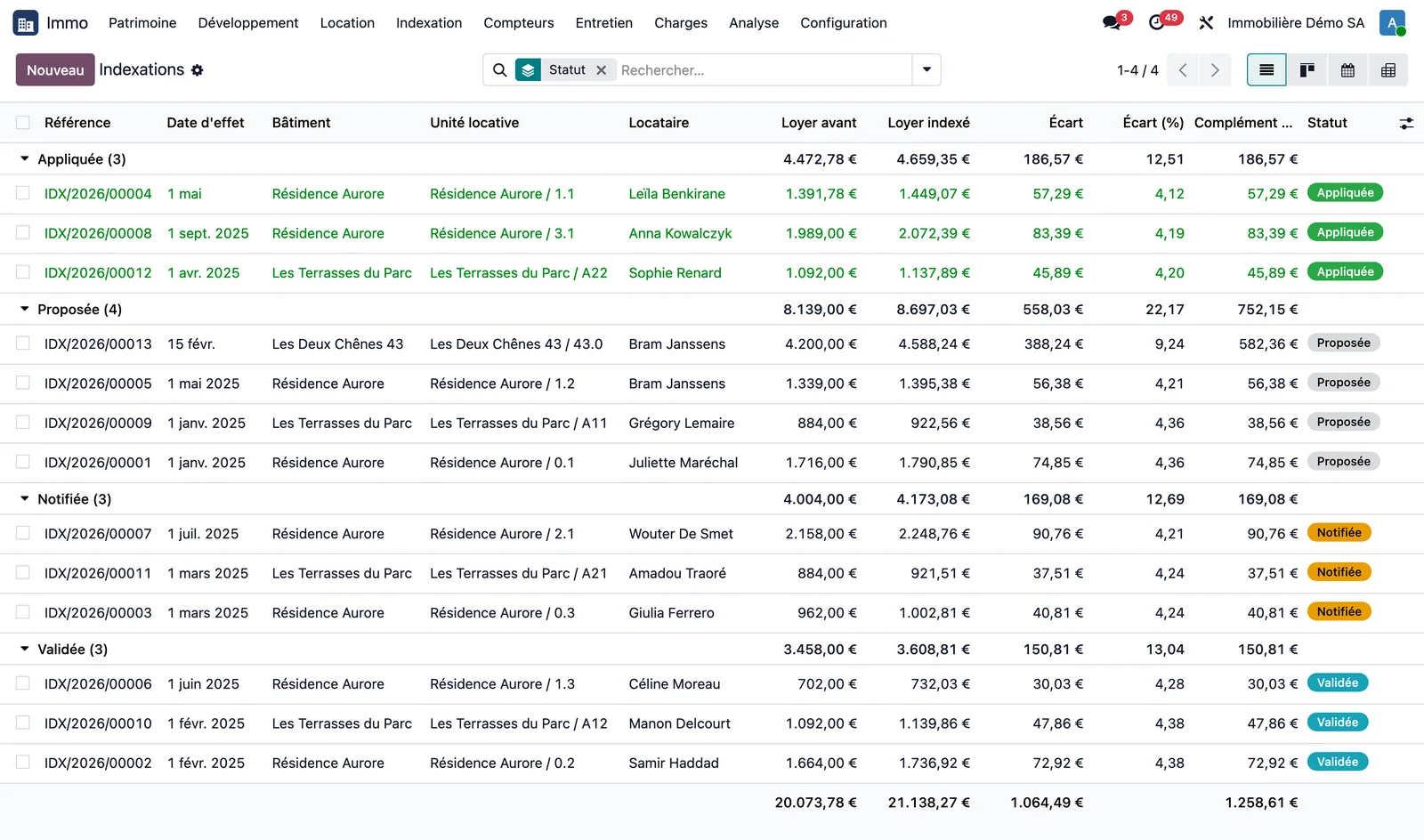
On the proposal: Validate, then Notify the tenant (or in bulk from the list), then Apply to the lease. Applying updates the recurring line of the subscription, without touching invoices already issued. Refuse rejects a proposal.
Step 6 · Review the notice sent
Preview of the notice displays the document given to the tenant: base rent, indices and their dates, formula, new rent, effective date and any supplement.
Step 7 · Simulate without changing anything
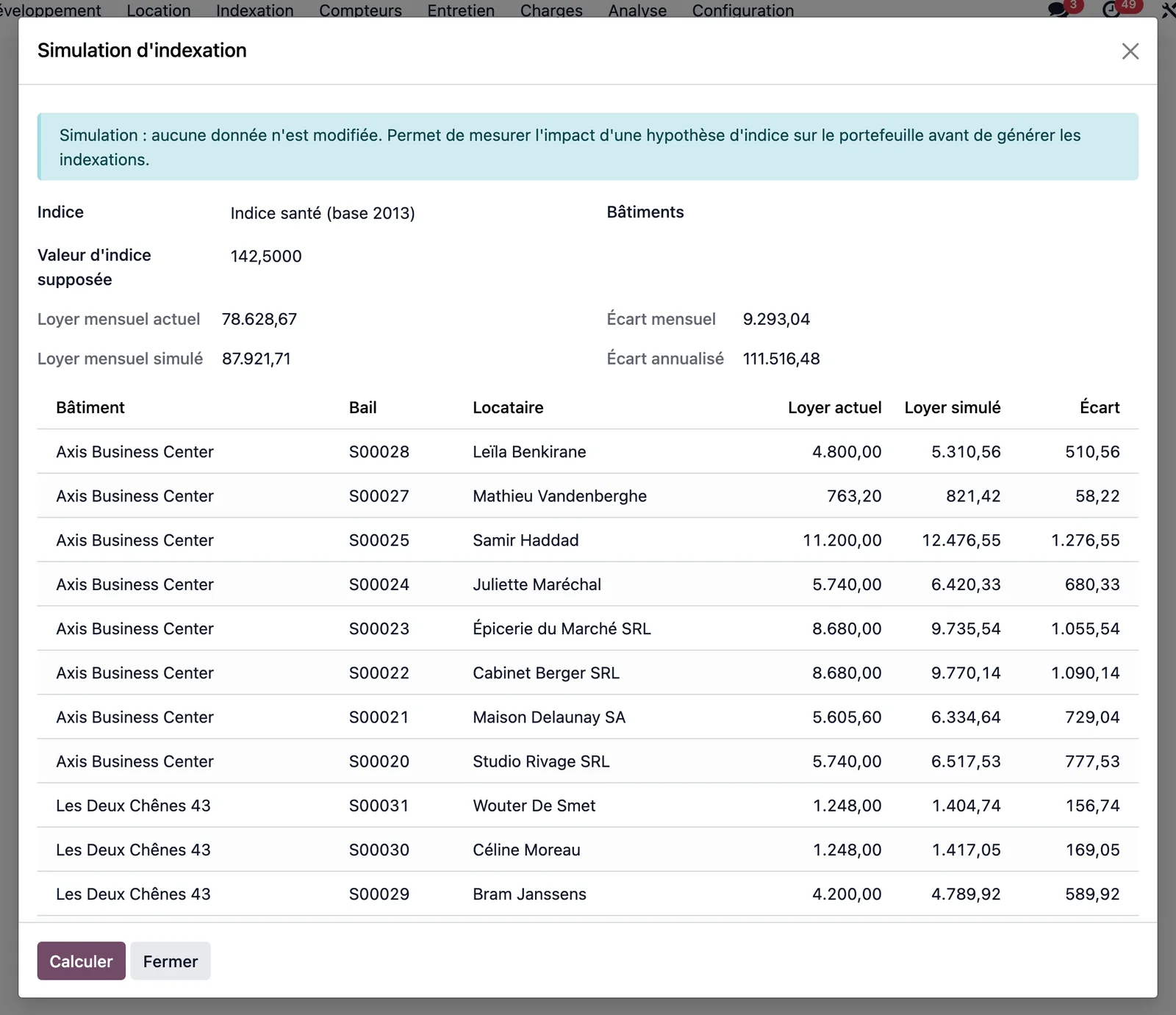
Immo > Indexation > Simulate an indexation starts from an index and an assumed index value. It calculates the simulated rent of each current lease indexed on that index, optionally limited to certain buildings, with the monthly difference and the annualised difference. No data is modified.
Step 8 · The formula on the lease and the revised rental deposit
On the lease record, a box writes out the formula with the values actually read: base rent, starting index and its month, current index and its month. The signature date, distinct from the start date, sets the starting index at the month preceding it; a lease with no signature date is not indexed, and the refusal reason names the field to correct.
The Edit button opens six parameters (index series, starting index, month of the current index, indexation date, base rent, frequency), each following the legal rule until it is activated; a starting index entered from the text of the lease is kept even if the series is changed.
With each indexation applied, each rental deposit on the lease is revised at the same ratio: one that is still to be constituted is raised, one that is already constituted remains untouched, and the supplement is claimed from the tenant through an activity assigned to the property manager. Example: an office signed on 20 August 2025 for entry on 1 October 2025 starts from the July 2025 health index (133.75); indexed on 1 October 2026, its rent rises to 850.00 × 139.80 / 133.75 = €888.45, and its constituted bank guarantee of €1,700.00 becomes €1,776.90 due, that is €76.90 to be claimed.
Key points
- The partial rate, the cap on increases and rounding are set on each lease.
- A rent step can become the new base for subsequent indexations.
- A constituted rental deposit is never debited or invoiced: only the supplement is claimed.
- The scheduled index retrieval tasks are delivered inactive: activating them is an explicit decision.