Electronic document management for the property portfolio
Diagnostics, as-built files, fire safety committee minutes, inspection reports, site plans: a building's file holds hundreds of documents, each with a current version, a person responsible and sometimes a deadline. The immo_ged module extends the typed documents of the register (immo_base module) with folders, versions, validation, sharing and a log, without Odoo Enterprise's Documents app.
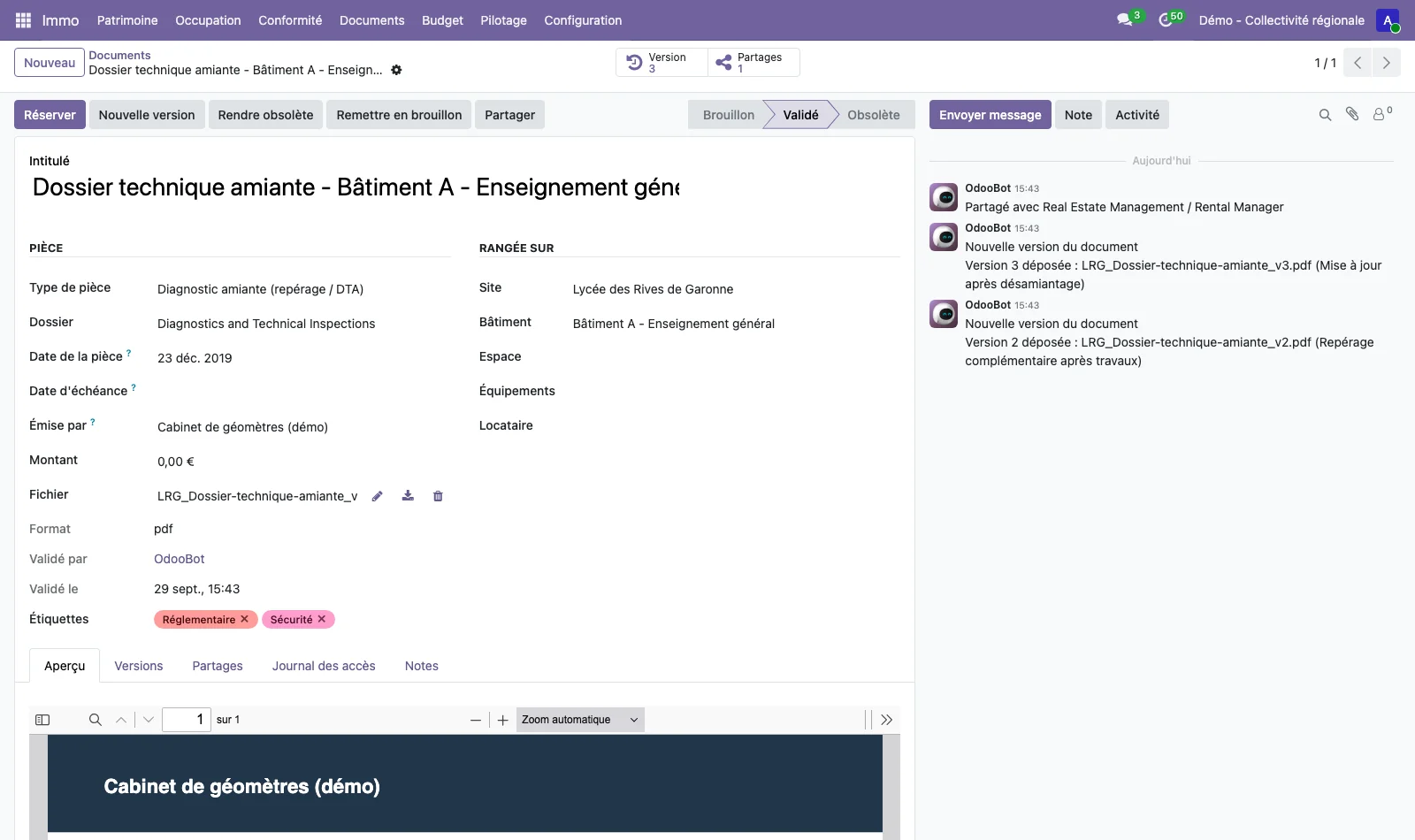
Folders and rights by action
Folders form a tree. Each folder defines the groups allowed to view, edit, export, validate and delete the documents it contains, and its subfolders inherit them. An action left empty takes the groups of the parent folder, and when no folder restricts it, the standard Immo profiles apply: the reader views and exports, the manager edits, the service charge manager validates, the administrator deletes. The same five rights are set by document type.
These rights are enforced by access rules and server-side checks, not only by the interface.
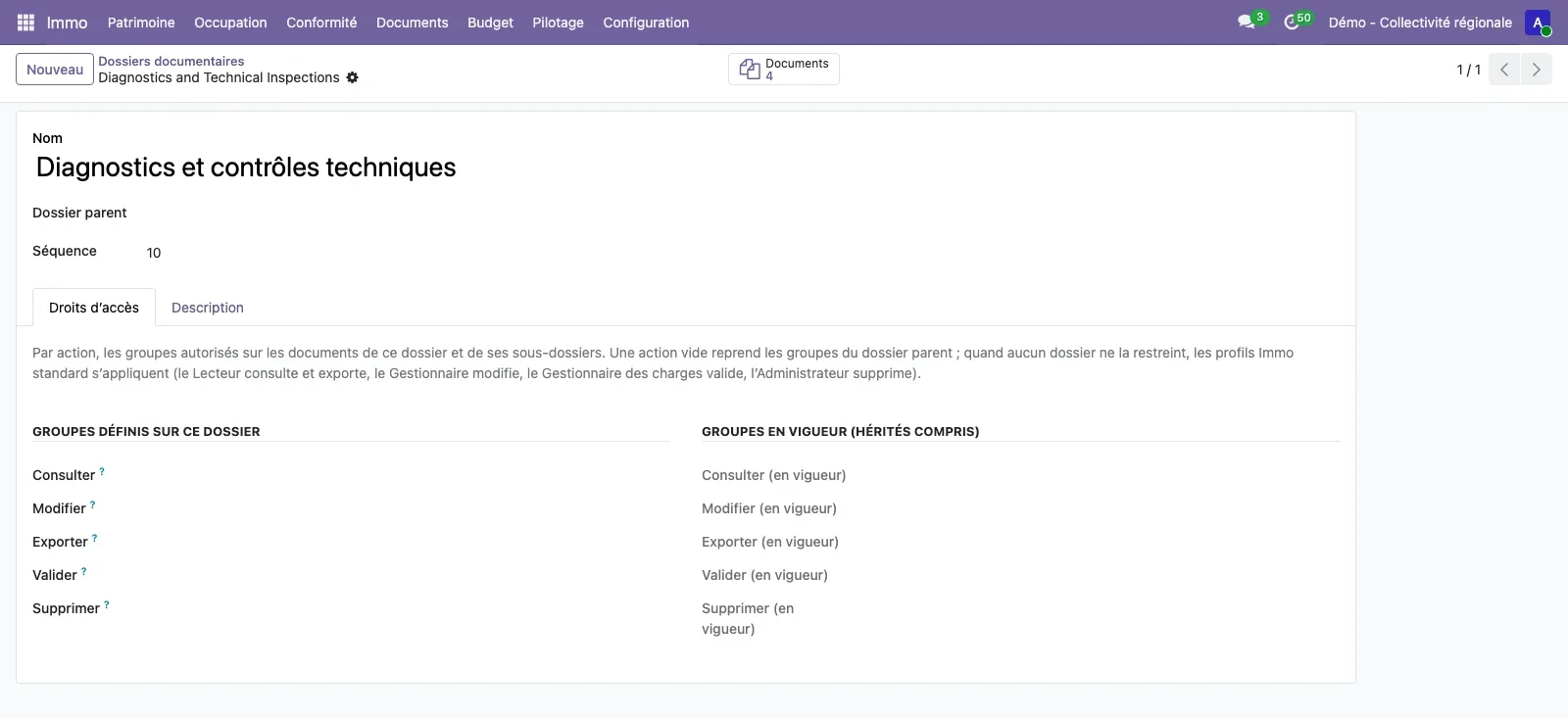
Document life cycle
Each new file uploaded keeps the previous ones, and each version can be downloaded as it was uploaded. A user can check out a document: others can then neither edit it nor upload a new version until the checkout is released, and the document's followers are notified. The document's life cycle moves from Draft to Validated, then to Obsolete, and each step is recorded in the access log with its author.
The document type (asbestos diagnostic, as-built file, fire safety committee minutes, radon measurement, energy audit, maintenance contract) specifies its scope, its default folder, whether it is mandatory, its period of validity and its alert period before expiry.
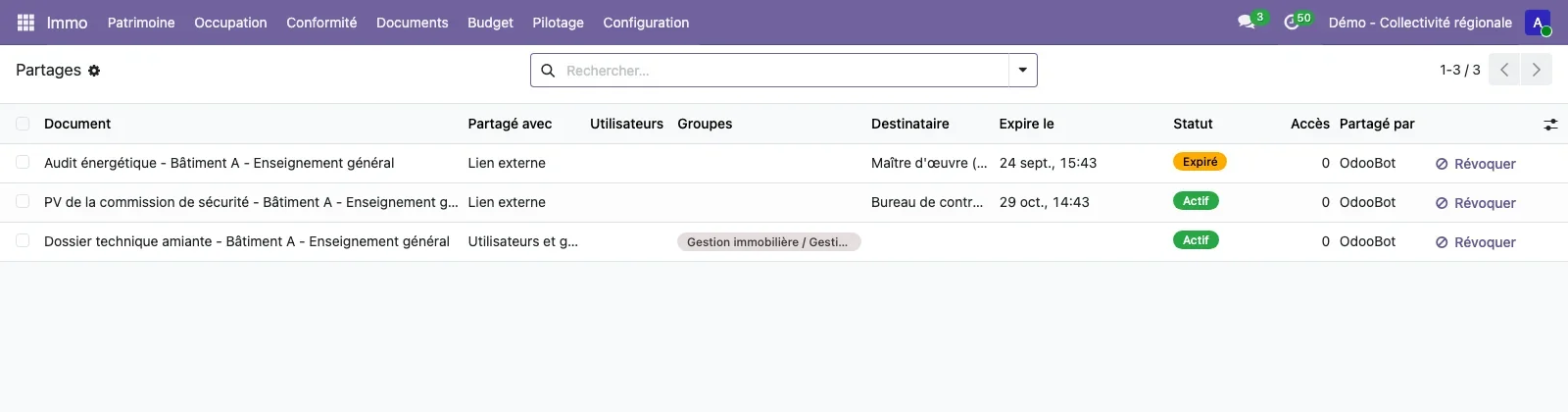
Internal sharing and external link
A document is shared with users or groups, or through an external link. The external link carries a token and an expiry date, records each access and can be revoked at any time. The list of shares shows the recipient, the expiry date, the status (active, expired, revoked), the number of accesses and the person who shared it.
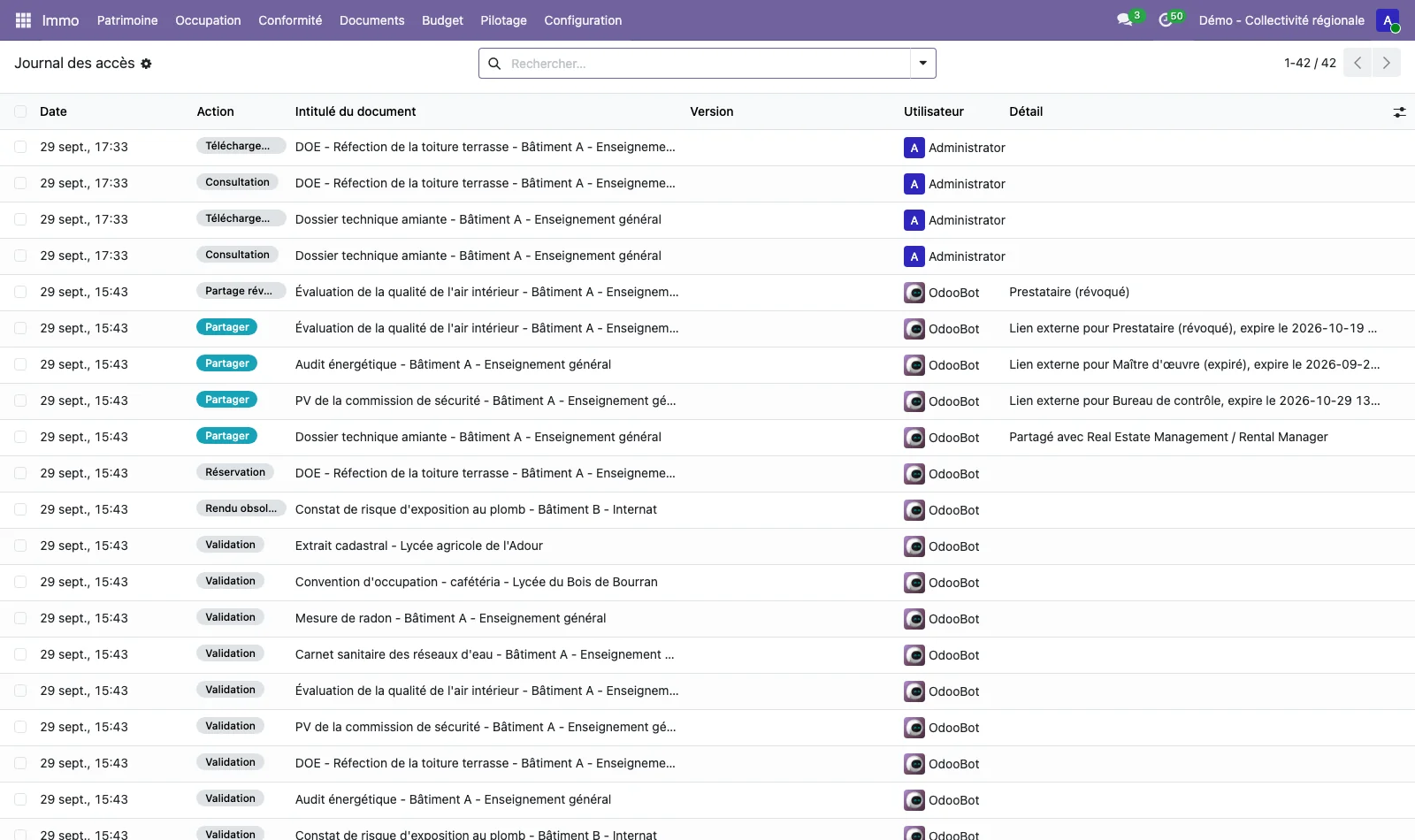
Access log
Every view, download, new version, share, checkout, validation and deletion is recorded with its author and date. The log can be read for all documents or for a single one, from the Access log tab of the document record.
Bulk import
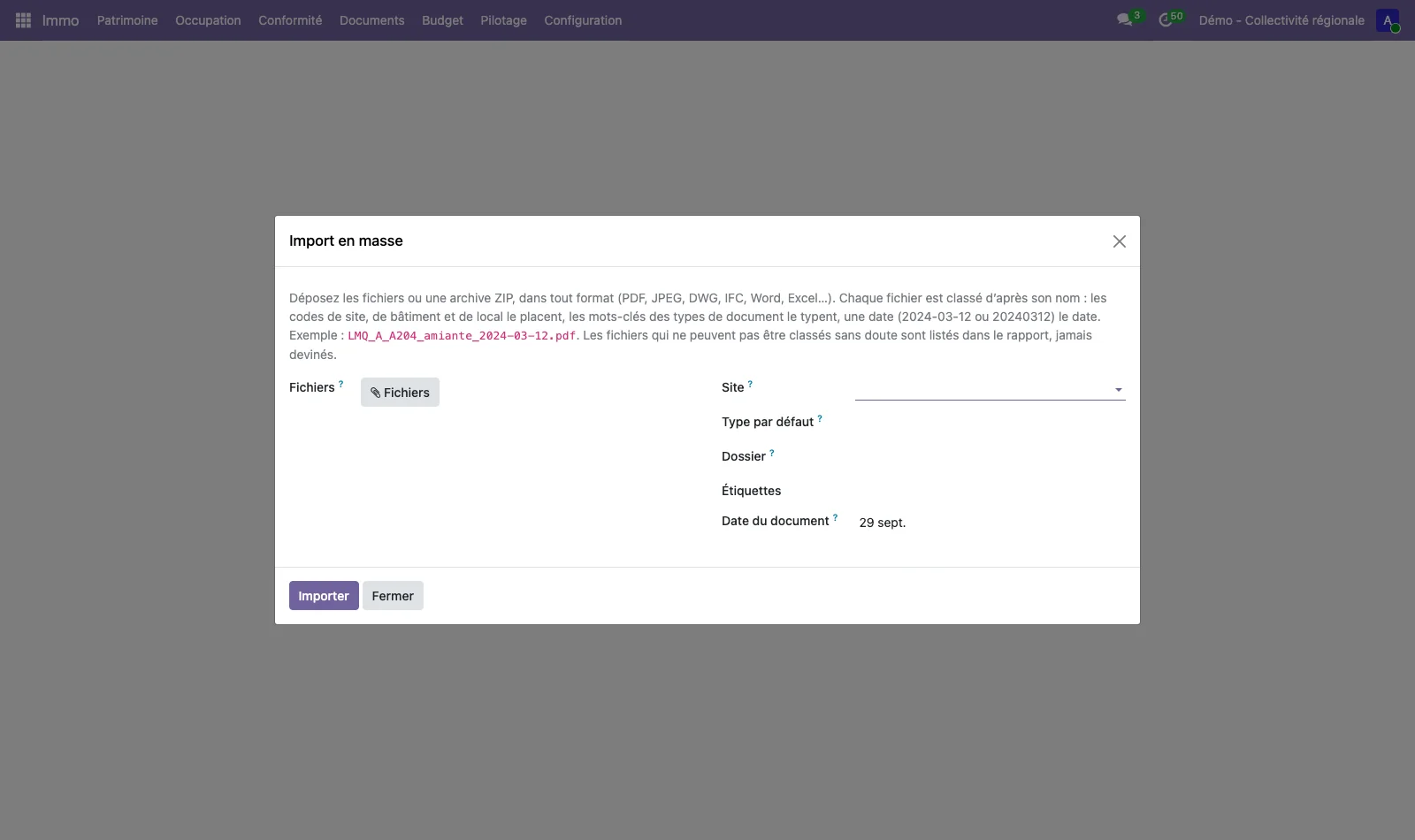
A ZIP archive or several files can be uploaded at once. Each file is filed according to its name: site, building and room codes place it, the keywords of the document types give it a type, and a date (2024-03-12 or 20240312) dates it. A file named LRG_A_A206_amiante_2024-03-12.pdf is thus filed under room A206 of building A at site LRG, with the asbestos diagnostic type. Filing is based on the file name, not on its content. Files that cannot be filed with certainty are listed in the import report instead of being guessed.
Full-text and multi-criteria search
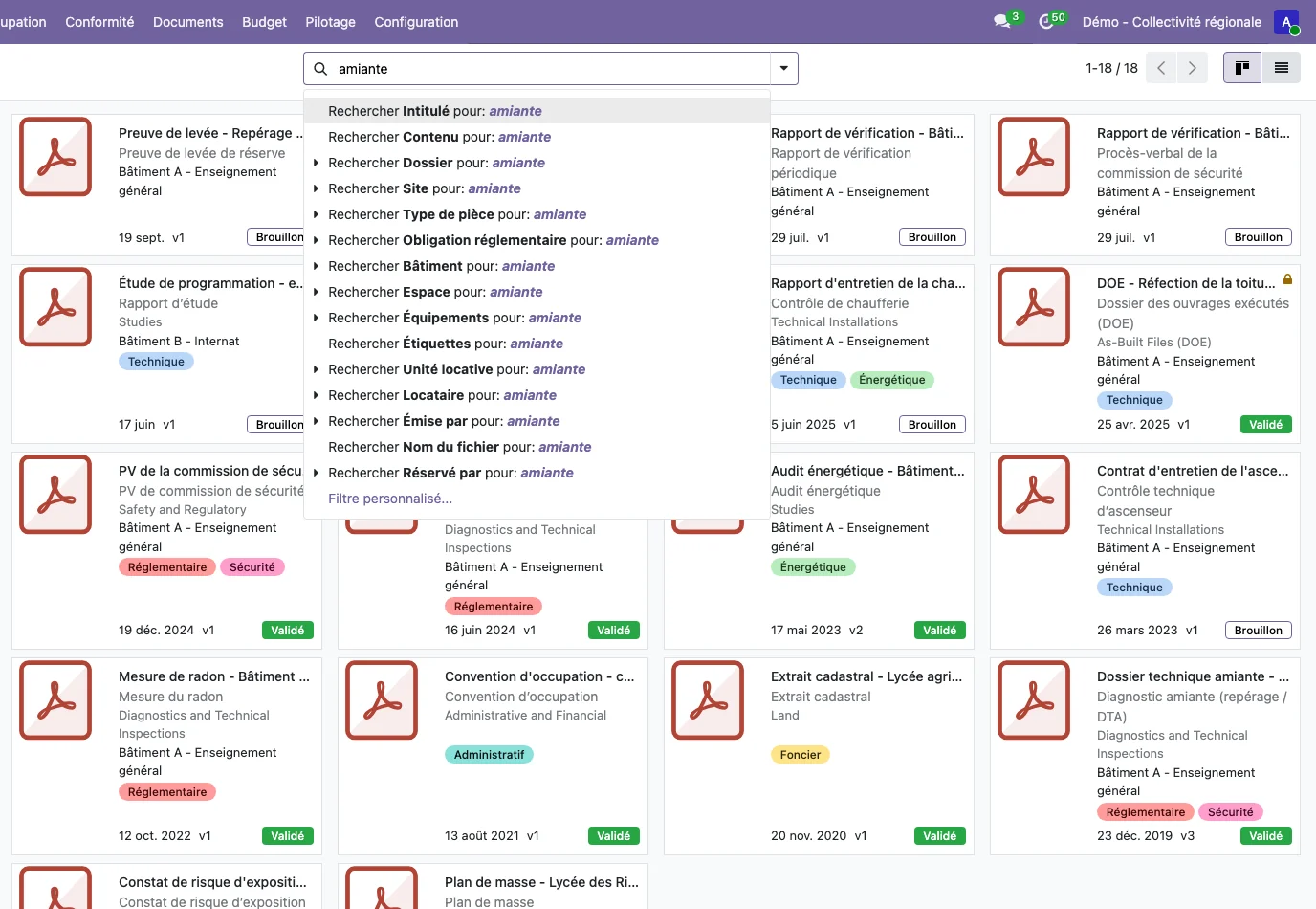
Search covers the title and the content of PDF, Word, Excel and OpenDocument files, thanks to Odoo's standard indexing (attachment_indexation). Reading PDF content uses the pdfminer.six library, installed on the server. The same search fields let you search by folder, site, building, space, equipment, document type, regulatory obligation, outstanding issue, tag or issuer. Documents are shown as cards or as a list, with filters by folder, site and document type in the left-hand panel.
A document is linked to a site, a building, a space, a piece of equipment, a regulatory obligation or an outstanding issue: from an obligation, the Documents button opens the documents that relate to it. See regulatory compliance.
See TSC Immo on your own cases
A demonstration on a database with fictitious data, then on your own management questions.
 Connect. Transform. Grow.