Skip to Content
  1. Home
  2. Documentation
  3. Meters

Guide: meters and reading campaigns

Step by step: record the meters of a building, launch a reading campaign, chase missing readings and handle anomalies.

Module immo_meterOdoo 19 Enterprise

Required profile: rental manager.

Step 1 · Record the meters

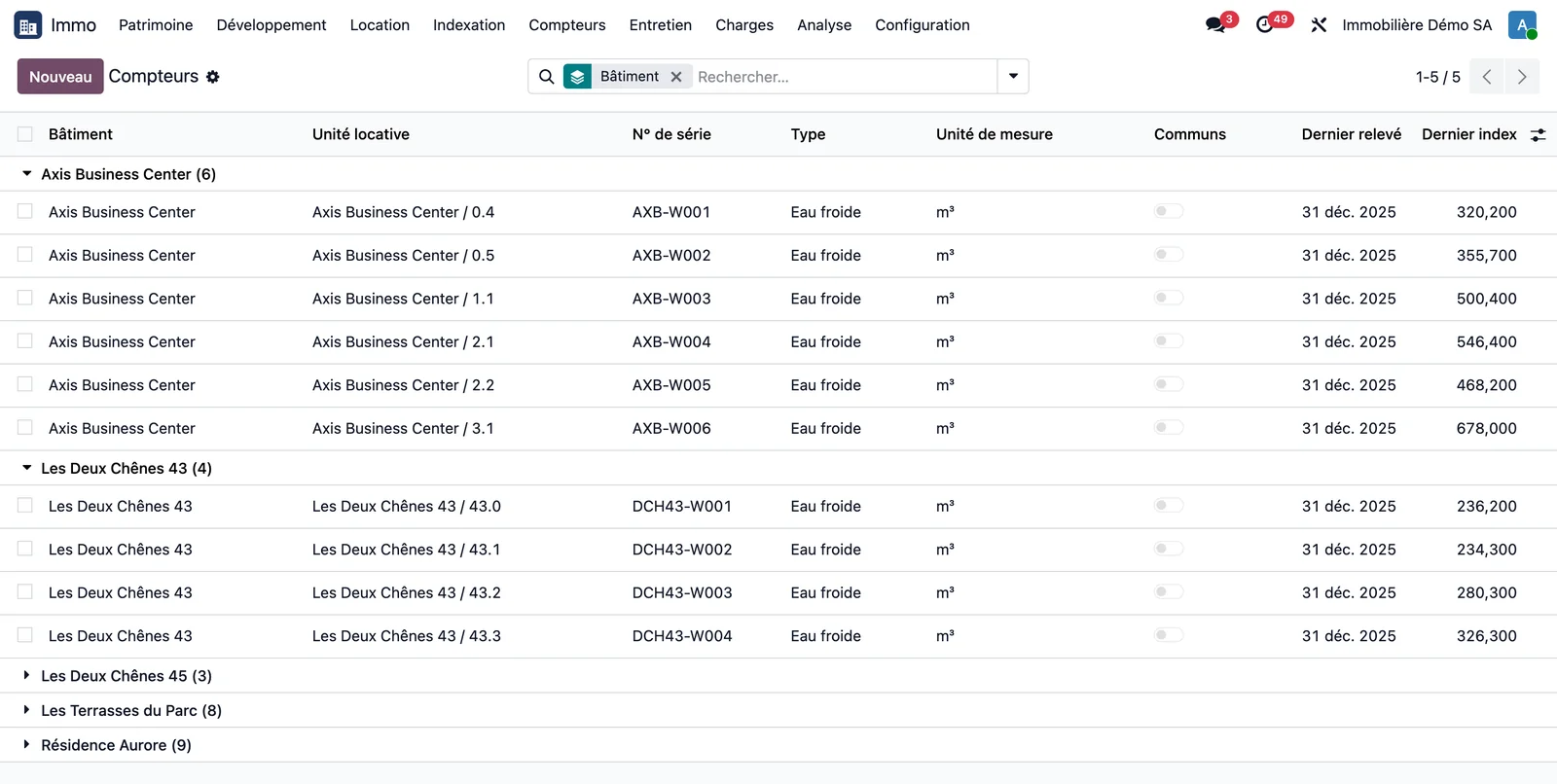
Open Immo > Meters > Meter portfolio. The list is grouped by building. A meter has a type (cold water, hot water, gas, electricity, heat meter or heat, other), a building, and a unit if it is private. Without a unit, it is a common-areas meter. The coefficient converts the index into consumption.
Immo · Meters · Meter portfolio
Meter portfolio grouped by building: unit, serial number, type, unit of measure, last reading and last index
Immo · Meters · Meter portfolio, grouped by Building (default grouping). The demonstration meters are private cold water meters; the Common areas column flags a common-area meter.

Step 2 · Open a reading campaign

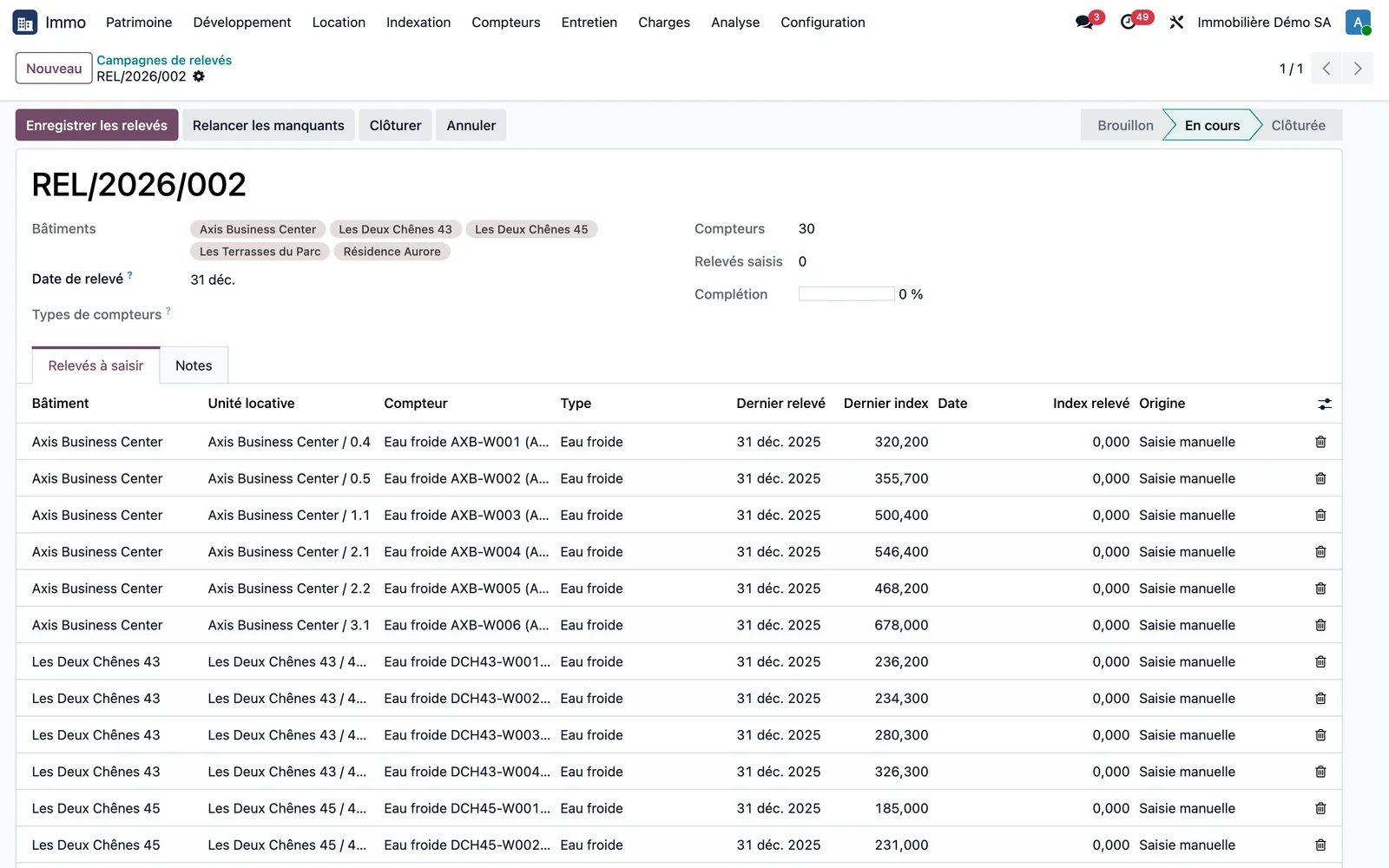
Open Immo > Meters > Reading campaigns, create a campaign by choosing the buildings, the reading date and the meter types, then click Open the campaign. One line is created per meter, with the previous index alongside.
Immo · Meters · Reading campaigns · REL/2026/002
Reading campaign in progress: buildings, reading date, completion rate and lines per meter with the last index
Immo · Meters · Reading campaigns · REL/2026/002, with the status In progress: 30 meters across five buildings, no reading entered yet (0% complete). Each line shows the last reading and the last index next to the index to enter.

Step 3 · Enter and save

Enter the readings, then Save the readings. The completion rate moves forward. Chase missing readings schedules an activity in your name that counts the meters still to be read.

Step 4 · Handle anomalies

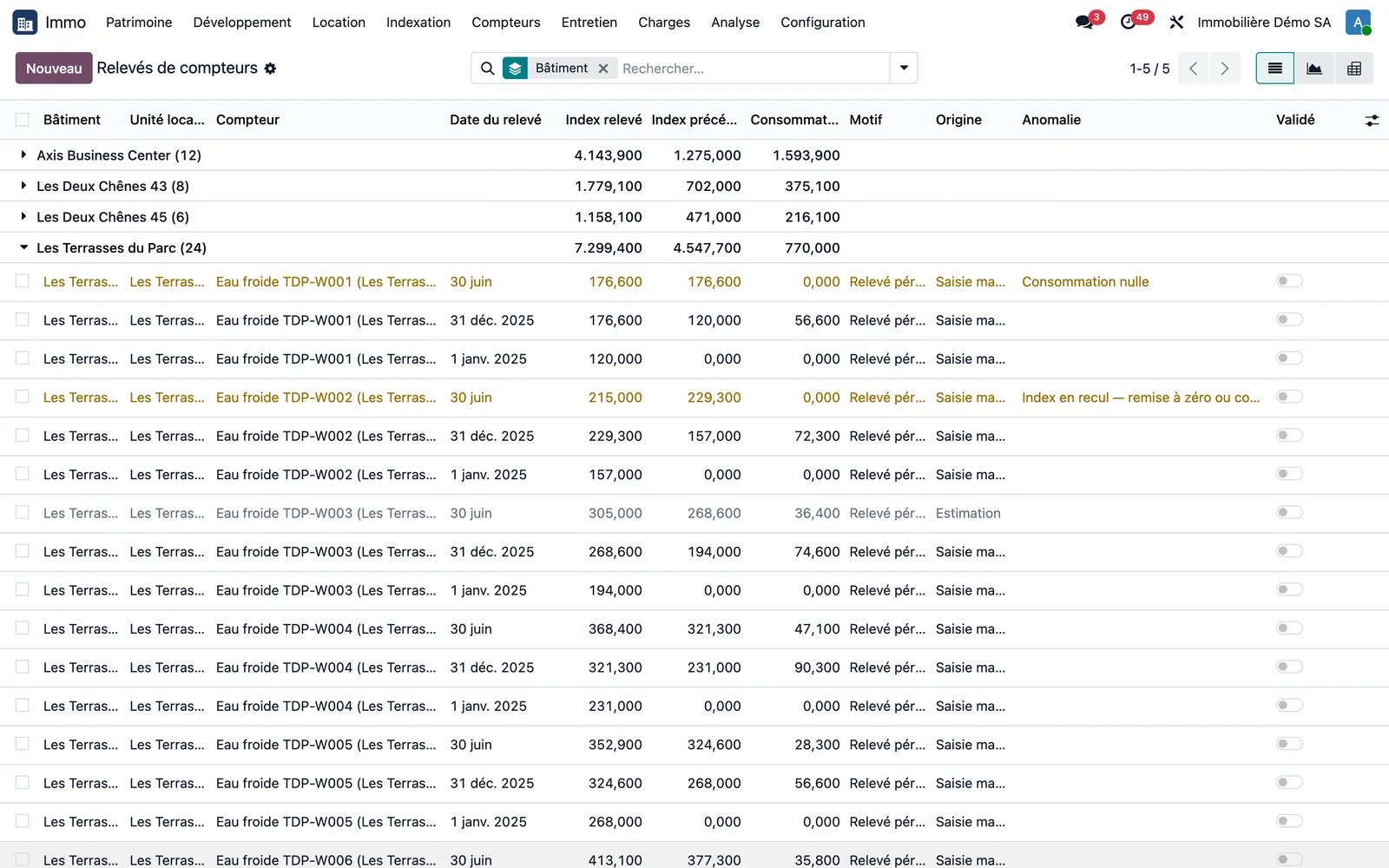
Open Immo > Meters > Readings. A zero consumption or a decreasing index appears in the Anomaly column, and the line takes on an alert colour. The Anomalies, Estimated and Move-ins / move-outs filters isolate these readings. A reading is periodic, move-in, move-out or meter replacement.
Immo · Meters · Readings
Meter readings grouped by building with index read, previous index, consumption, reason, origin and anomaly
Immo · Meters · Readings, grouped by Building (default grouping), group Les Terrasses du Parc open. The readings of 30 June show the three cases to watch: zero consumption (TDP-W001) and an index going backwards (TDP-W002), flagged in colour in the Anomaly column, and an estimated reading (TDP-W003), greyed out, with the origin Estimate. Demonstration data.

Key points

  • If no reading exists at one end of the statement period, the index is interpolated from the readings either side of it and the consumption is marked "Estimated" in the calculation detail.
  • Allocation based on consumption is declared on the service charge type, not on the key.
Going furtherThe overview of the domain is on the page Meters. The screenshots come from a demonstration database with fictitious data.