Required profile: service charge manager.
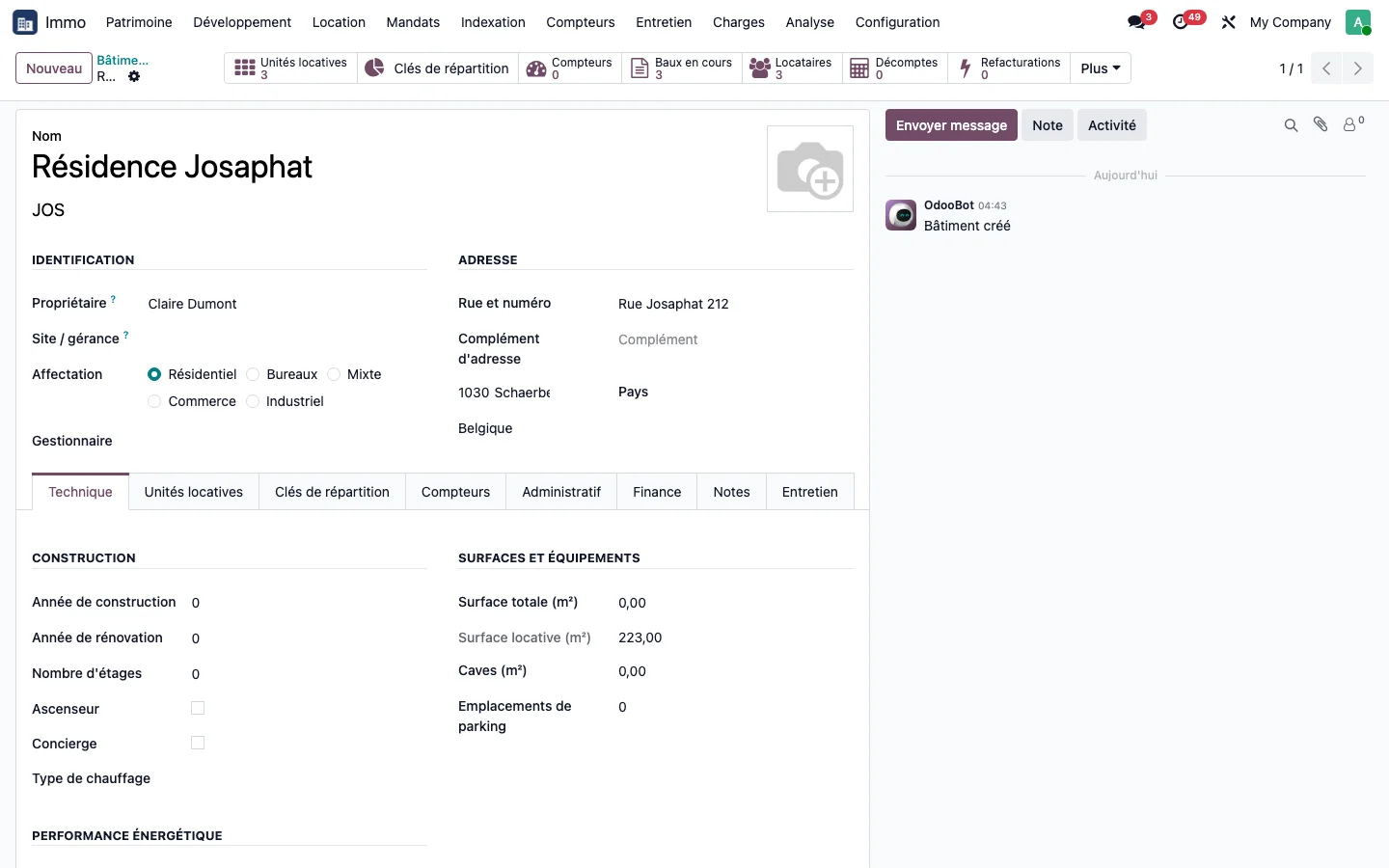
Step 1 · Name the owner
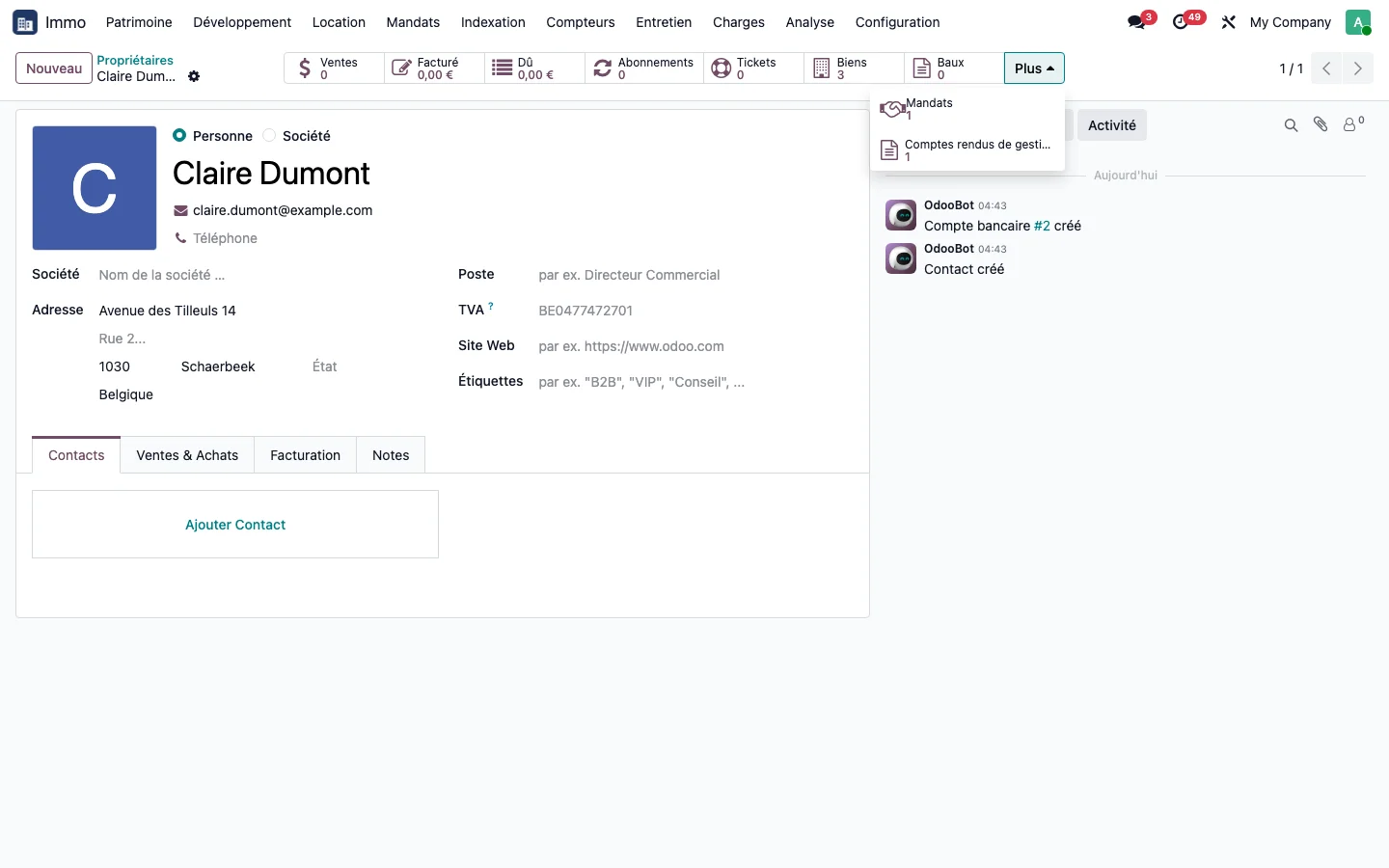
On the building record, fill in the Owner field: the units of the building inherit it. The owner's contact record shows the number of properties and gives access to their mandates and management reports.
Step 2 · Create the mandate
Open Immo > Mandates > Management mandates and create a mandate: owner, units covered, start date, notice period, management fee rate and frequency of the report.
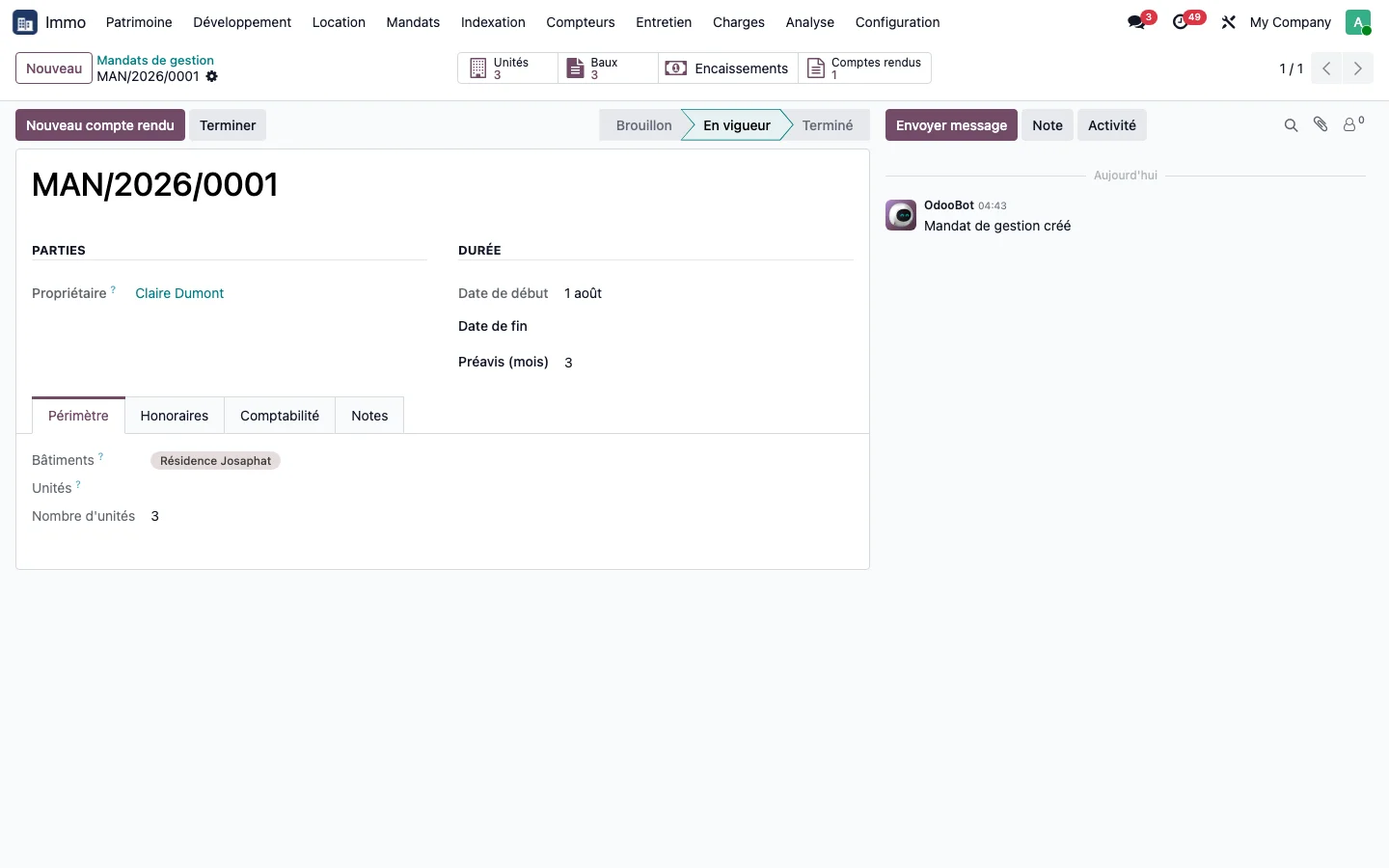
Step 3 · Set up the mandate accounting
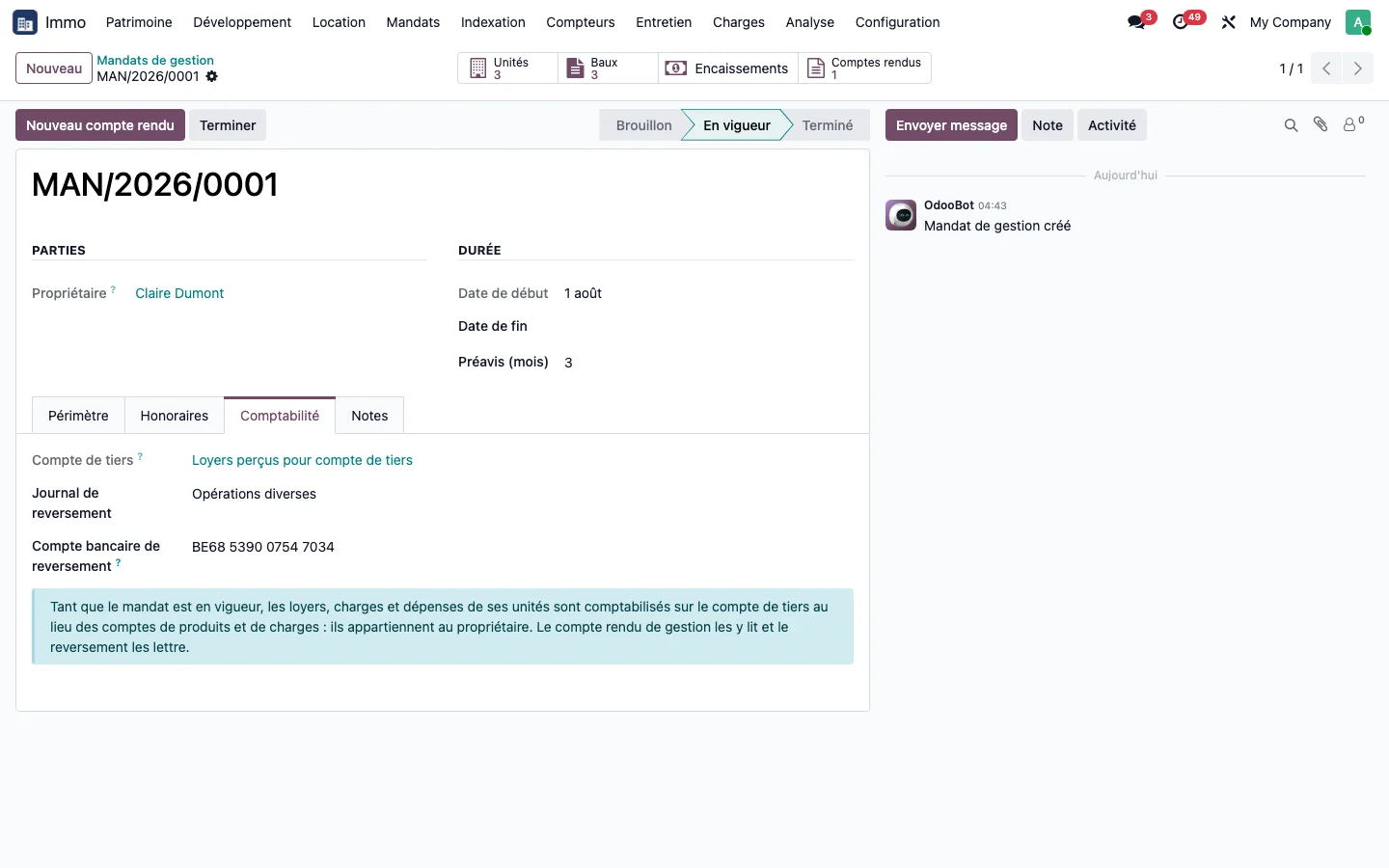
In the mandate's Accounting tab, enter the third-party account, the payout journal and the owner's bank account.
Step 4 · Check the rents on the third-party account
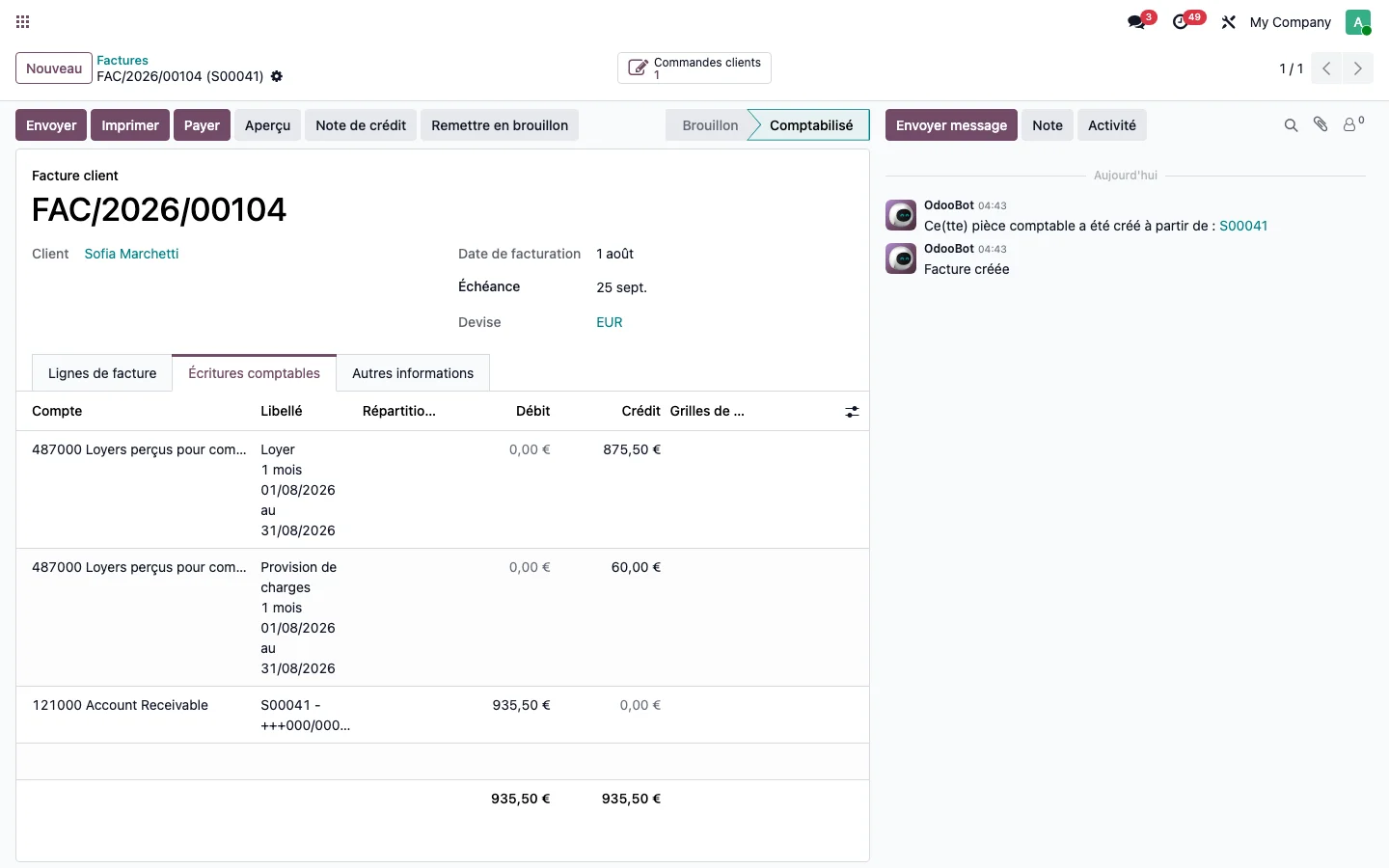
Once the mandate is in force, the rent invoices of the units covered are posted to the third-party account, not to income.
Step 5 · Read the receipts and arrears
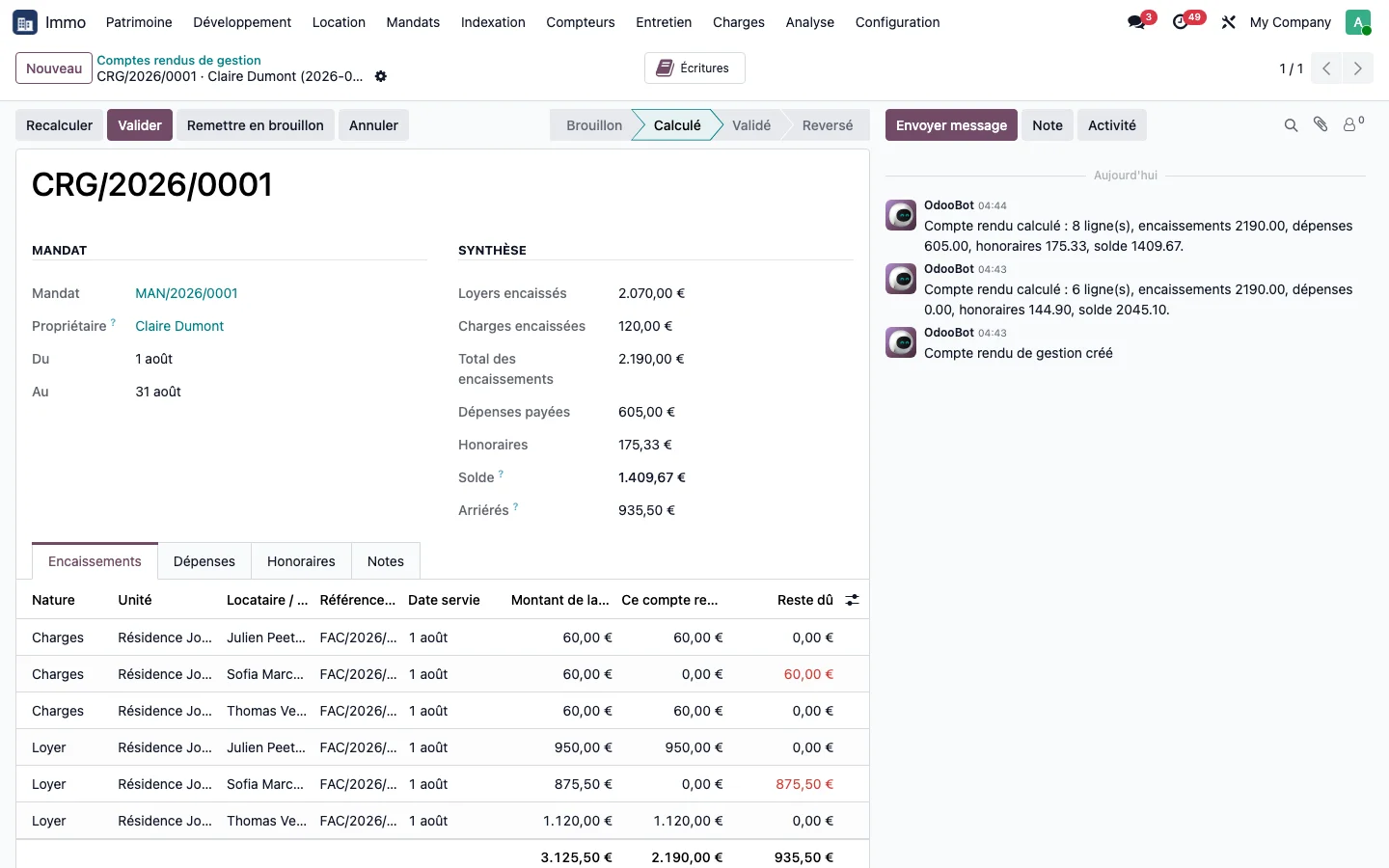
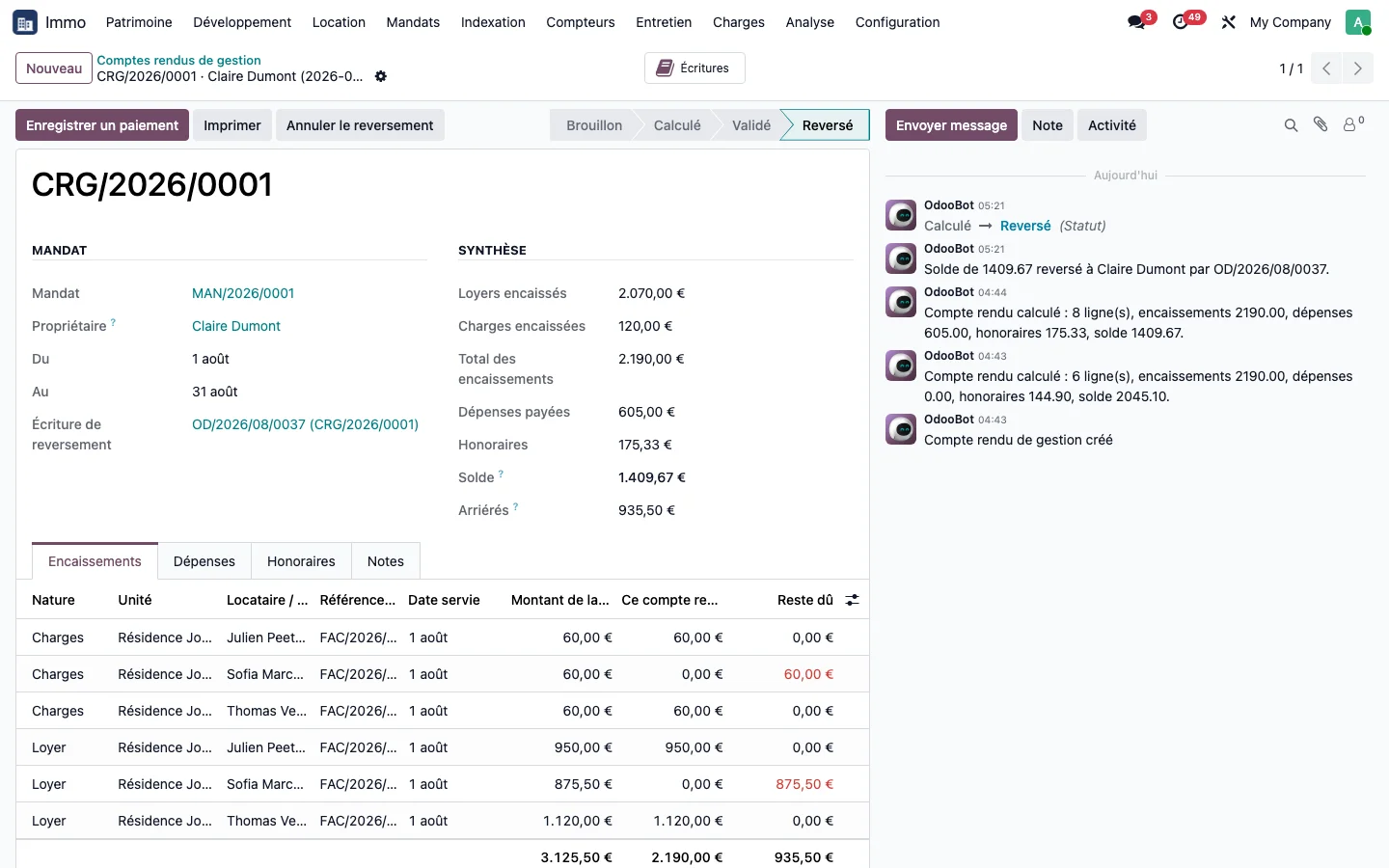
From the mandate, click New report. The Receipts tab lists the rents and service charge advances collected over the period and highlights the arrears of a tenant who has not paid.
Step 6 · Read the expenses paid for the owner
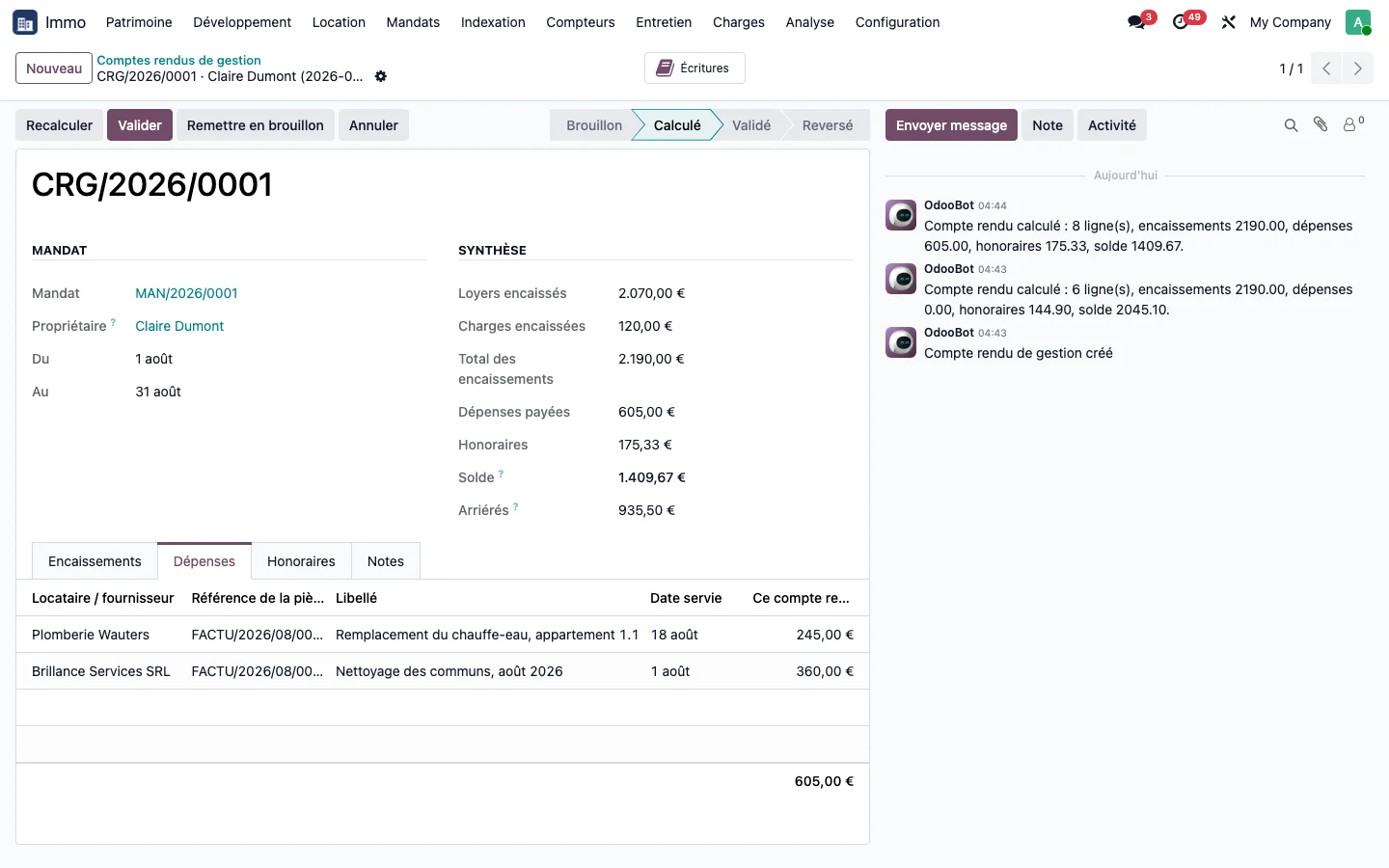
The Expenses tab lists the vendor bills paid on the owner's behalf over the period.
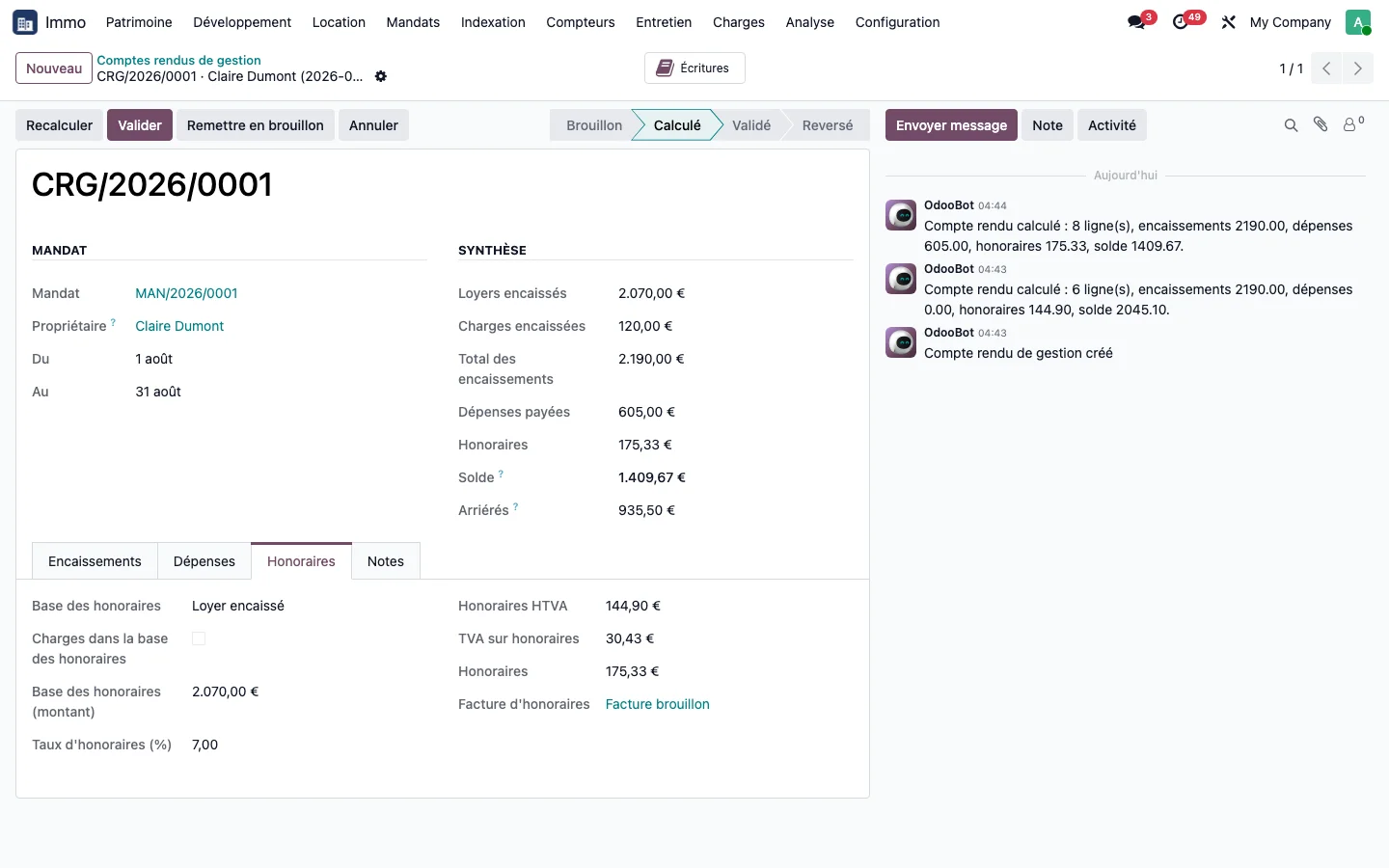
Step 7 · Validate the management fees
The Management fees tab shows the calculation base, the mandate rate and the management fee invoice in draft. Click Validate: the management fee invoice is posted.
Step 8 · Pay over the report
Click Pay over: the balance moves to the owner's vendor account and the standard payment settles it.
Step 9 · Check the payout entry
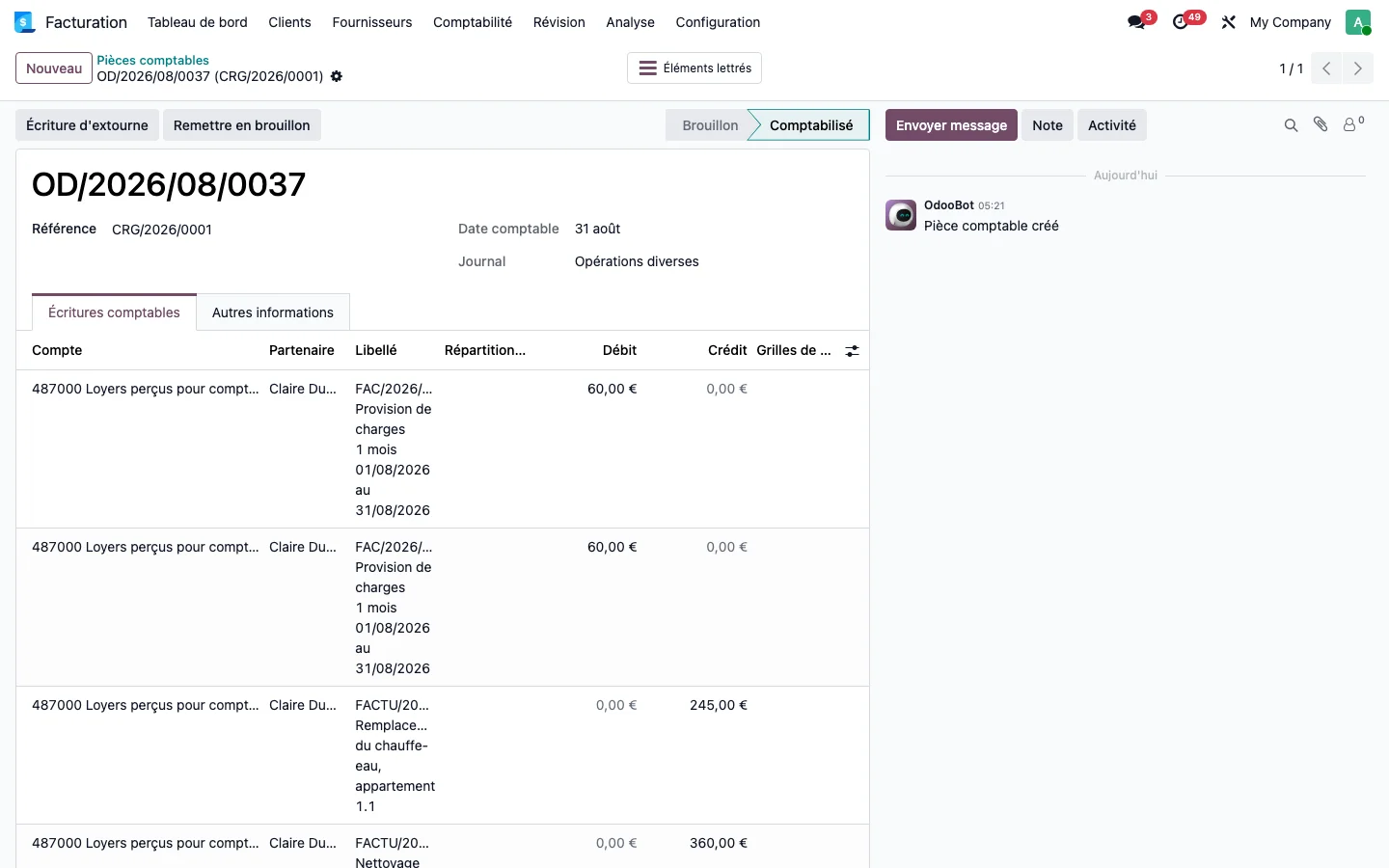
From the report, the Entries button opens the payout entry: each rent, each service charge advance and each expense is reconciled with its source document.
Step 10 · Print the report
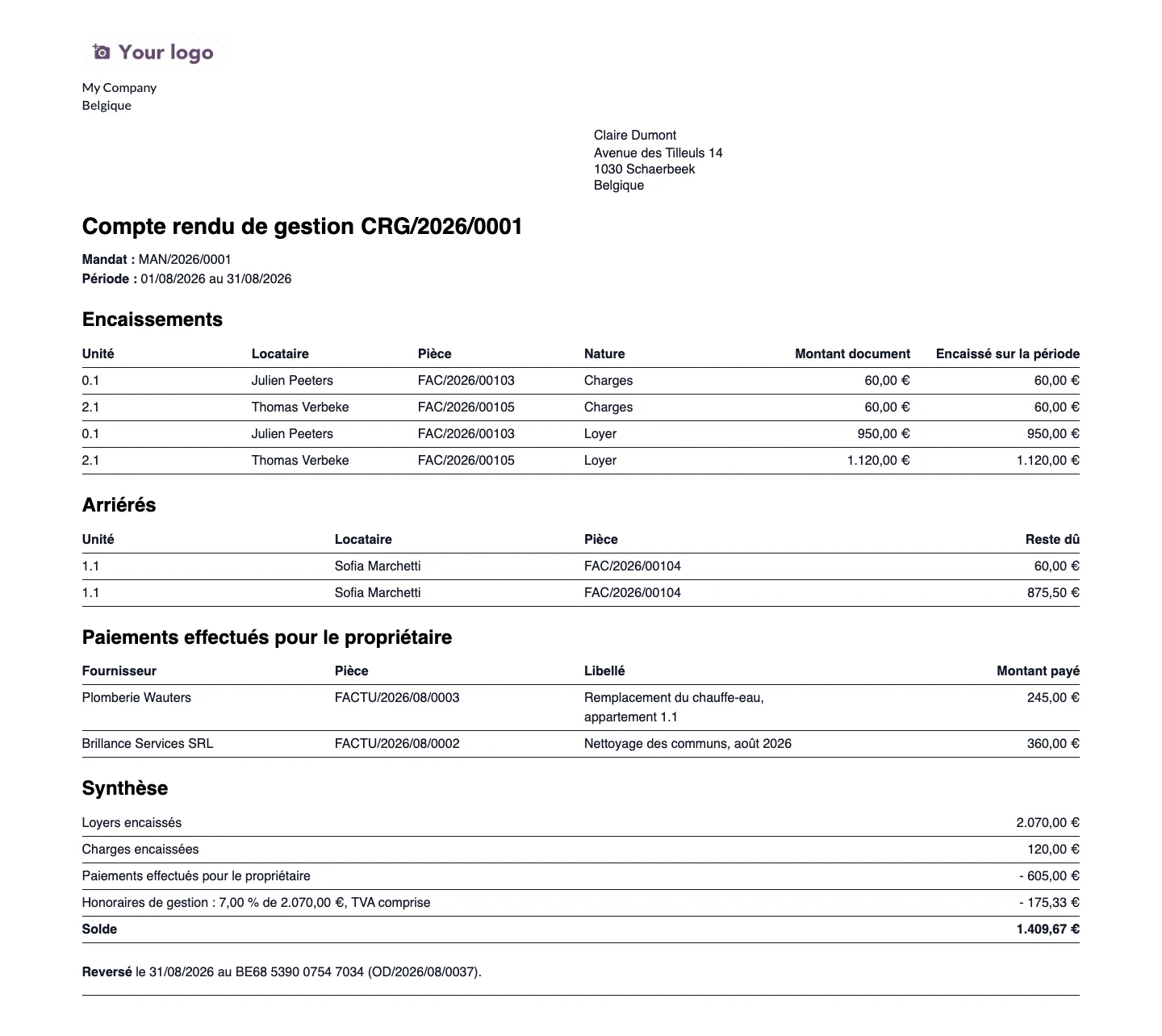
Click Print to obtain the document handed to the owner: receipts, arrears, expenses, management fees and balance.