Publishing property listings, from the missing criterion to withdrawal when the lease is signed
The listing is prepared on the rental unit itself in TSC Immo. The application tells you, channel by channel, what is missing before publication, translates the values into each platform's vocabulary, produces the file to send to it, and withdraws the rental listing by itself when the lease is signed.
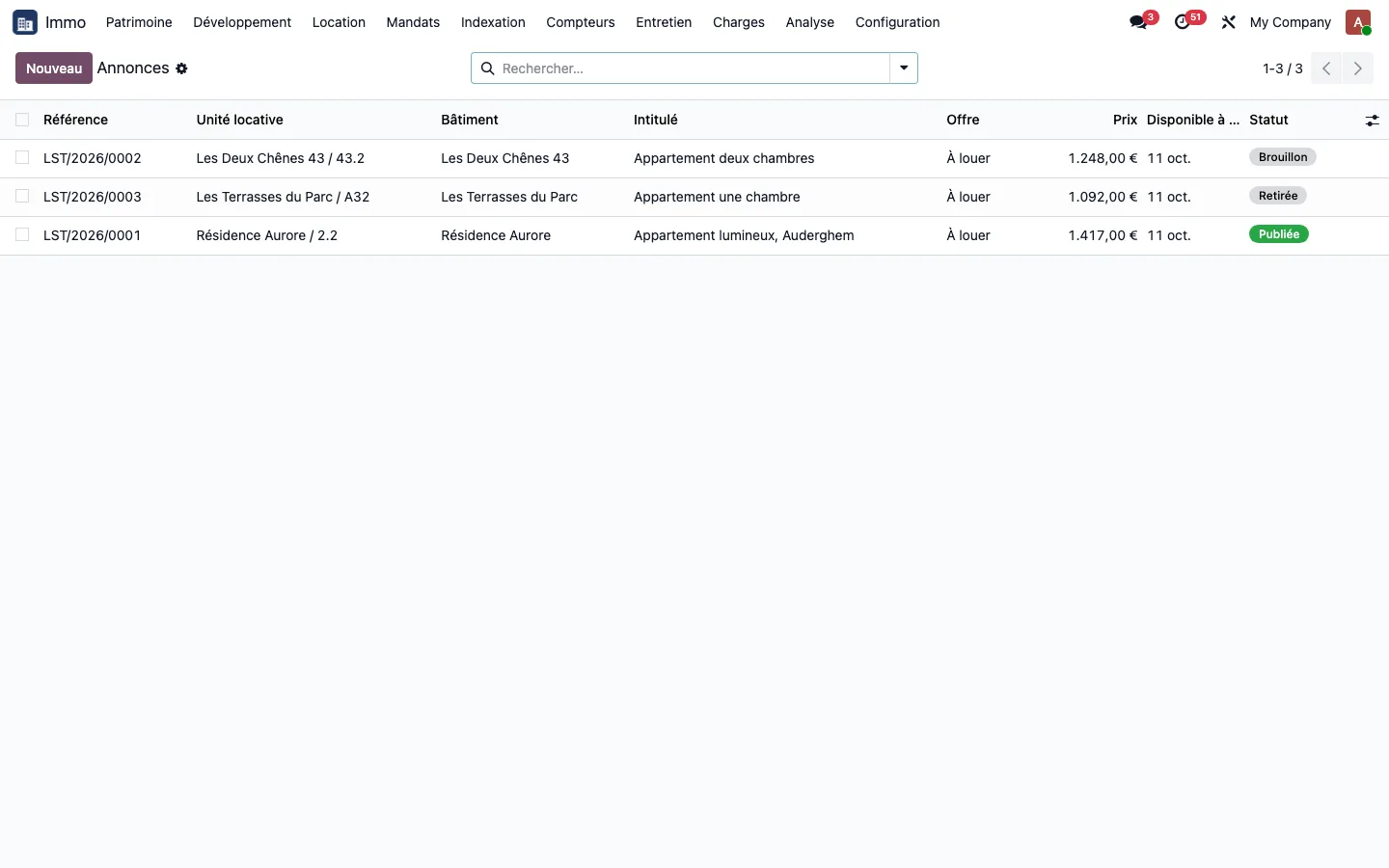
Criteria are completed on the unit
The Listing tab of the rental unit holds the criteria that the platforms require: living area, kitchen area, bathrooms, toilets, orientation, property condition, then the photos in their publication order, each with its caption. Nothing is re-entered in a separate tool: the property is described only once.
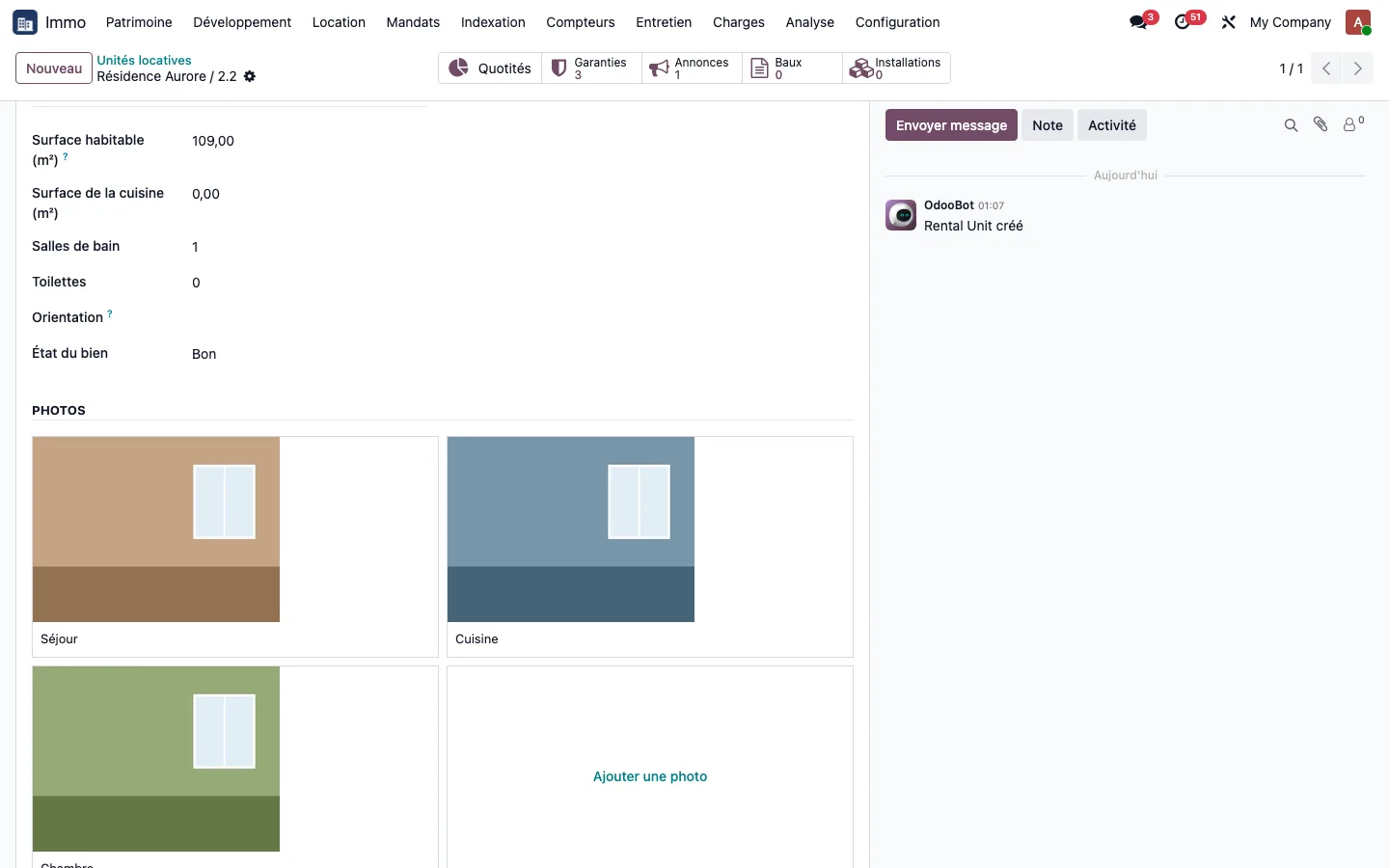
Channel-by-channel check before publication
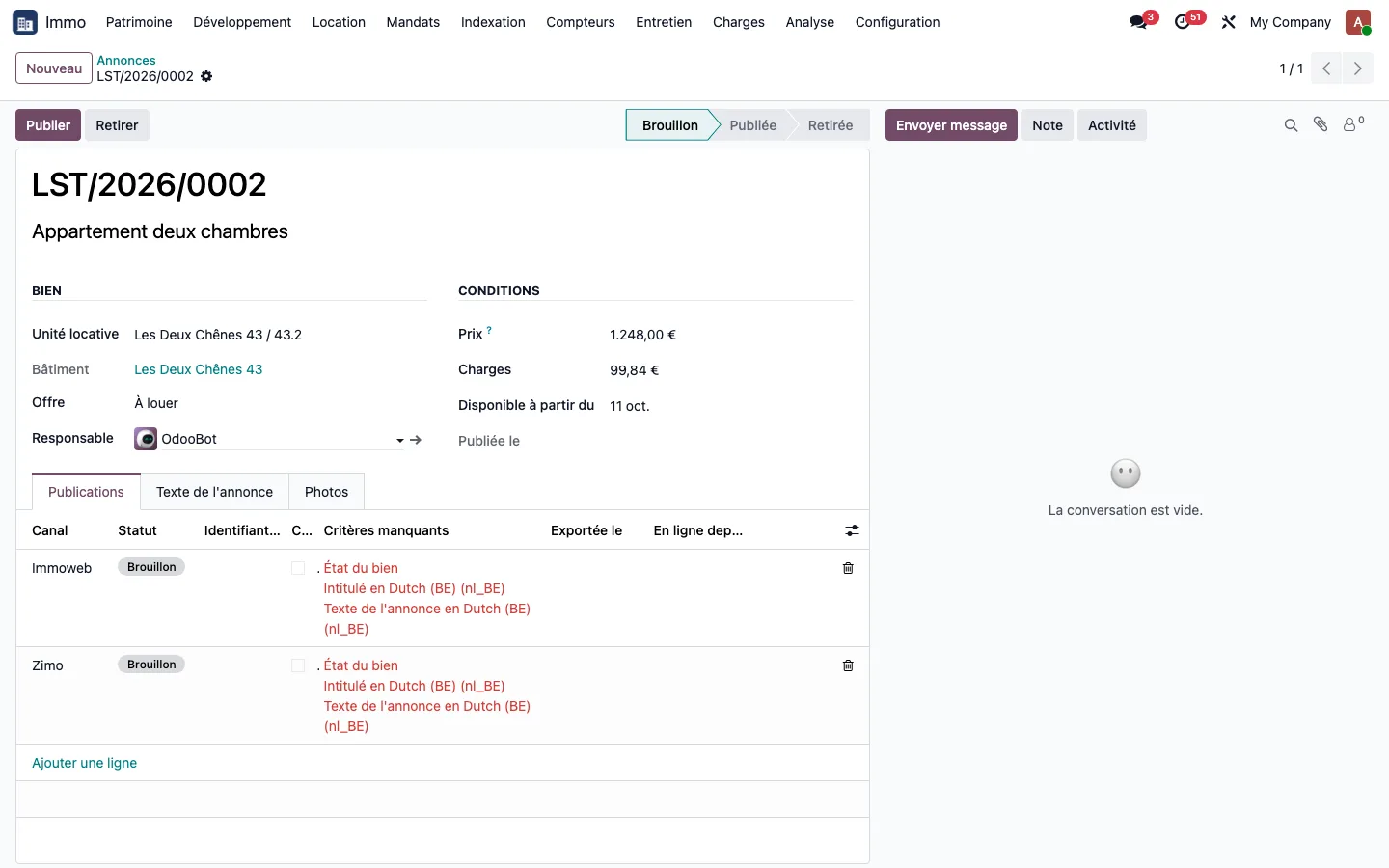
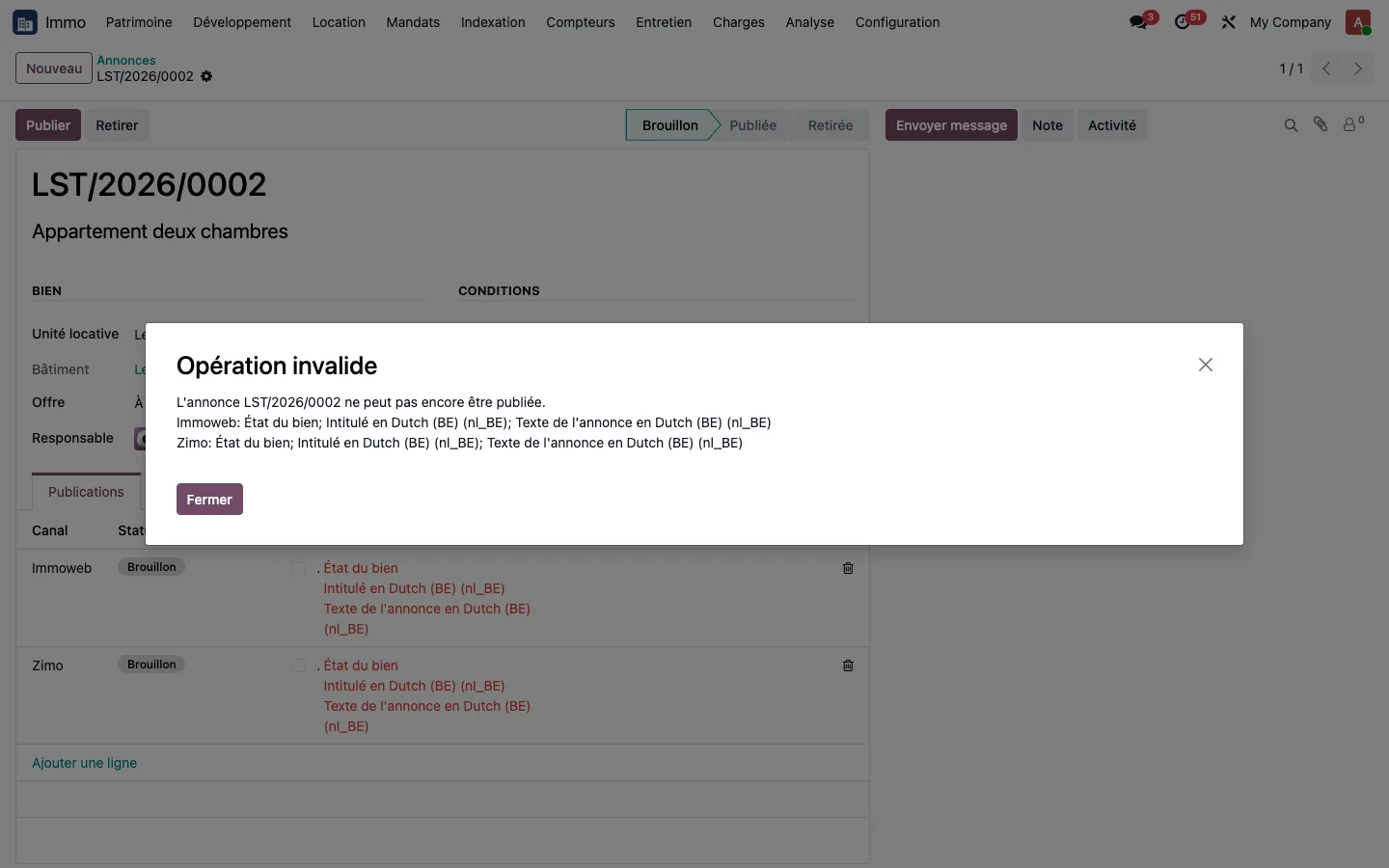
The Publications tab of the listing has one line per target channel, and the Missing criteria column states, in red, what still has to be supplied. This check is valuable even without any connector: it serves as a task list for the property manager. The Publish button refuses as long as anything is missing, naming each channel, and the listing stays in draft.
Channel configuration is handled by the configuration manager
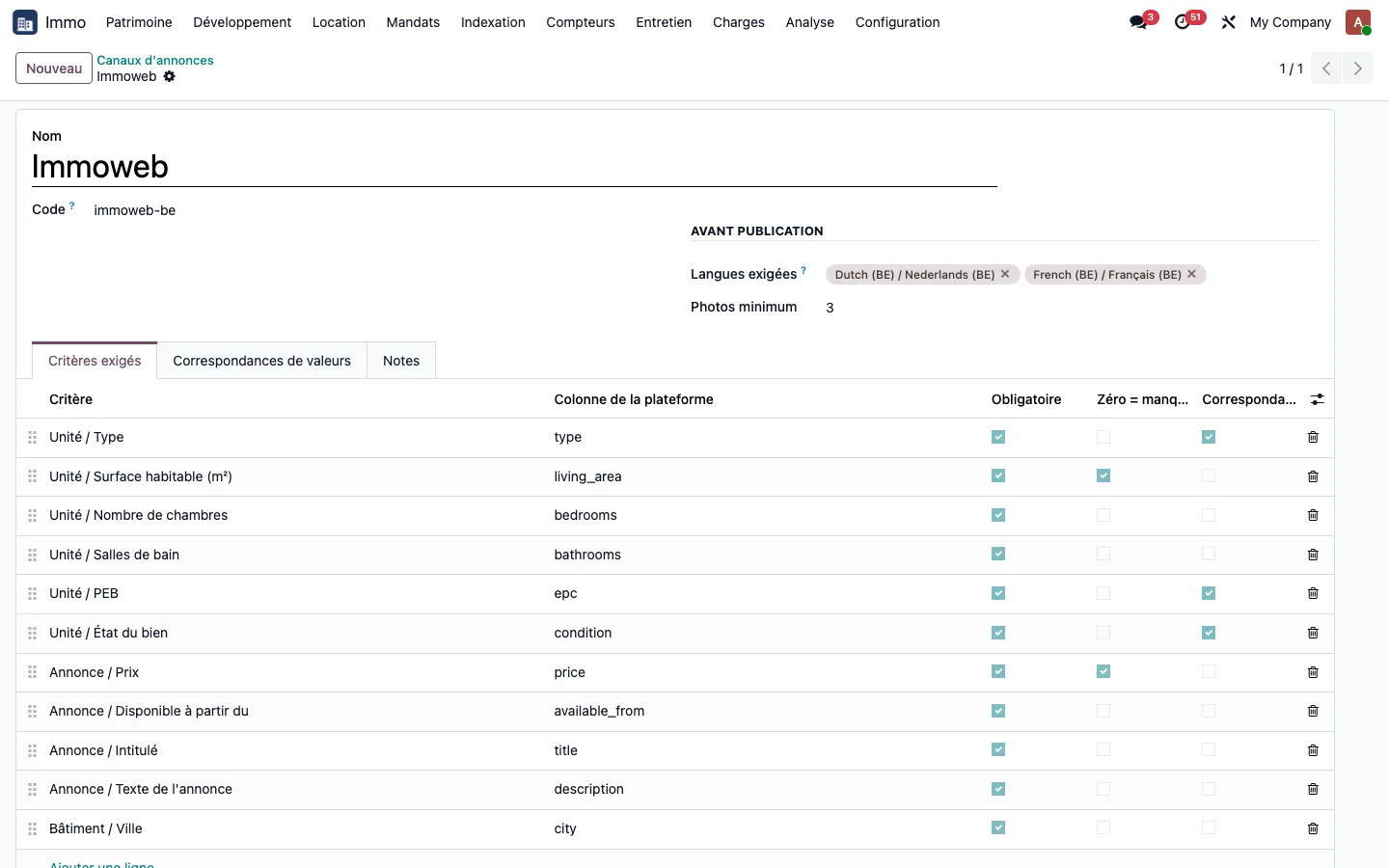
Each listing channel holds its required languages, its minimum number of photos, and the list of criteria it requires, with, for each one, the column name on the platform, whether it is mandatory, and whether it goes through a value mapping. Immoweb, for example, requires eleven criteria, three of which use a mapping (type, EPC, property condition).
Translating values into the platform's vocabulary
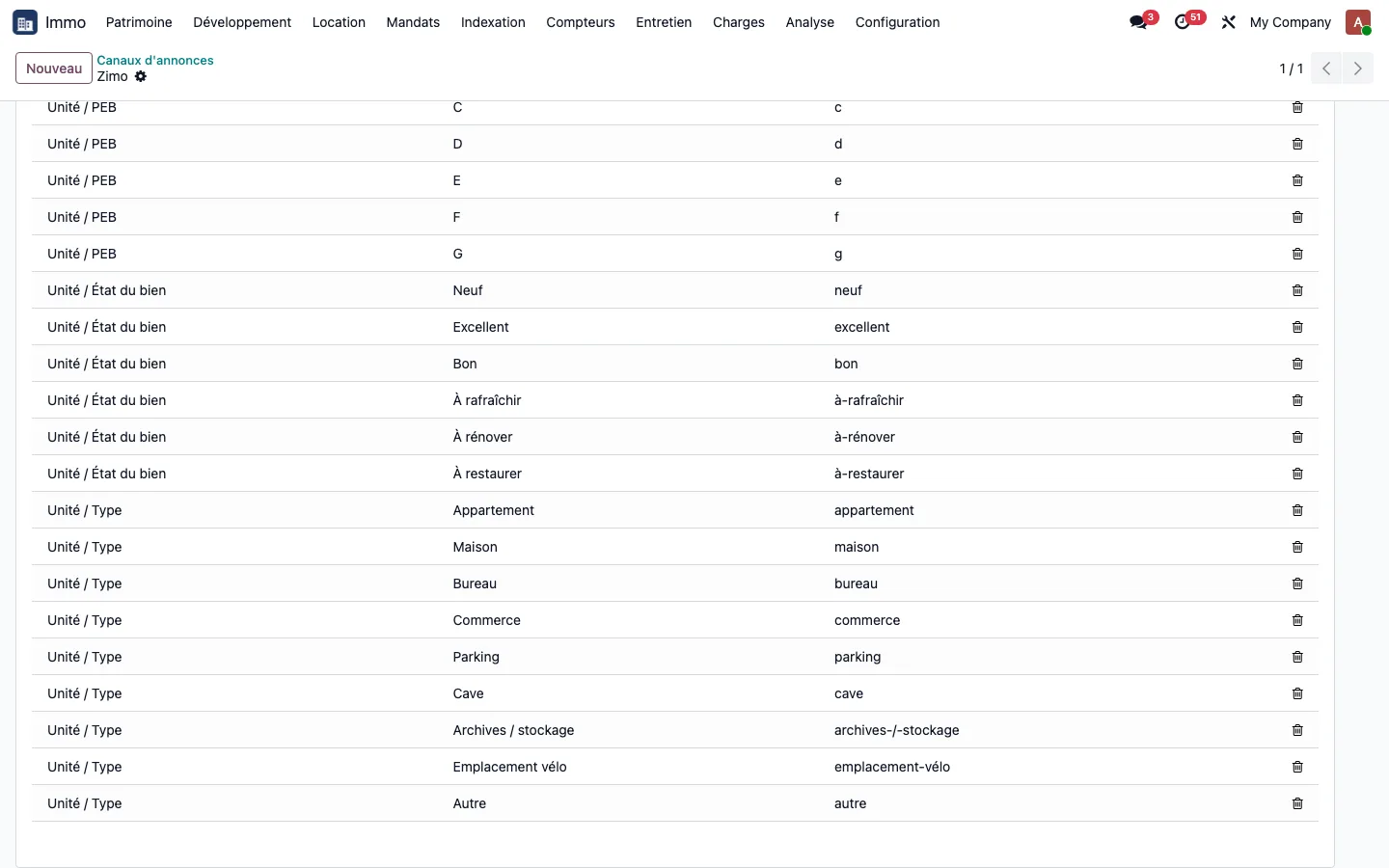
The Generate mappings button creates one line per possible value of the criteria that use a mapping, and the Platform value column is filled in once. An apartment in good condition is expressed differently on each channel:
| Criterion | Value in Odoo | Immoweb | Zimo | ImmoProp |
|---|---|---|---|---|
| Type | Apartment | APARTMENT | appartement | 1 |
| Property condition | Good | GOOD | bon | 3 |
| EPC | B | B | b | 4 |
The file ready to send to the platform
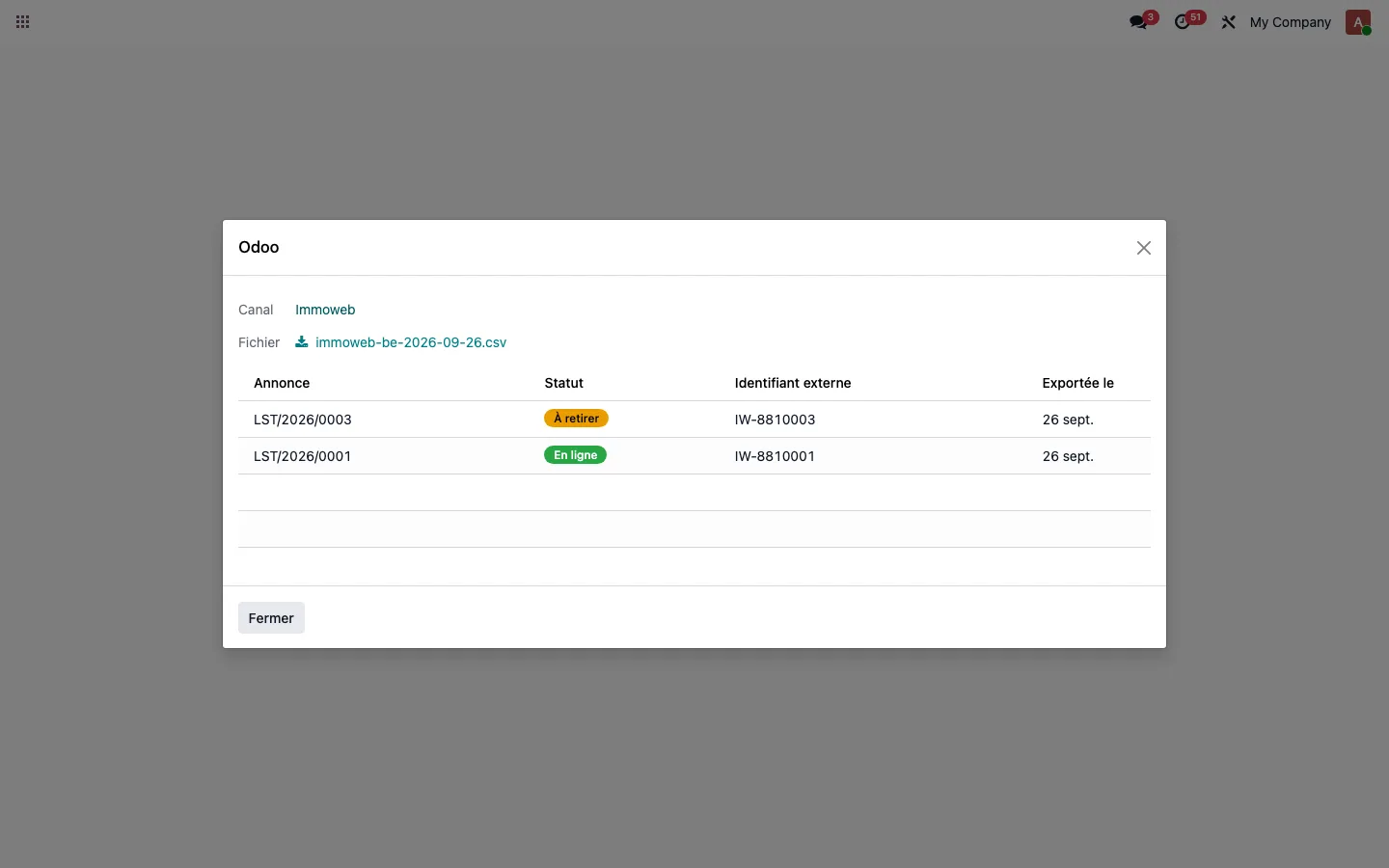
The export wizard lists the publications that go into the file for the chosen channel, then produces a downloadable file named after the channel code and the date. You send it to the platform, enter on each publication the identifier it returns, then mark the publication as live.
Automatic withdrawal when the lease is signed
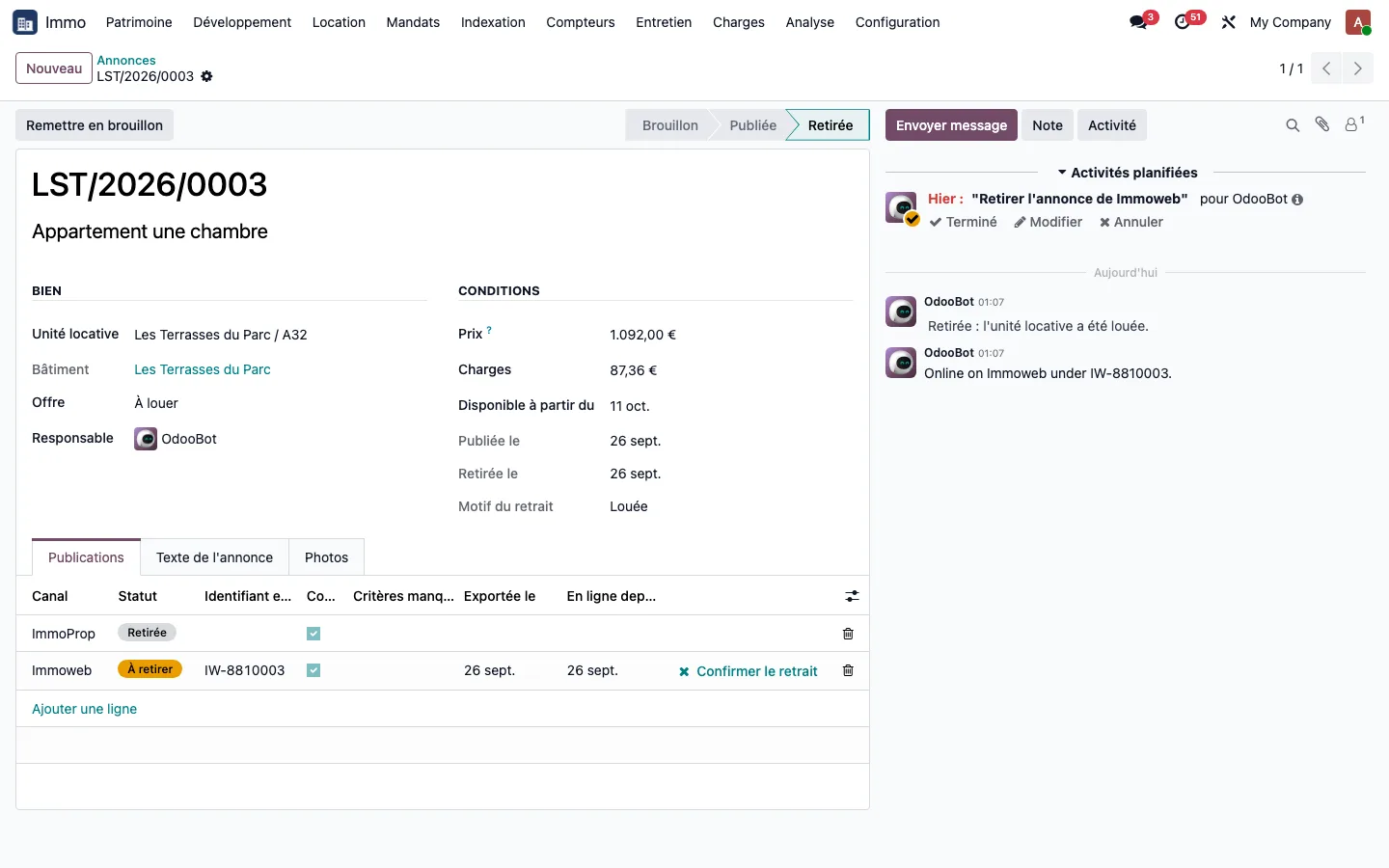
Confirming a lease on the unit withdraws its rental listing by itself: status Withdrawn, reason Let, withdrawal date. A publication that was never exported is withdrawn directly; a publication already live moves to To withdraw, with an activity assigned to the person in charge until the platform has been notified.
Edge cases covered
- A studio with zero bedrooms is complete: the number of bedrooms criterion does not count a zero as missing, unlike the living area or the price.
- A missing language blocks publication on the channel concerned, instead of publishing text in the wrong language.
- A listing suspended and then republished before the platform has been notified goes back online, and the next file carries an update, not a withdrawal.
- A mandatory value without a mapping makes that channel alone incomplete; the other channels remain publishable.
- Only one rental listing can be open per unit; a sale listing on the same unit remains possible, and signing a lease does not affect it.
What it replaces
Double entry of the property in a separate publishing tool: its criteria, photos and texts now live on the unit. Checking by eye what each platform requires. And forgetting to withdraw the listing of a property that has already been re-let, replaced by an automatic withdrawal and an activity until the platform has been notified.
See TSC Immo on your own cases
A demonstration on a database with fictitious data, then on your own management questions.
 Connect. Transform. Grow.