The property register that feeds rents and service charge statements
Your portfolio is structured on three levels. The site groups buildings that share service charges. The building holds its technical, administrative and financial record, and its allocation keys. The rental unit (apartment, house, office, shop, car park, cellar, storage, bicycle space) is the item that is let, invoiced and analysed.
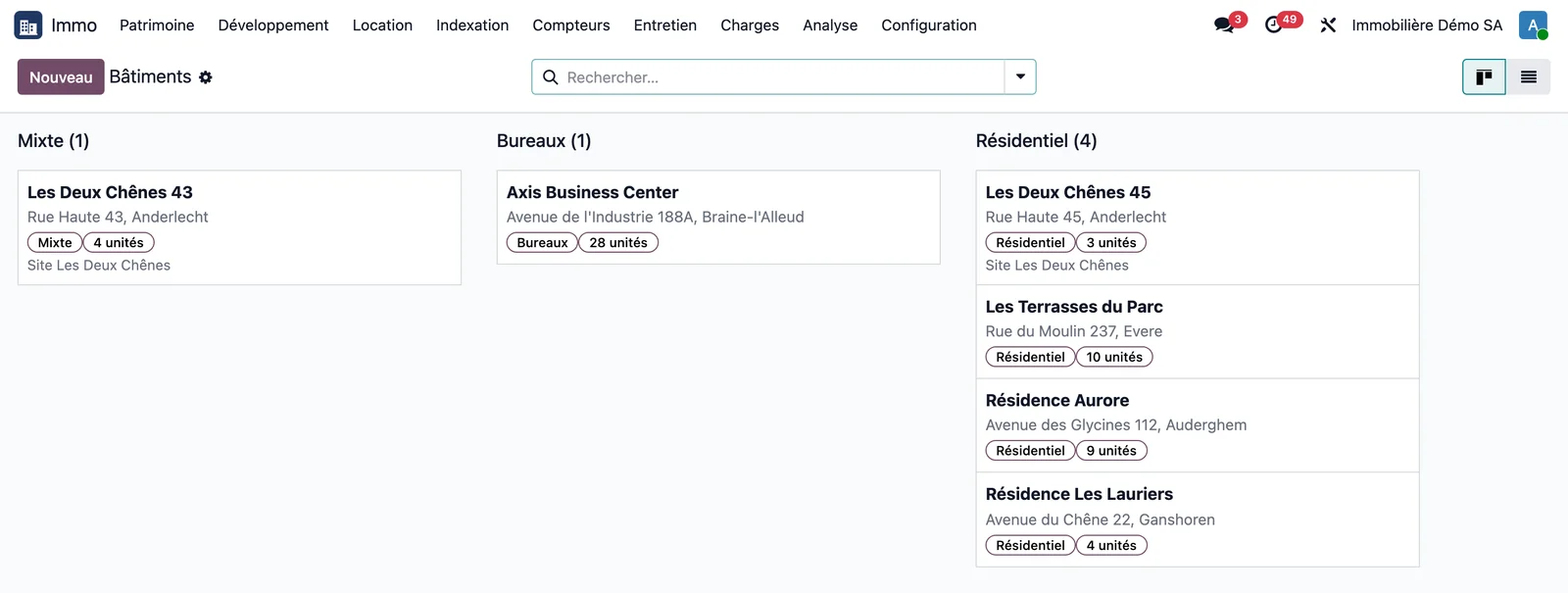
The building record and its live indicators
Each building displays, calculated when it is opened: annualised rent, annual rent per m², gross yield, occupancy rate by number of units and by area, vacant units and rent lost in the current year. The buttons at the top open its units, current leases, tenants, keys, meters, statements and profitability.
Each building receives its own analytic account, and so does each unit: every rent or service charge entry stays linked to the asset that generated it.
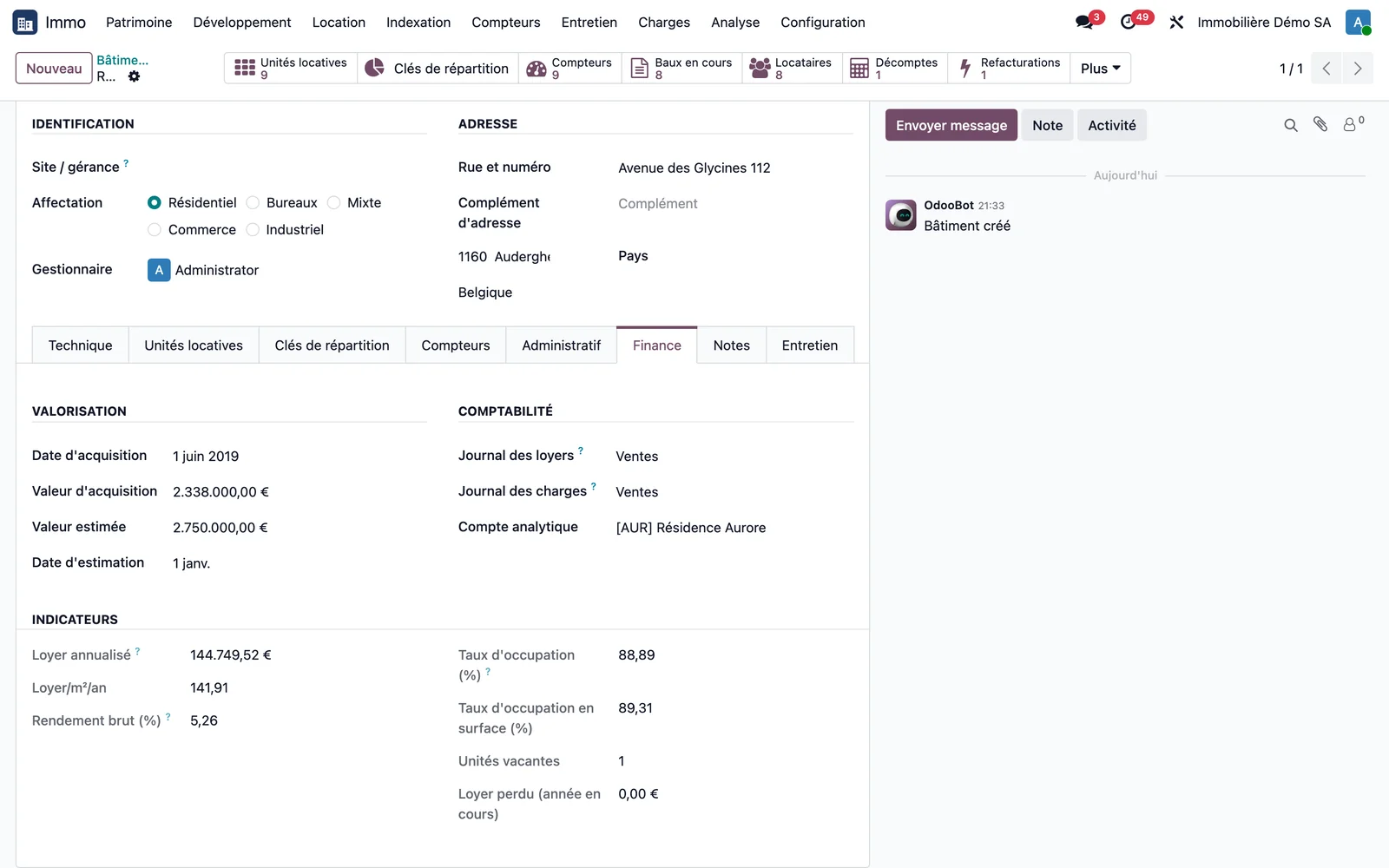
Set up a building in one go
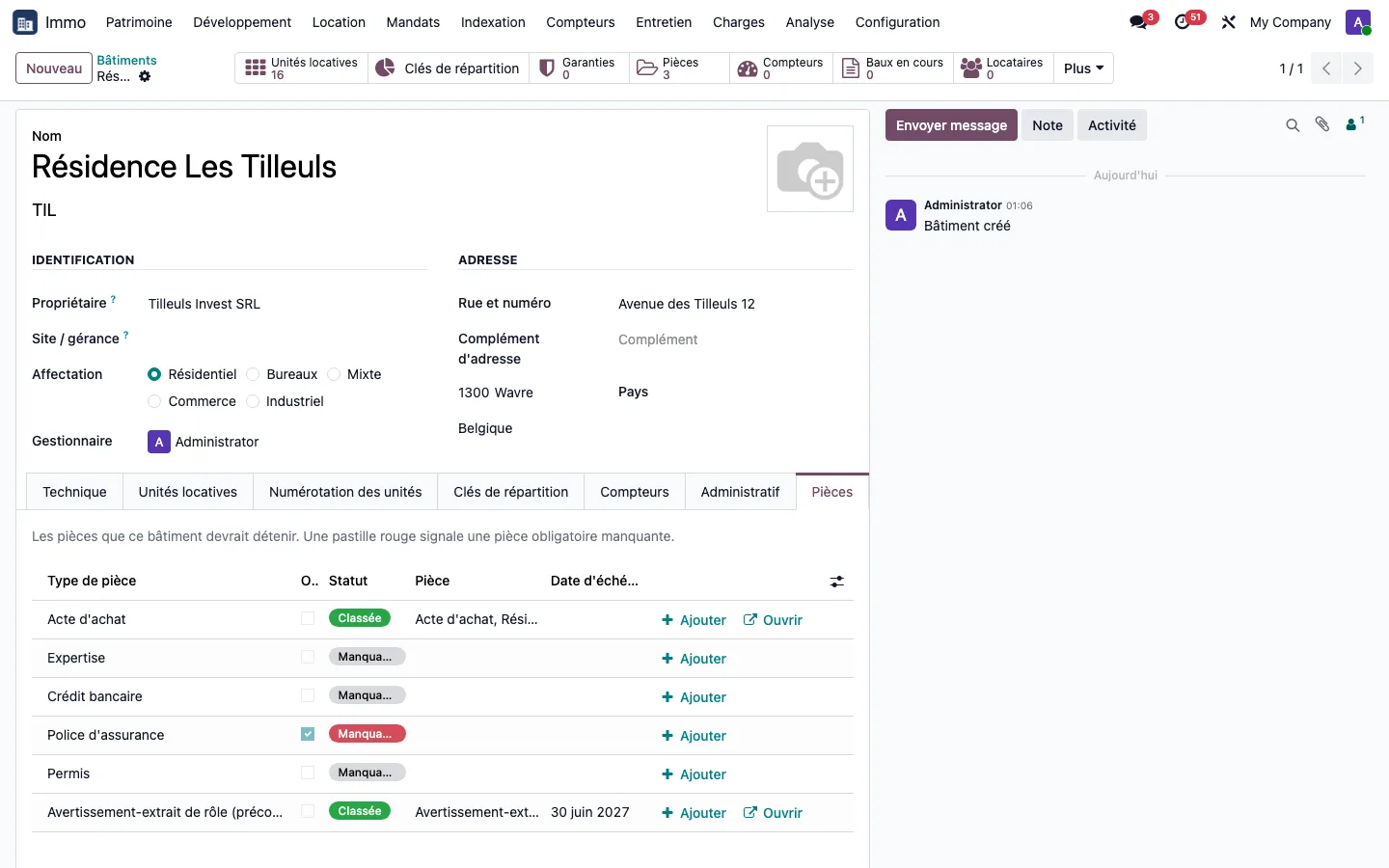
Creating a building of twenty apartments record by record takes twenty minutes: it is the first screen a prospect sees. The building setup wizard takes two screens (identity, then floors, numbering and garages), shows all the units before creating them, and creates the building, its numbering rules and all its units in a single operation. On the Résidence Les Tilleuls: three floors of four apartments and four garages, that is 16 units and 1,020.00 m² created at once, each with its own reference.
The numbering rule stays on the building: a unit added later follows the same rule without anyone having to remember it. The record of the building and that of each unit also list the documents they should hold (purchase deed, EPC, insurance policy, electrical inspection): filed, expired or missing, with a button to add it.
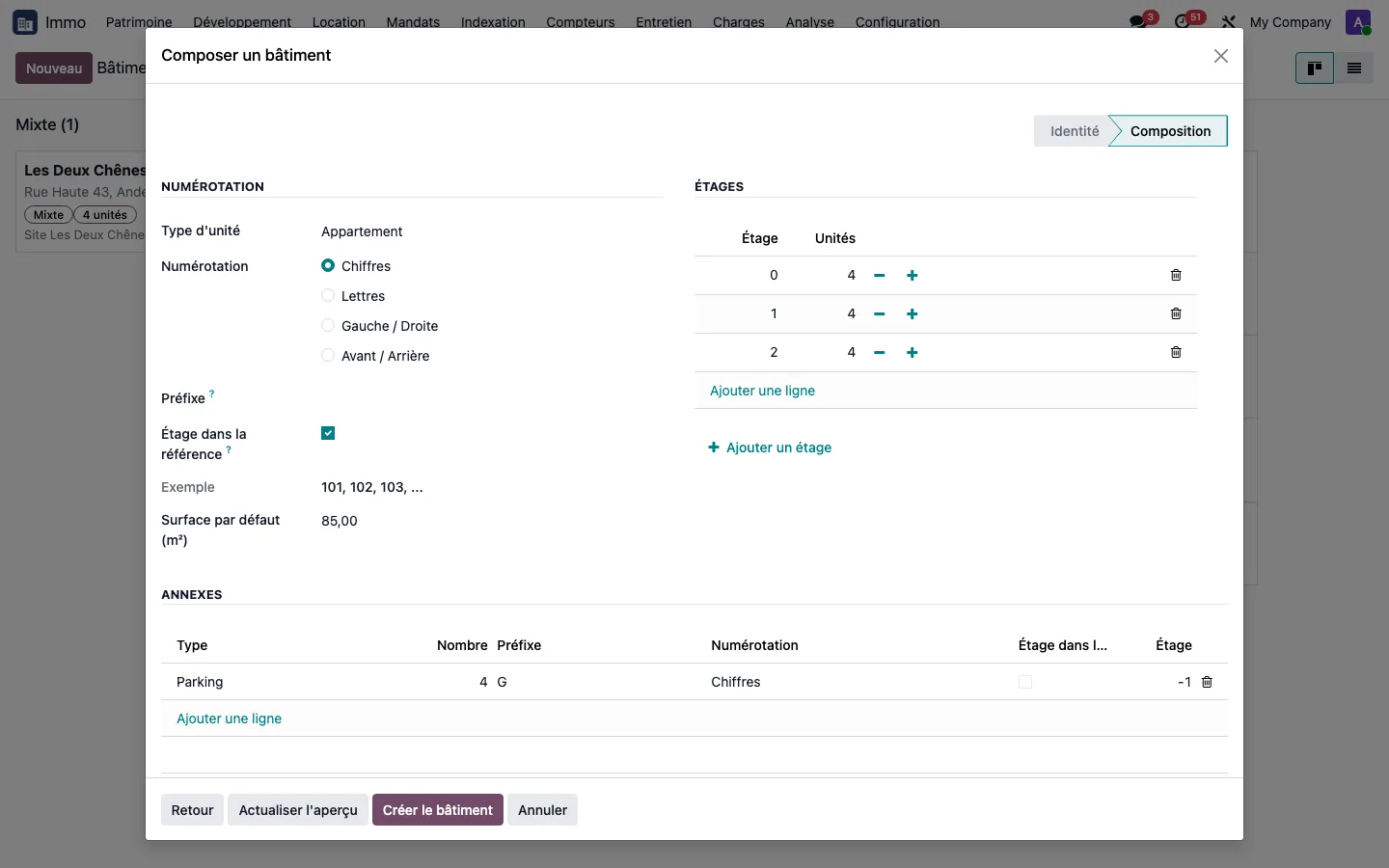
The site groups shared service charges
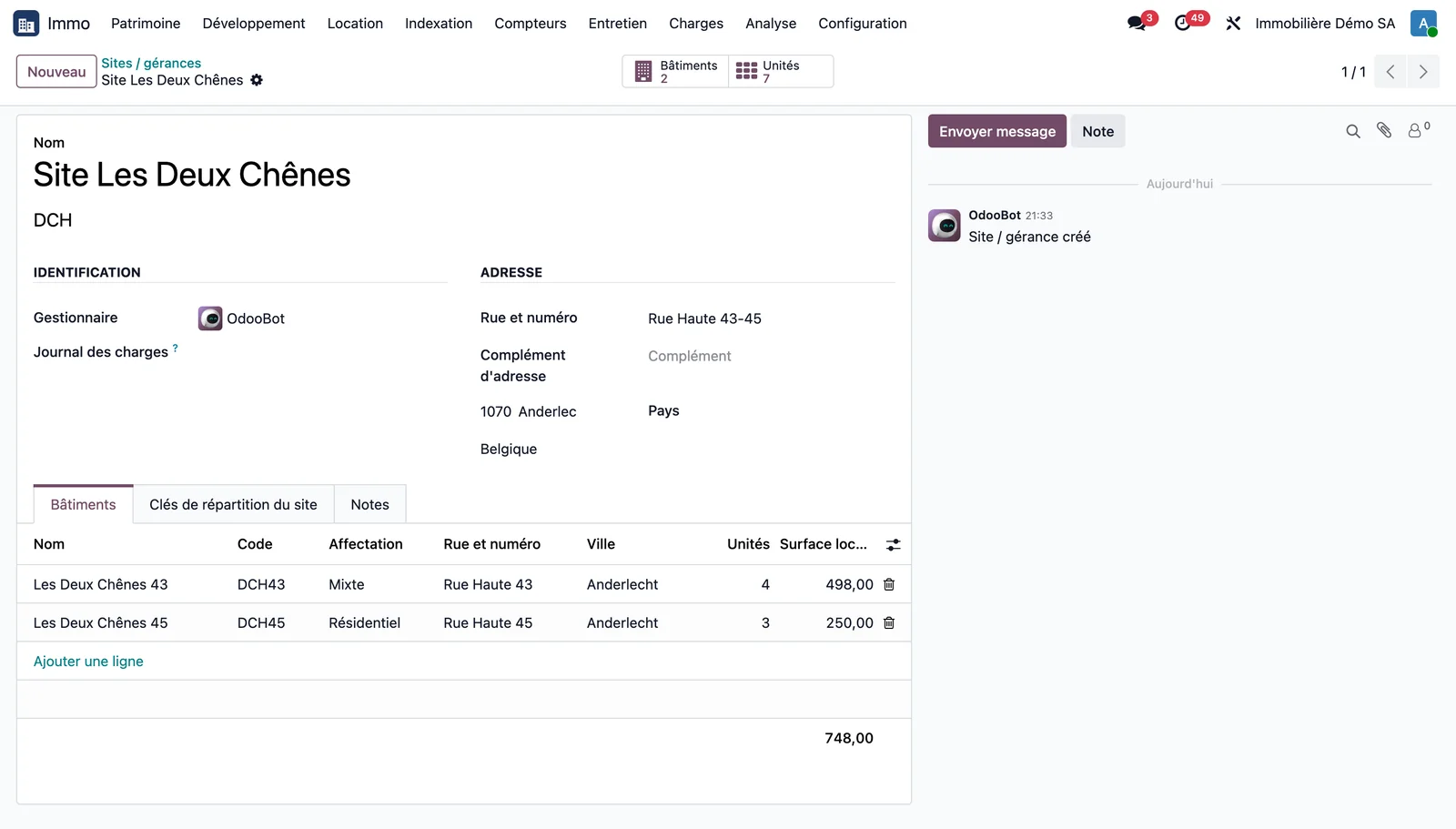
Two adjoining buildings that share a boiler or a green space form a site. Site service charges are first allocated between its buildings, then between the units of each.
The owner held at building level
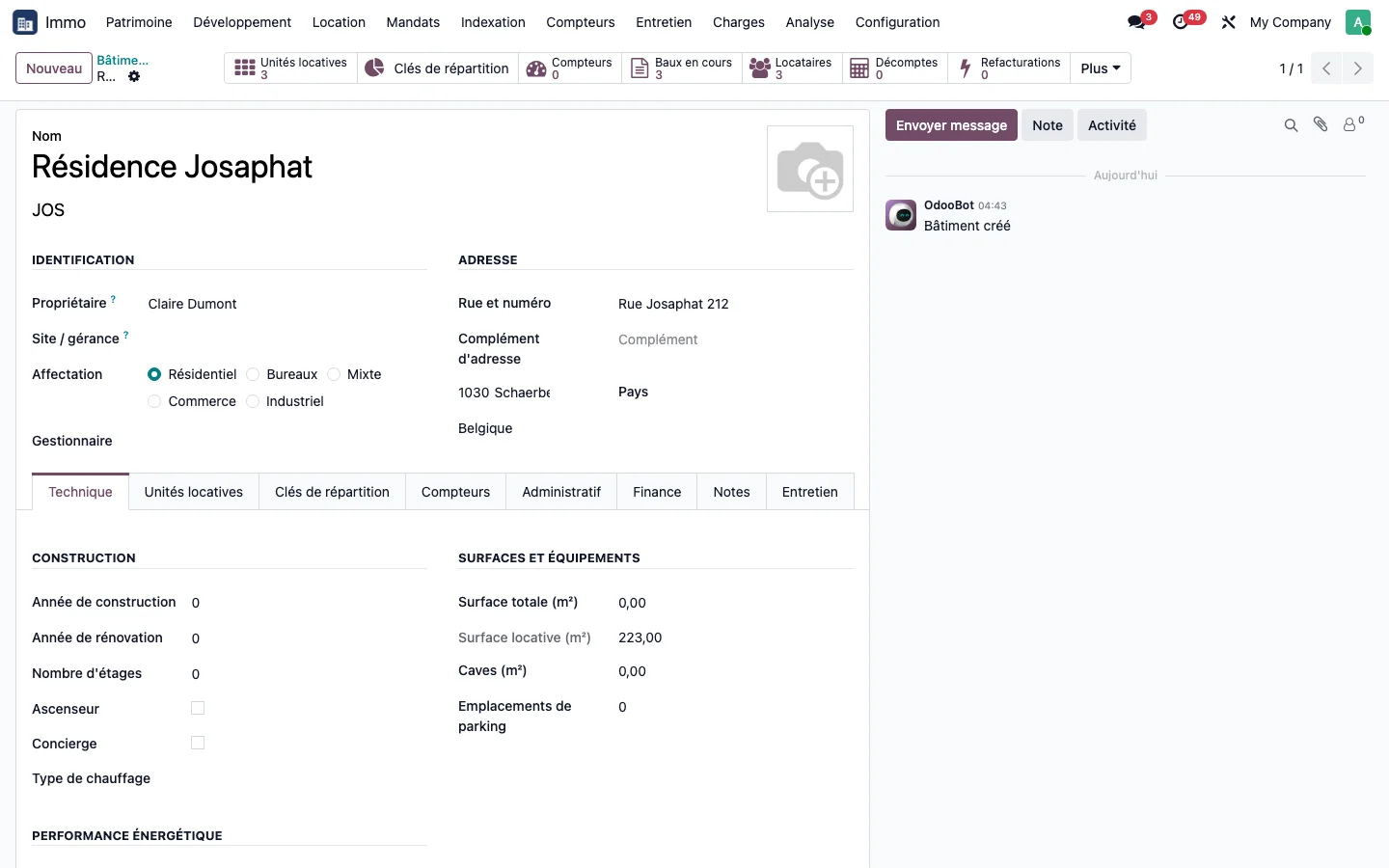
The Owner field of the building or unit identifies who receives the rent when it does not go to the agency. A management mandate relies on this owner to report at each period and pay over what is due to them: see the management mandate.
Publish a listing from the property
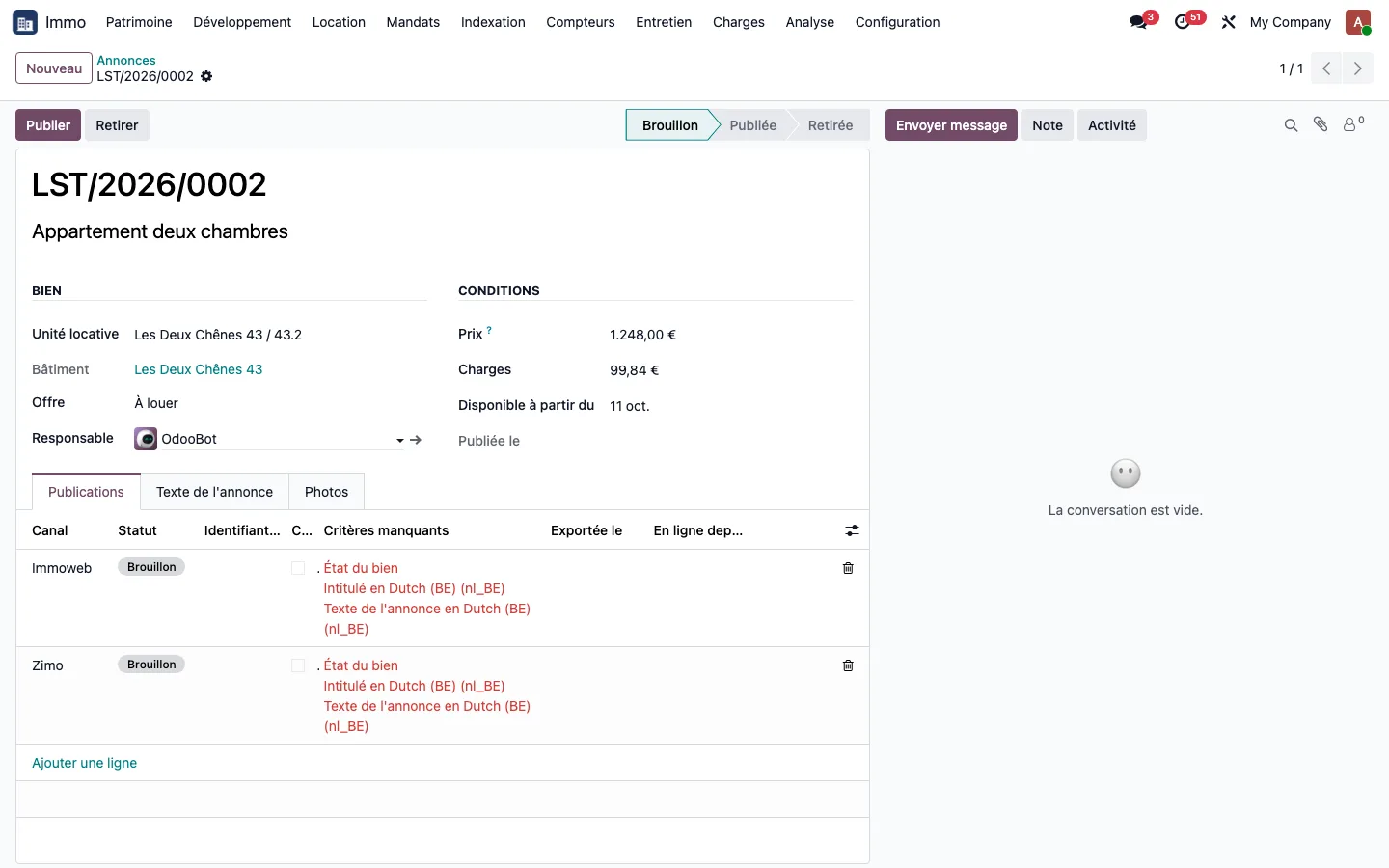
The unit also holds its advertising criteria (living area, condition of the property, ordered photos) and its listings on Immoweb, Zimo or ImmoProp. The application tells you, channel by channel, what is missing before publication, translates the values into the vocabulary of each platform, and withdraws the rental listing by itself when the lease is signed: see the publication of listings.
Explicit allocation keys
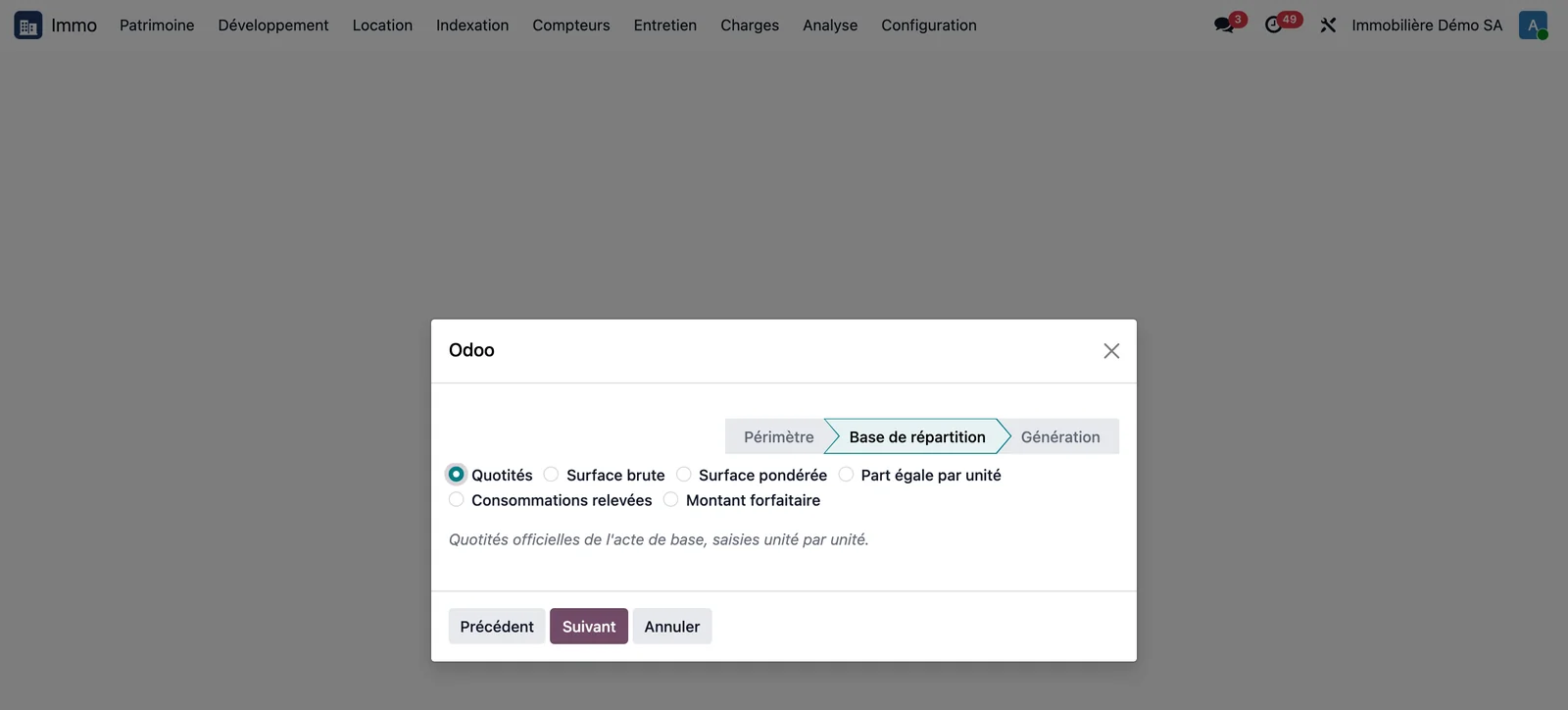
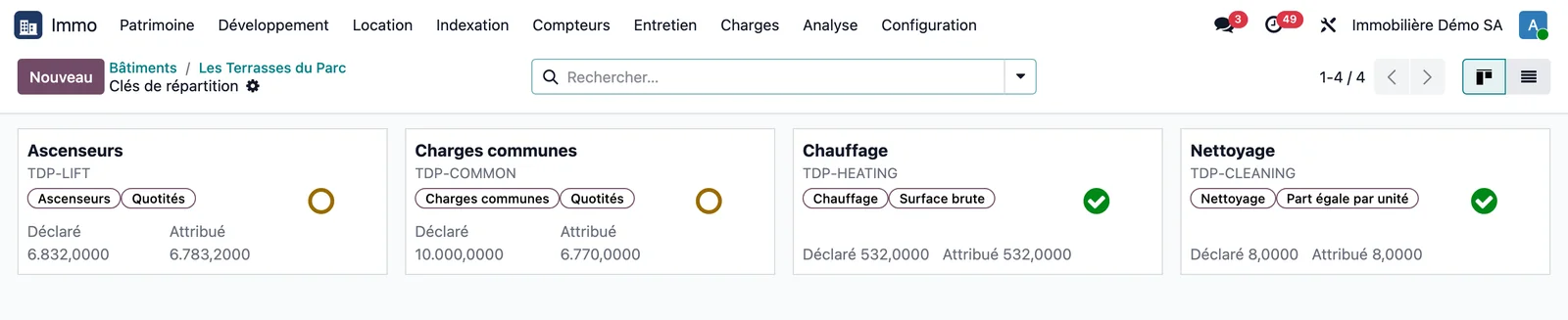
A building holds as many keys as there are ways of allocating its service charges: common areas, heating, lift, water, parking. Creating a key starts with choosing its basis from six:
| Basis | How the shares are filled in |
|---|---|
| Shares | Entered unit by unit, from the deed of subdivision |
| Gross area | Copied from the record of each unit |
| Weighted area | Copied from the record of each unit |
| Equal share per unit | A share of 1 per selected unit |
| Metered consumption | Allocation follows the meter readings |
| Fixed amount | An amount entered per unit |
Removing a unit in the wizard genuinely excludes it from the key: the ground-floor shop drops out of the lift key, the car parks drop out of the cleaning key.
Two indicators not to be confused
- Balanced key: the shares allocated do not exceed the declared total.
- Fully allocated key: the whole of the declared total is allocated.
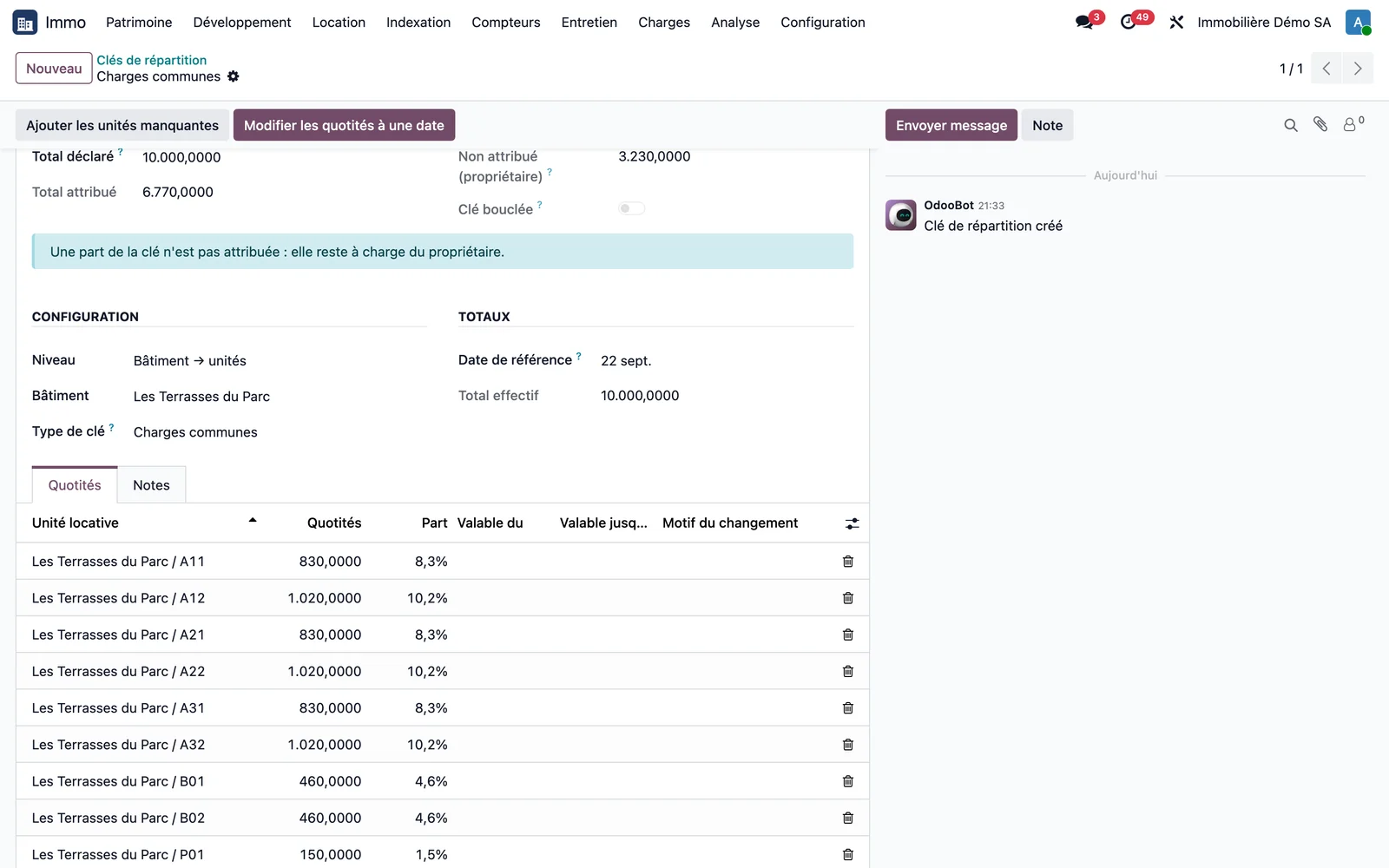
A key that is deliberately not fully allocated leaves the remainder with the owner: the unallocated share is never redistributed to the tenants. The kanban of keys makes the state of each one readable at a glance, with a red, green or orange icon.
Shares valid between two dates
A car park handed back during the year does not rewrite the history. A wizard opens a new version of the share at its effective date, and a statement covering the period weights each day with the share actually applicable.
Letting status is derived from occupancies
Vacant, let, reserved: the status of each unit is derived from its occupancies and refreshed every night. A unit can also be taken off the market or placed under works.
Handover and warranties of the building
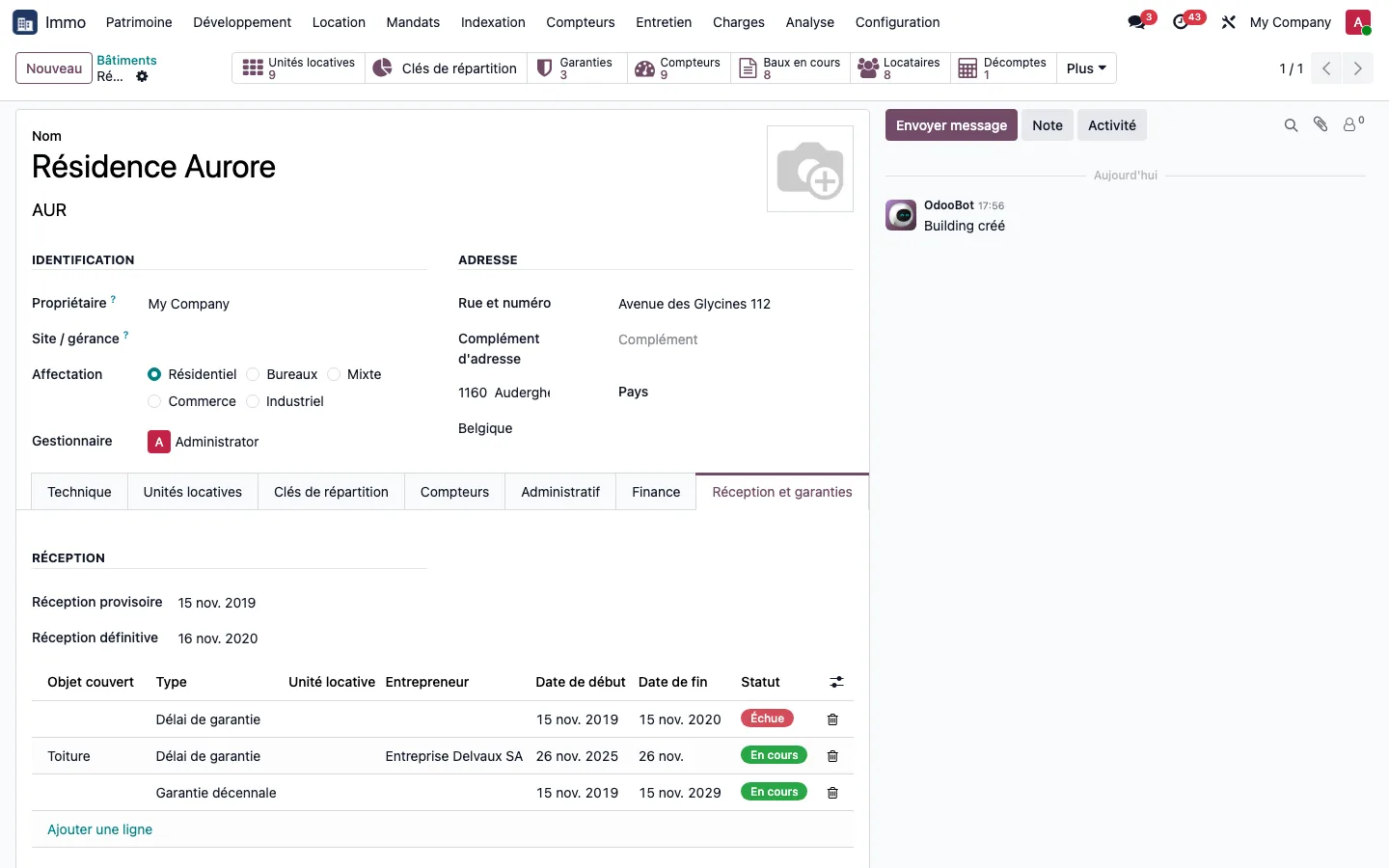
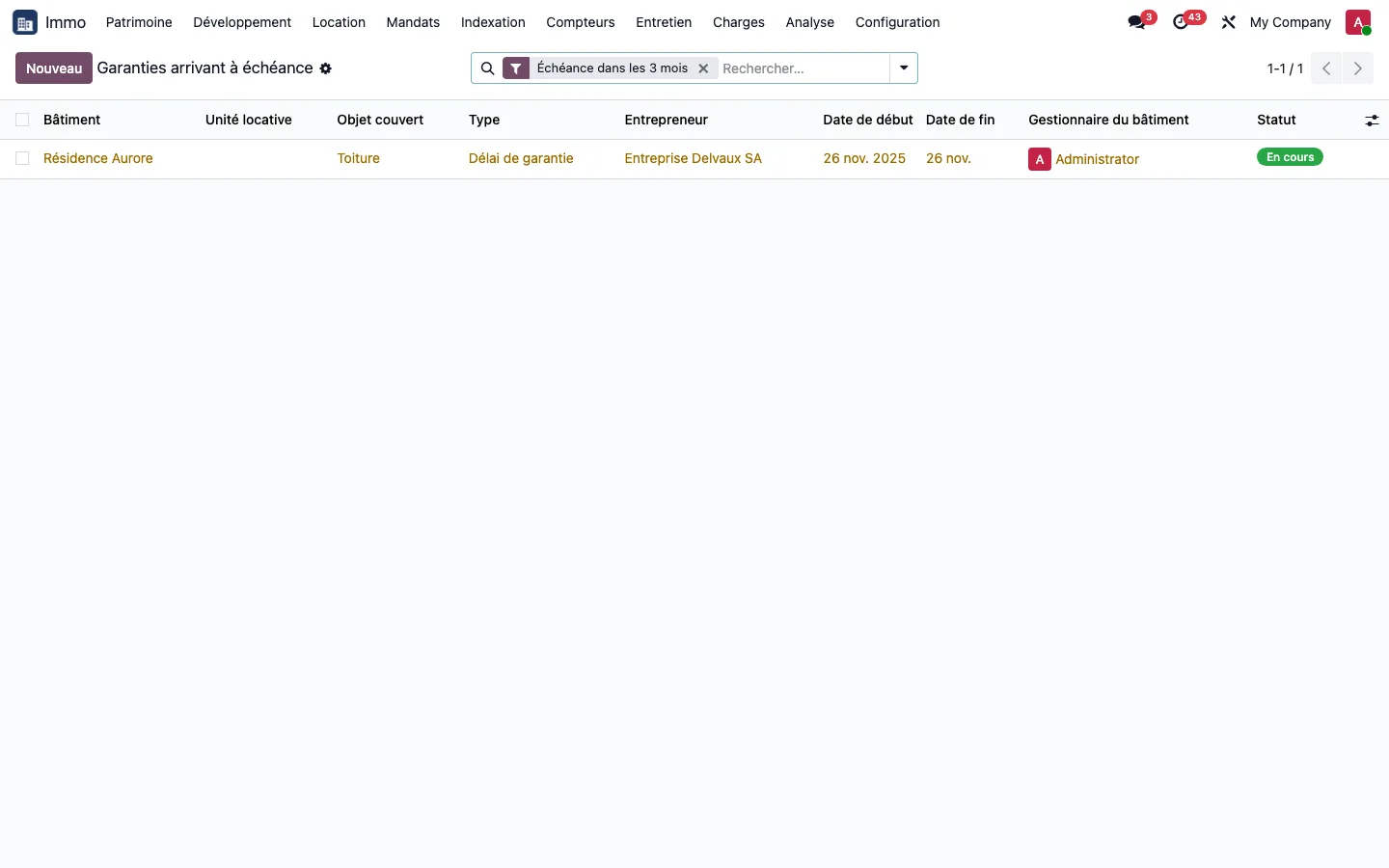
The building and each unit hold their dates of provisional and final handover, and a list of typed warranties (defects liability period, ten-year warranty, good working order, or a specific item such as a renewed roof) whose end date is calculated automatically and can be edited. Three months before expiry, a dedicated list groups them and an activity is assigned every night to the building's property manager. See the step-by-step guide.
On the demonstration database, a building accepted on 28/07/2026 carries a defects liability period until 28/07/2027 and a ten-year warranty until 28/07/2036; a roof warranty ending on 26/11/2026 received a single alert activity, due in 61 days.
Insurance policies compared side by side
Each insurance policy is recorded with its scope (sites, buildings, units), its contract (insurer, broker, dates, tacit renewal) and its cover, each item with its limit, excess and exclusions. A comparison tool places two or more policies in columns and the covers in rows: a cover missing from a policy is shown in red, "Not covered". Sixty days before a policy expires, an activity alerts the property manager.
An insurance claim is not a maintenance ticket: it involves an insurer, a notification, an assessment, an excess and a payout. From a tenant's ticket, the Declare a claim button opens a claim already linked to the building, the unit, the lease and the relevant policy, with the excess of the cover concerned filled in automatically. See tenant support.
Document file and timeline
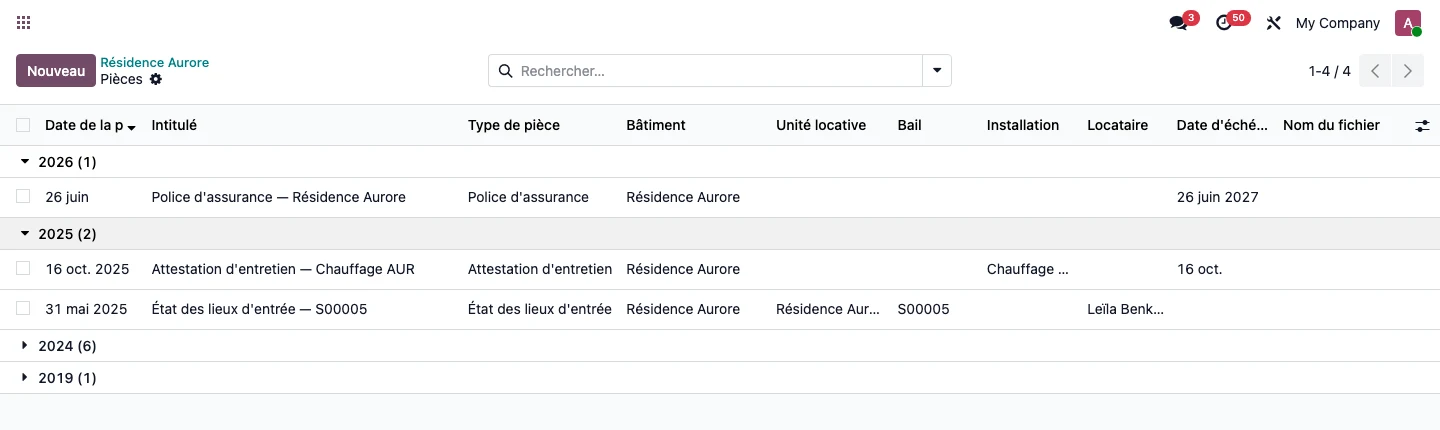
Each document (purchase deed, valuation report, loan, insurance policy, lease, inventory and condition report, maintenance certificate) is filed with its type against the site, building, unit, lease, installation or tenant it relates to. The Documents button on the building record opens its timeline, grouped by year. A tenant's record has its own.
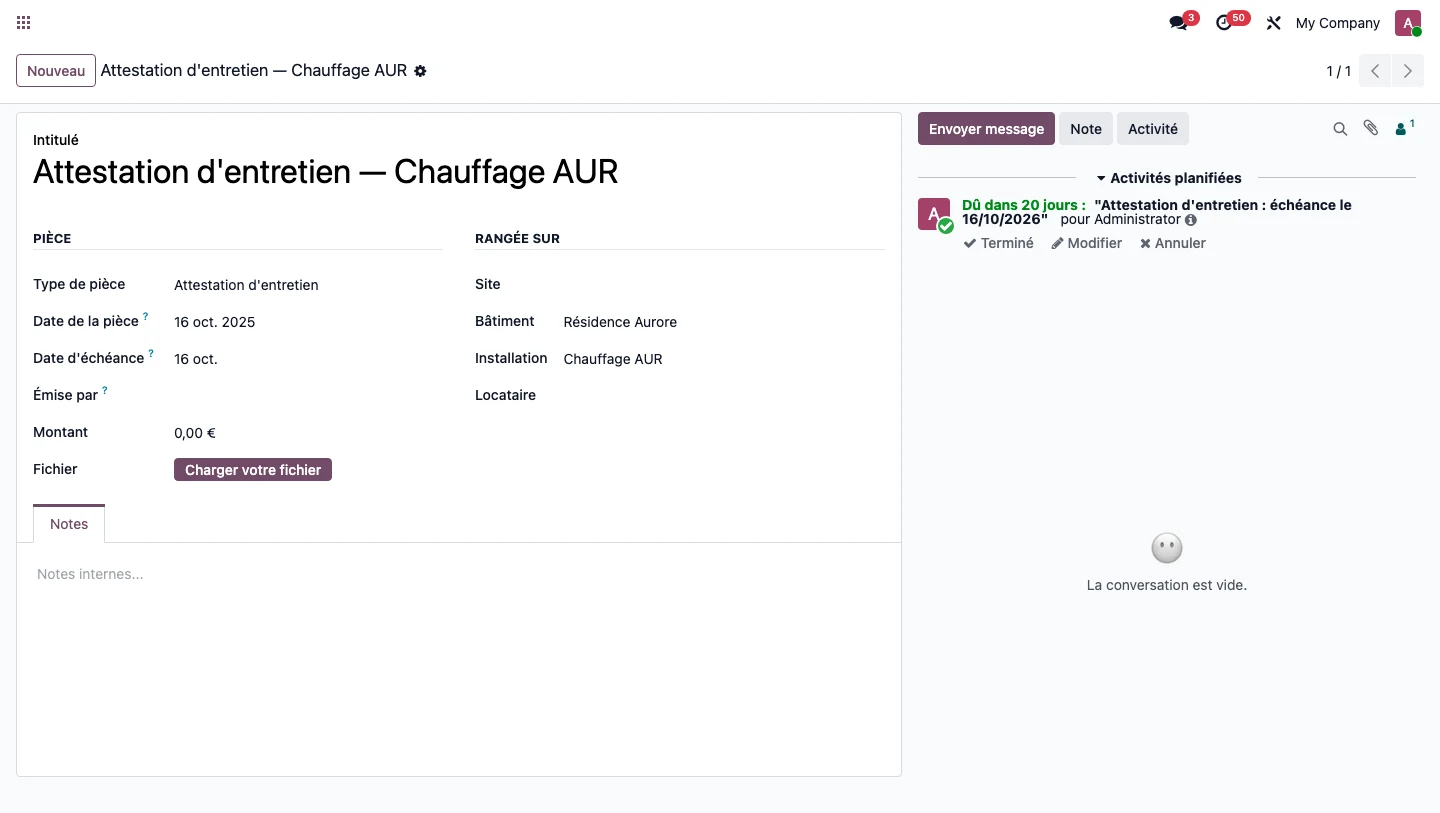
The expiry date is suggested from the validity of the type, twelve months for an insurance policy or a maintenance certificate, and follows the date of the document. Thirty days before expiry, the building's property manager receives an activity in their own language. A more recent document of the same type silences the older one, and an expired document remains visible with the status Expired. Filing is a manual entry: the content of the files is not read automatically.
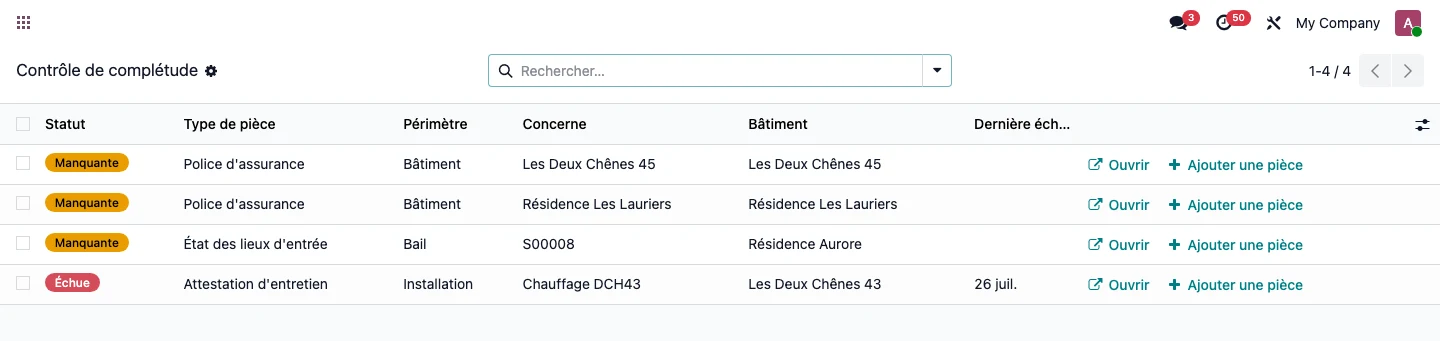
The completeness check lists, for each type marked as mandatory, the buildings, current leases and installations that lack the document or whose document has expired, with a button that opens the document to be added. On the demonstration database, it shows 2 buildings out of 6 without an insurance policy, 1 missing entry inventory and condition report out of 35 current leases and 1 expired maintenance certificate out of 2 heating systems, exactly four lines. A document belongs to the company that owns its building and can also be read from the property management company. See the step-by-step guide.
Occupancy and vacancy, building by building
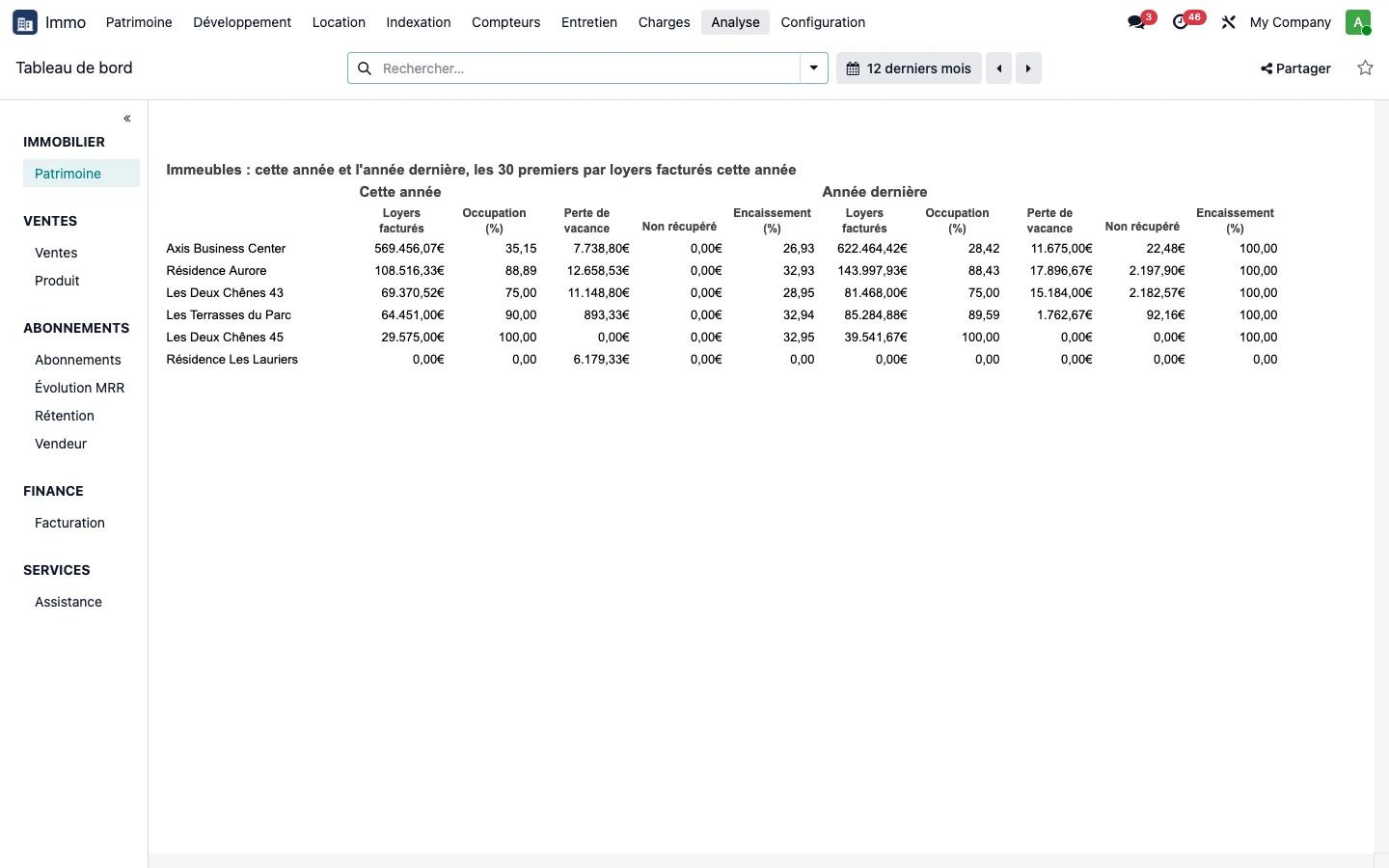
The portfolio dashboard ranks buildings by rent invoiced and gives, for each, the occupancy rate, the loss due to vacancy, unrecovered service charges and the collection rate, this year against last year. A property that has never been let counts as vacant without anyone having to enter its vacancy, and a building acquired during the year only counts from its acquisition date. See the dashboard.
See TSC Immo on your own cases
A demonstration on a database with fictitious data, then on your own management questions.
 Connect. Transform. Grow.