The lease managed as an Odoo subscription, from signature to notice (renon)
In TSC Immo, a lease is an Odoo Enterprise subscription. Rent and the service charge advance are invoiced by the standard recurring engine, with its proration. TSC Immo adds the vocabulary and rules of the lease.
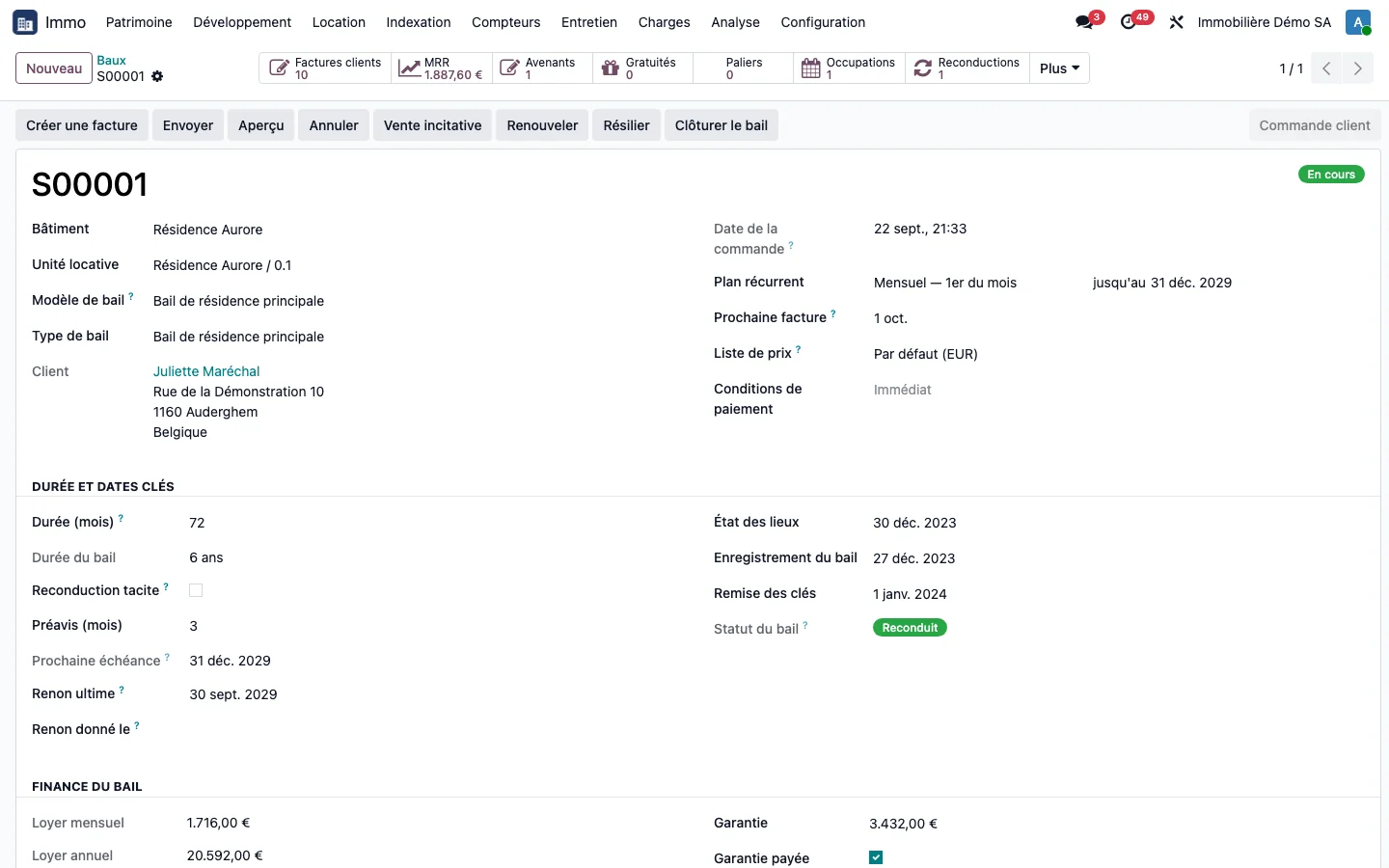
The lease record
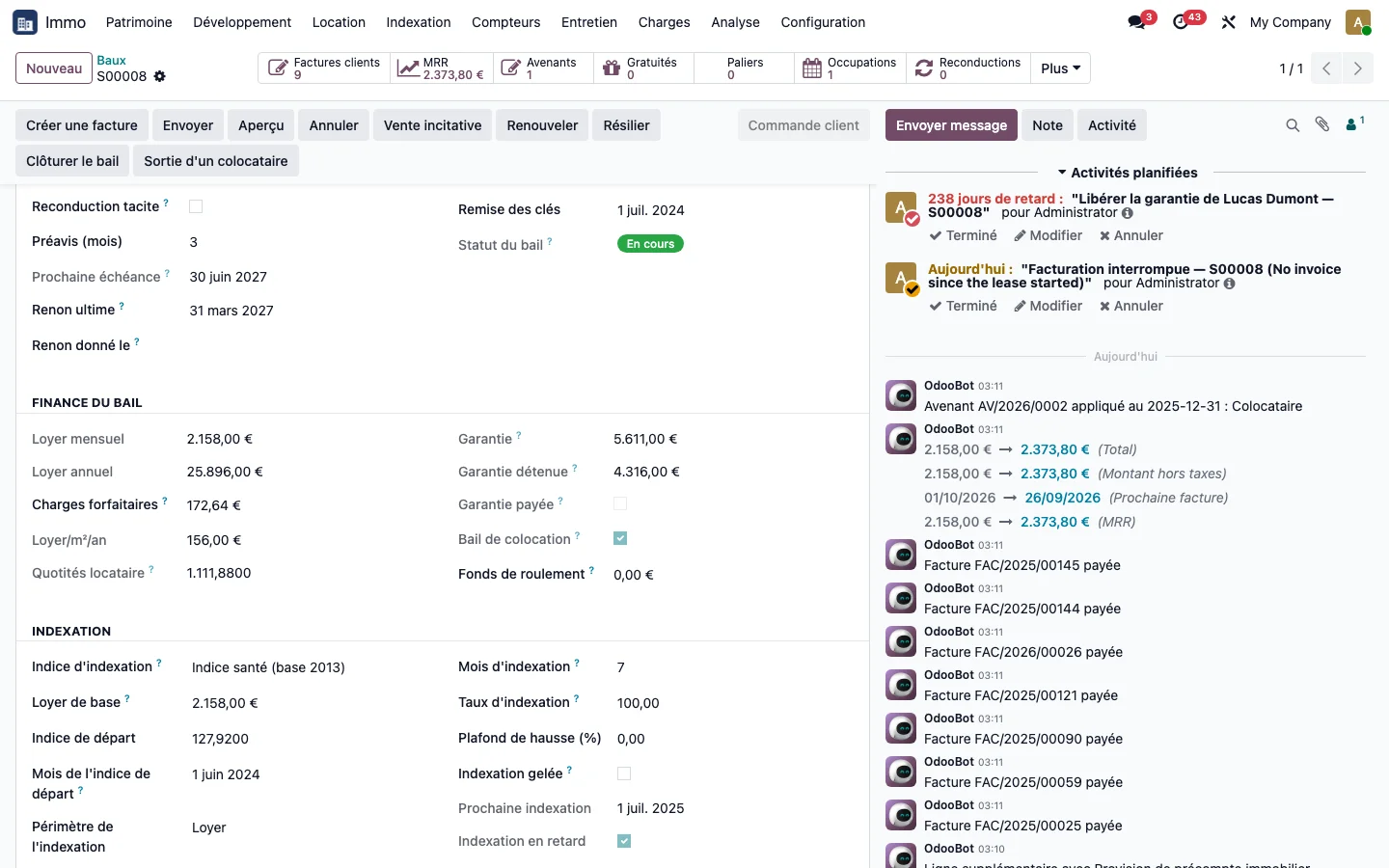
The let property, the term, the key dates (inventory and condition report, registration, handover of keys), the calculated final notice date, the rental deposit, the lease finance and its indexation settings. The rent displayed deliberately excludes the service charge advance: without this separation, indexation would also apply to service charges.
The signature date, distinct from the start date, is also used to set the starting index for indexation: see rent indexation.
From the lease, the buttons at the top open its invoices, lease amendments, rent-free periods, rent steps, occupancies and renewals, and the More menu its indexations. Service charge advances and service charge statements can be read in a tab of the record.
A readable business status
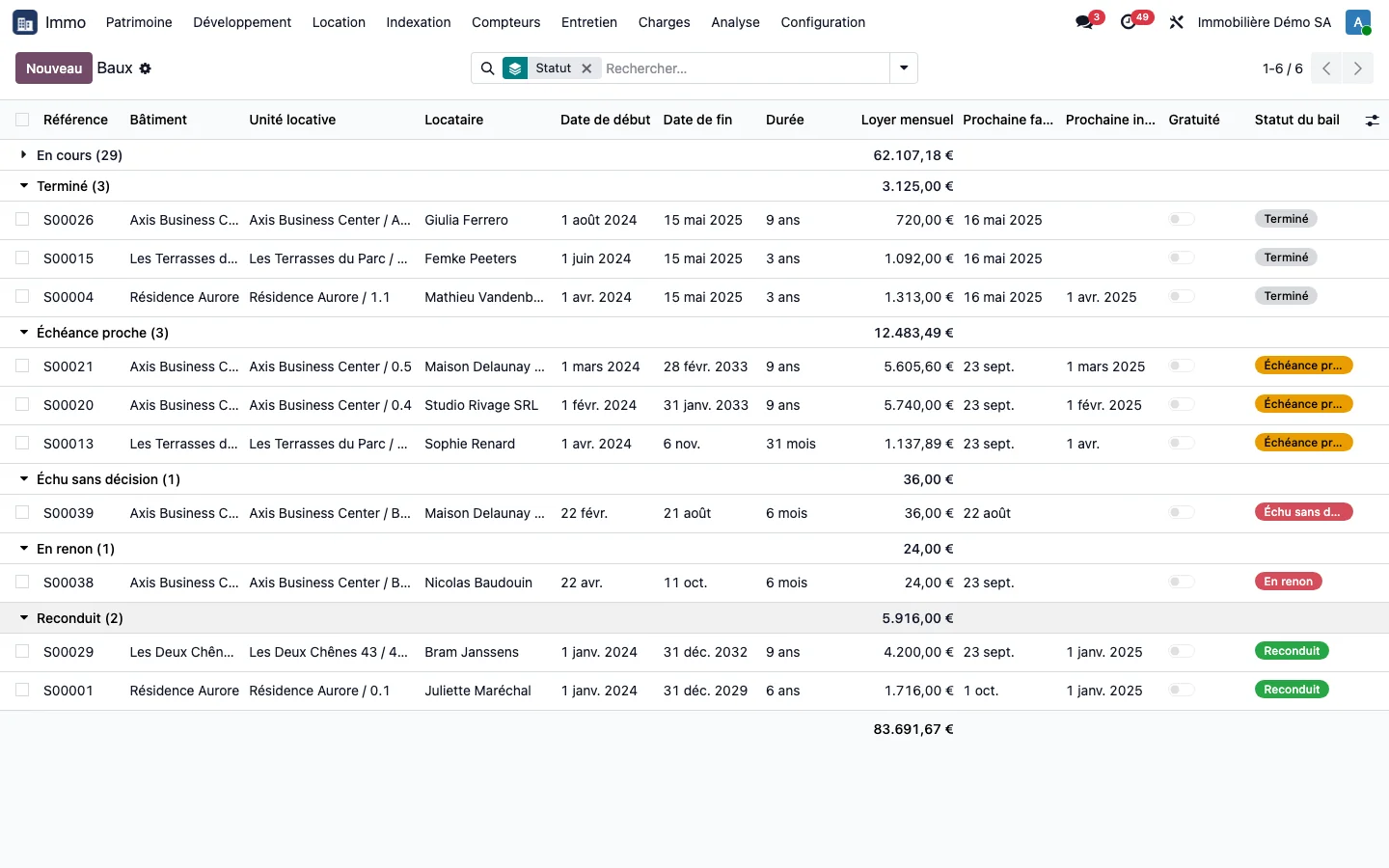
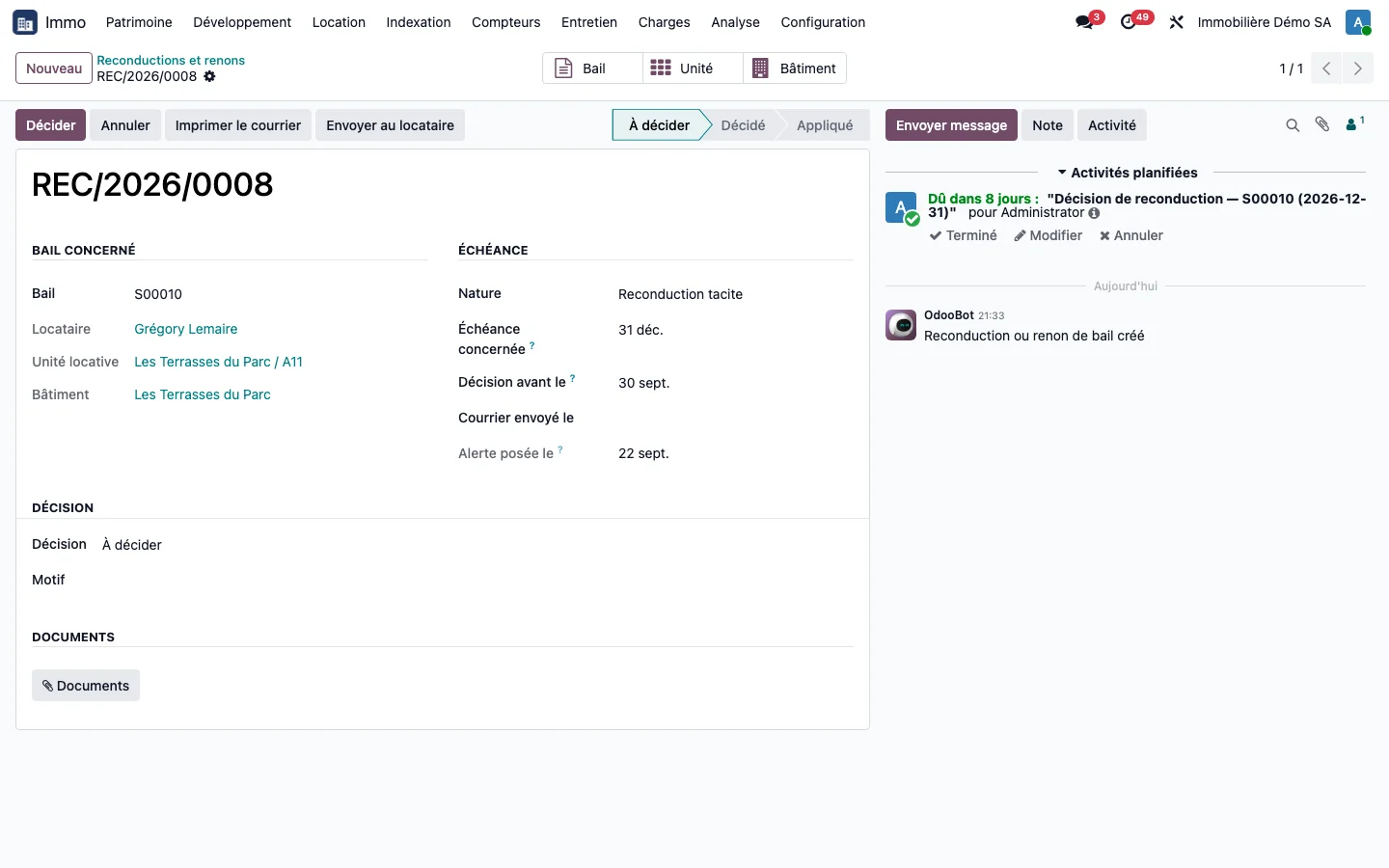
Odoo closes a subscription that has reached its end date, and a closed subscription is no longer invoiced. For a lease, which is legally renewed, this means silent loss of rent. TSC Immo gives each lease one of eight business statuses (draft, current, expiry approaching, under notice, renewed, expired without decision, terminated early, ended) and, at each expiry, a renewal record to be decided before the notice date. A renewed lease remains the same record: its occupancies, indexations and rent steps follow it.
A 3-6-9 commercial lease is not extended at each three-year break: its term remains that of the contract, only the next break date moves forward.
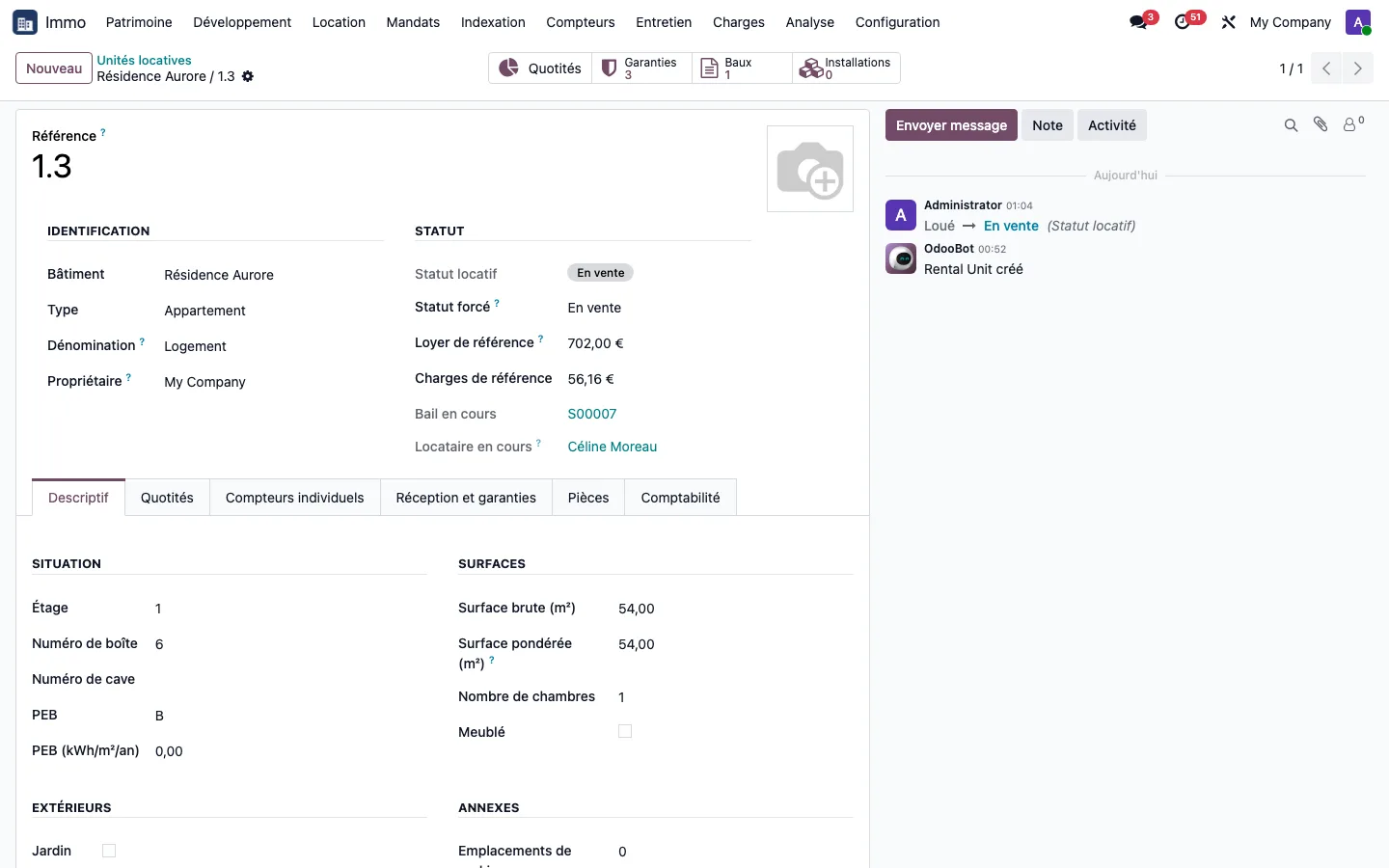
A property put up for sale without losing its lease
The forced status of a unit now offers four statuses related to marketing: to let, coming soon, for sale and sold. Setting a let unit to For sale affects neither its current lease, nor its tenant, nor its occupancy: the Let filter keeps it in the list, with its For sale badge. A unit for sale or sold can no longer be reserved.
The invoicing safeguard
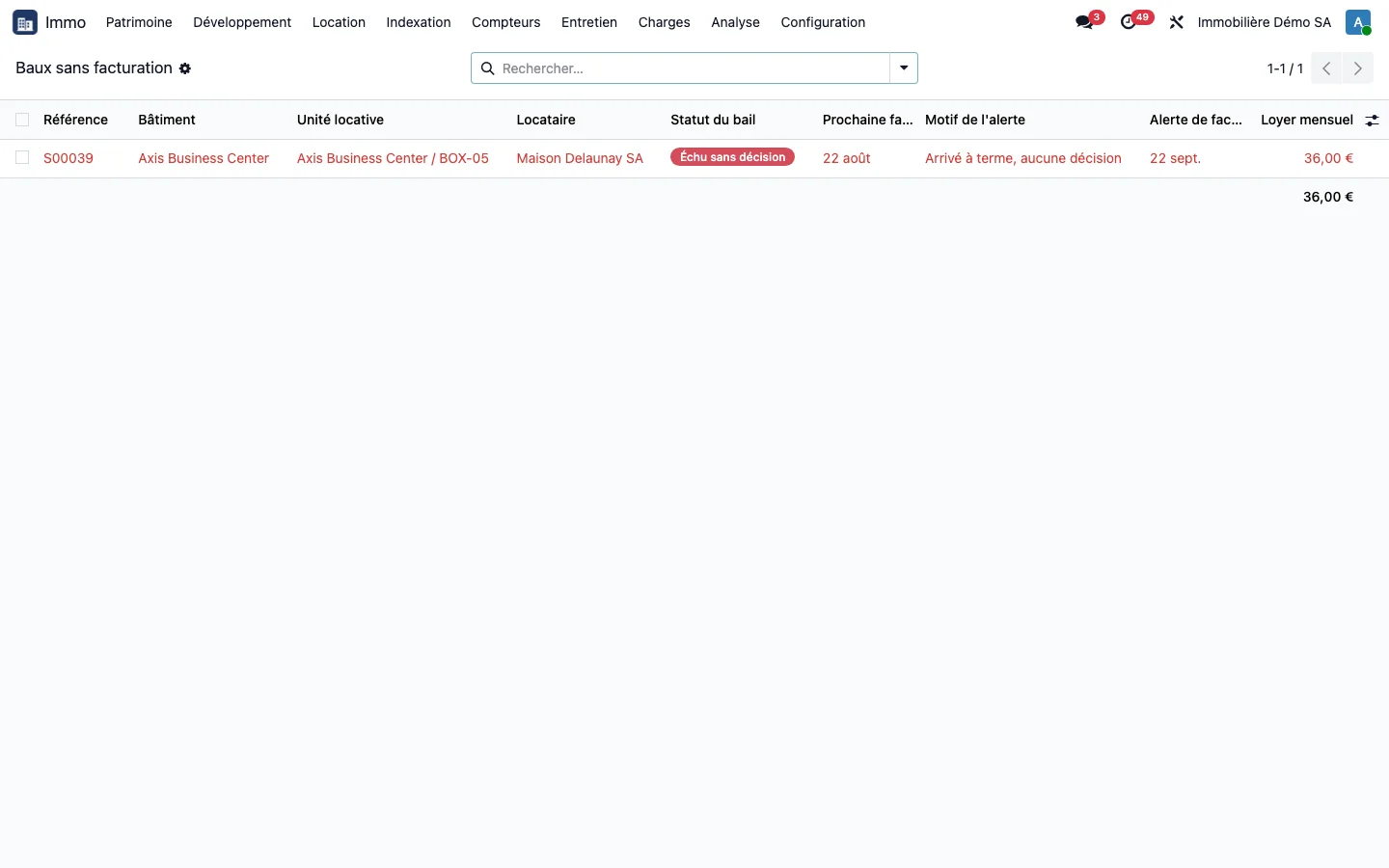
Every day, a check identifies any lease that looks active but that recurring invoicing no longer picks up. The "Leases without invoicing" screen lists them with the reason, and the alert clears by itself as soon as invoicing resumes.
Rent steps and rent-free periods
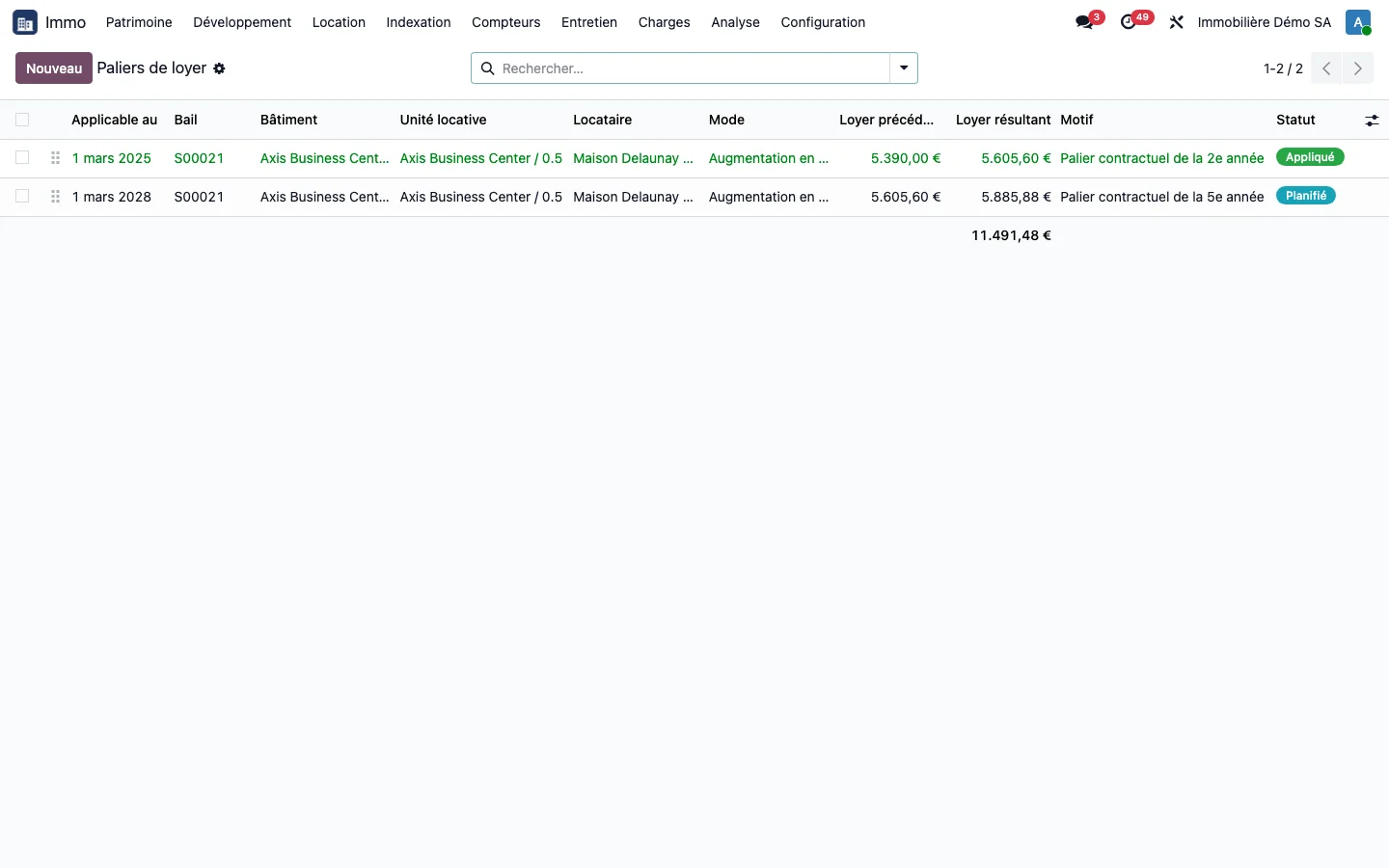
- Rent steps: the contractual increase known at signature, typical of office leases. Each rent step applies on its date, can become the new indexation base, and its applied amount is fixed.
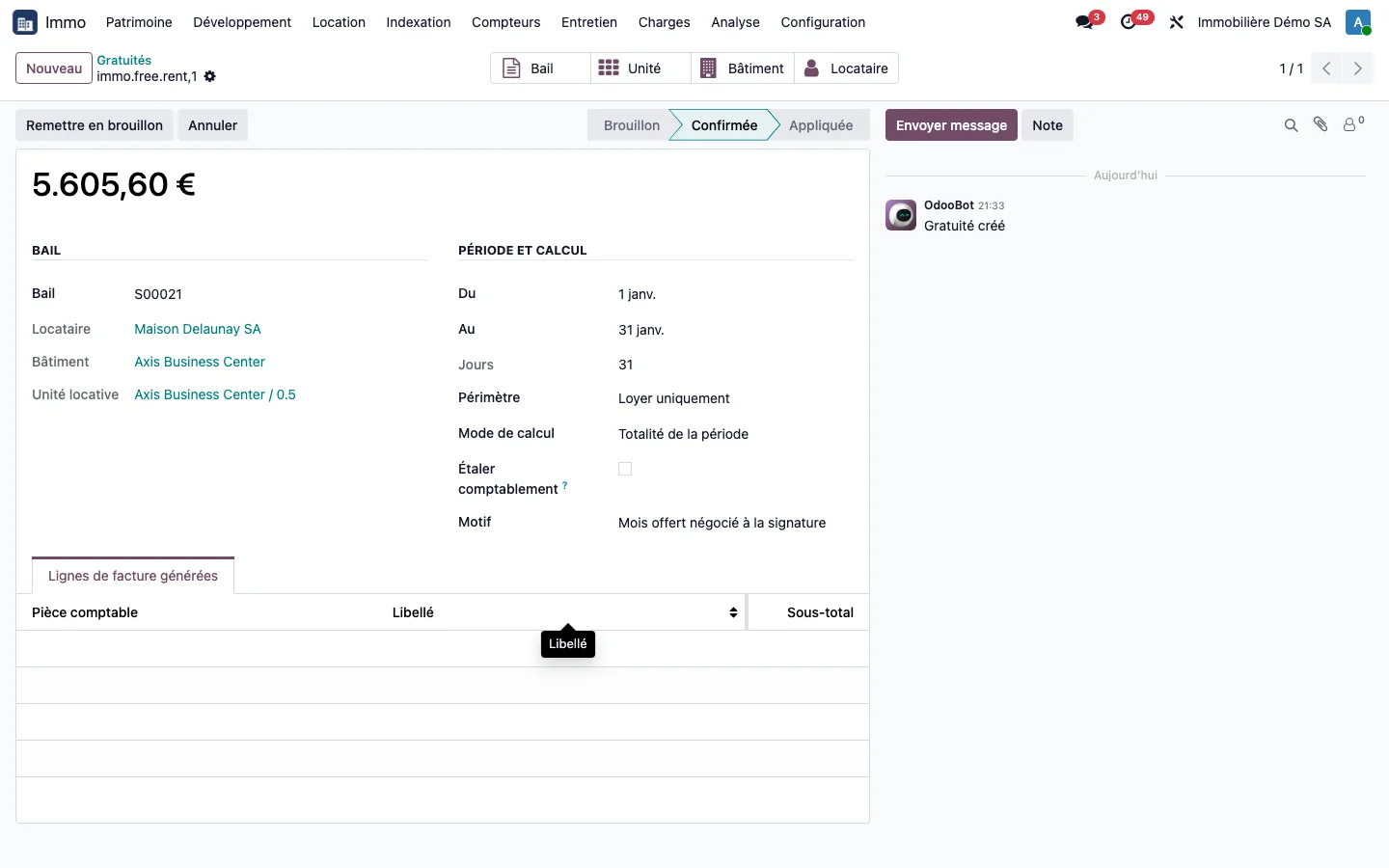
- Rent-free periods: a free period on the rent, the service charges or both, deducted automatically from invoicing, even for a free month within an invoiced quarter.
- Lease amendments: each change is dated, with its value before and after.
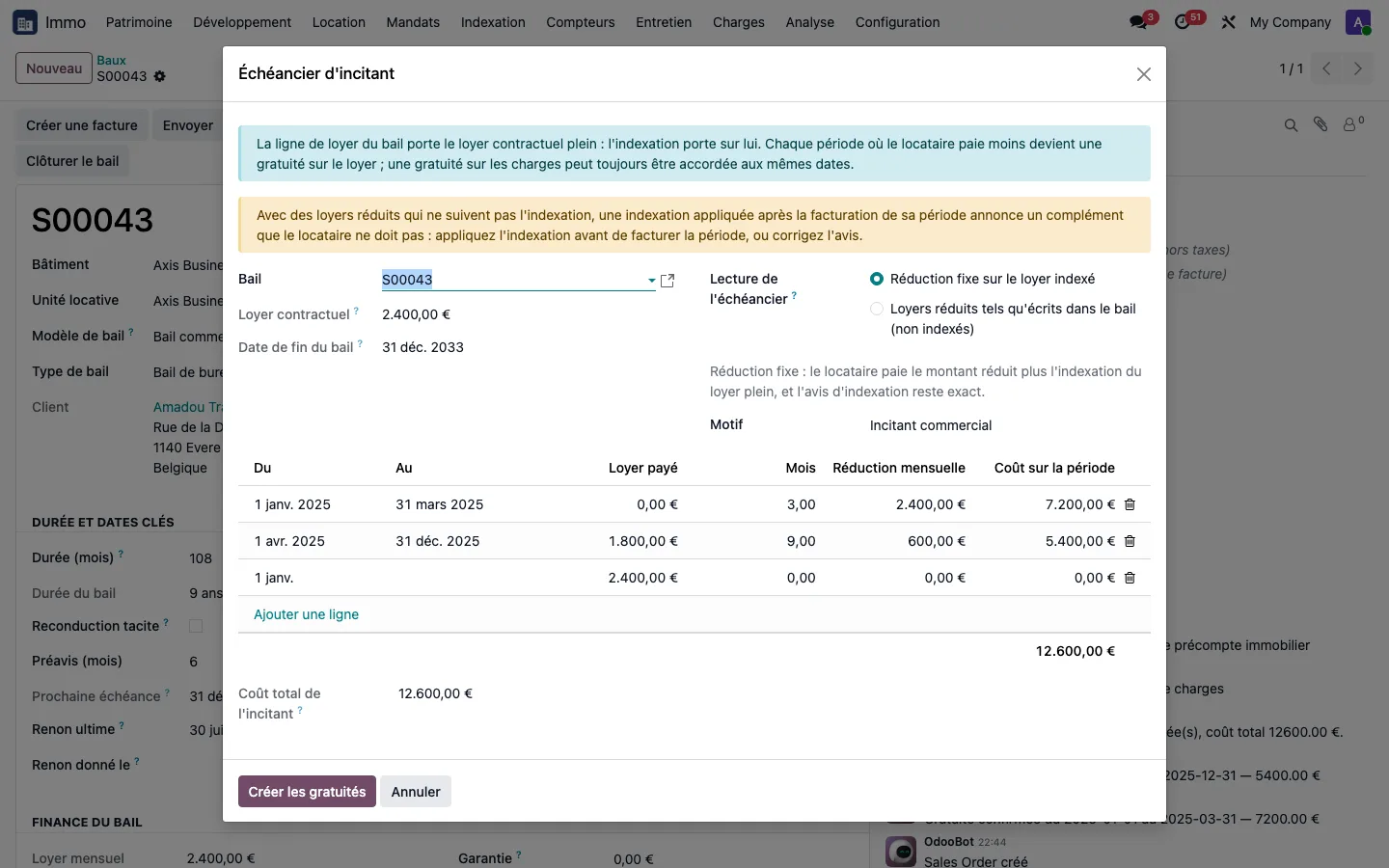
- Incentive schedule: on a commercial lease, a wizard copies the negotiated schedule (free months followed by reduced rents stepping up gradually) and shows the total cost of the incentive before creating all the rent-free periods at once. The lease rent remains the full contractual rent: indexation continues to apply to it.
The occupancy planning, unit by unit
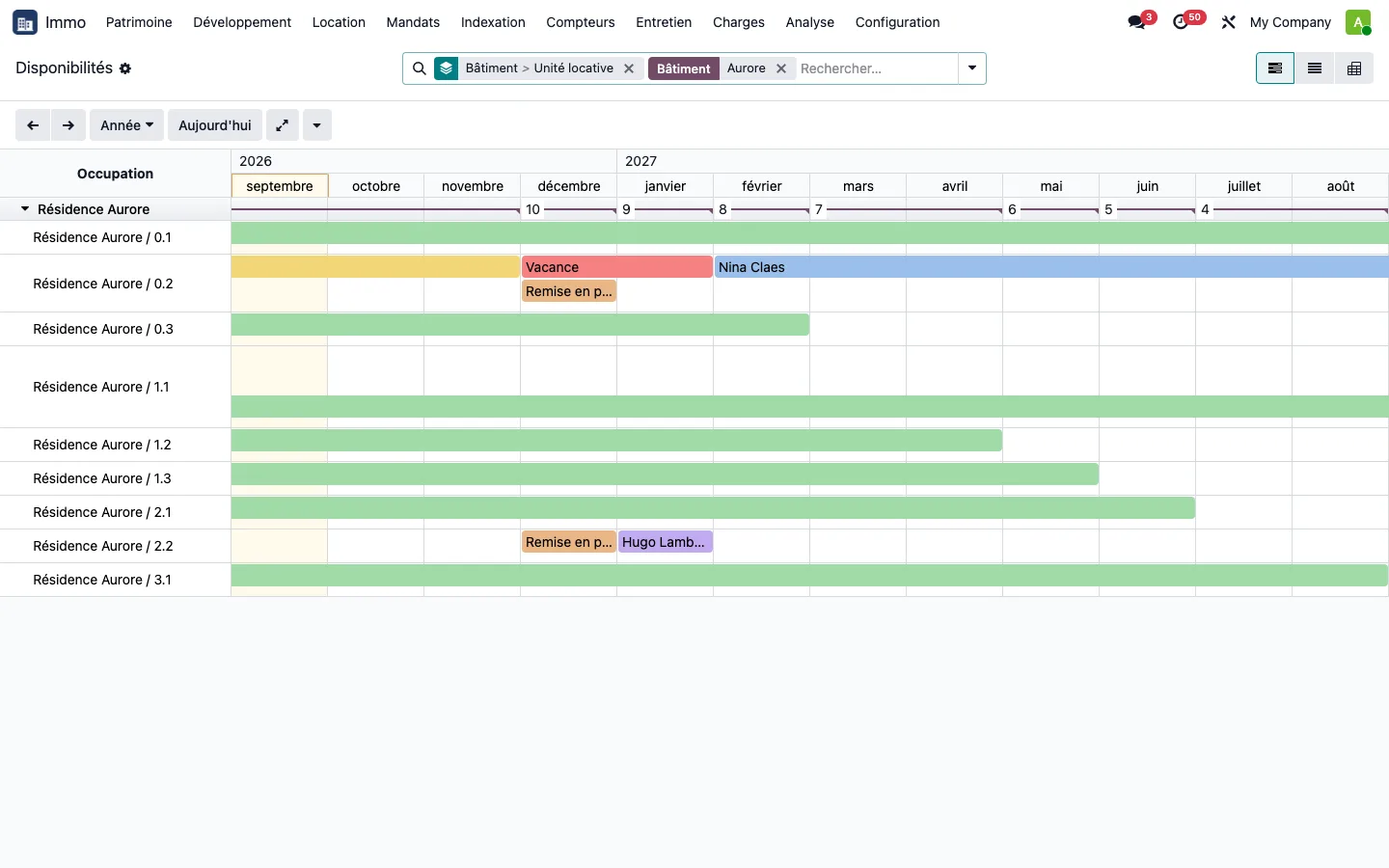
Occupancy periods are derived from the leases, one line per unit grouped by building: occupied, lease under notice, future occupancy, vacancy, works and reserved each have their own colour. A click on a period opens the lease, the unit or the occupant.
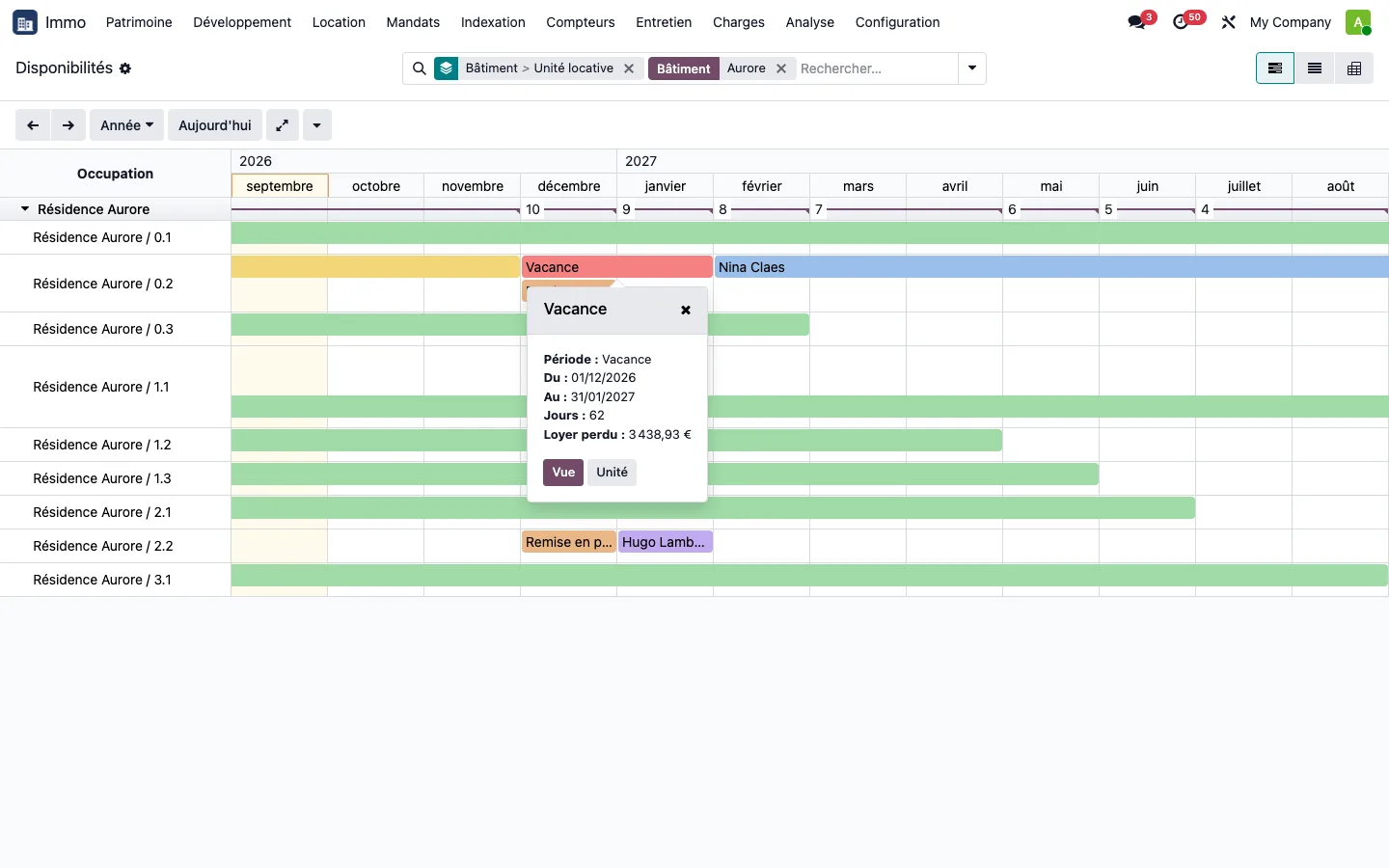
On a vacancy, the popover gives the number of days and the rent lost, pro rata to the reference rent. From a unit or a building, Schedule works sets a works period or a reservation on one or several units at once, and it survives any change to the leases. Two filters answer everyday questions: leases ending within three months, units vacant today.
Terminating a lease
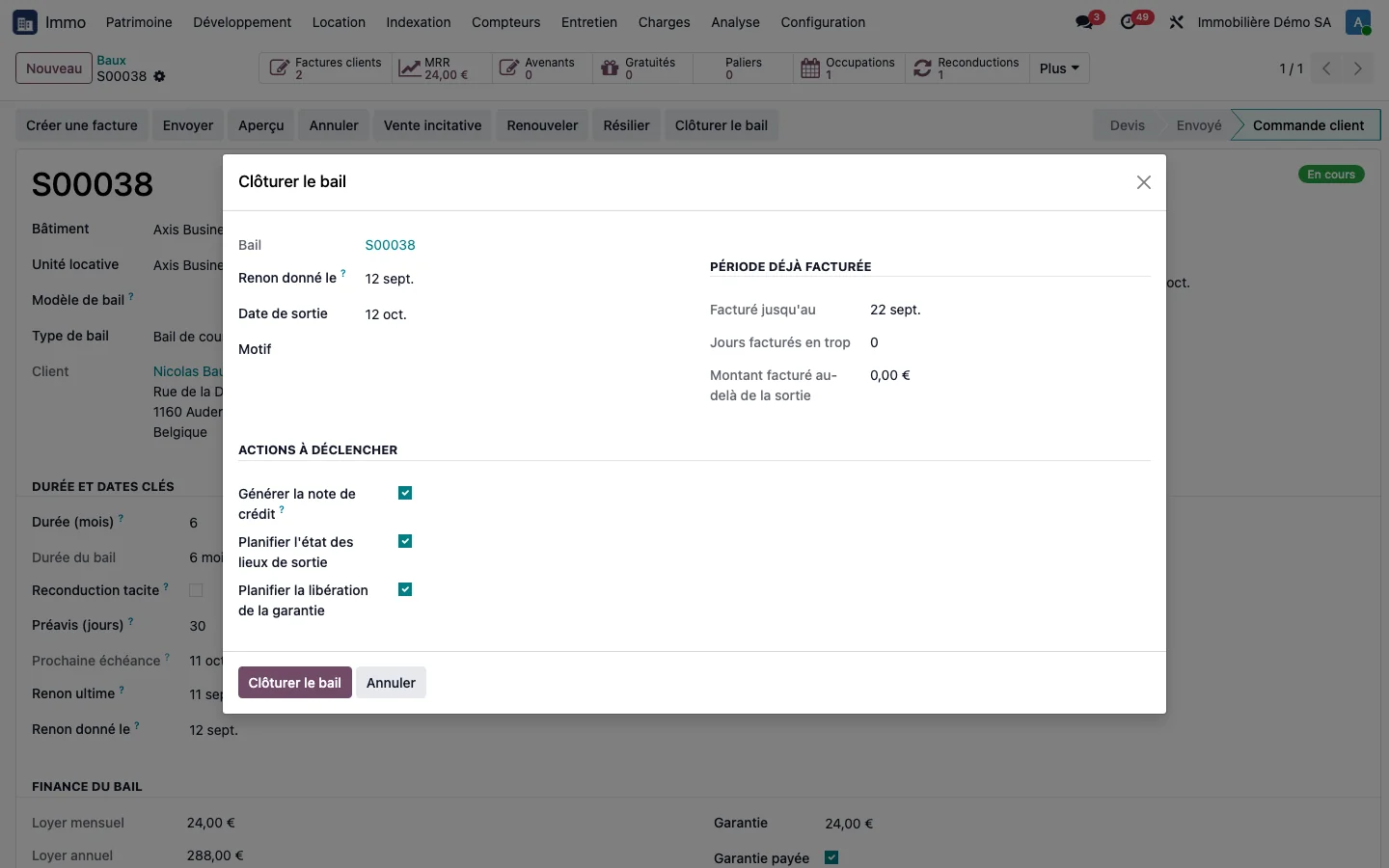
You enter the notice date: the termination wizard proposes the departure date by applying the lease's notice period, and calculates, pro rata to the days, the amount over-invoiced for the current period.
Tenants in a dedicated menu
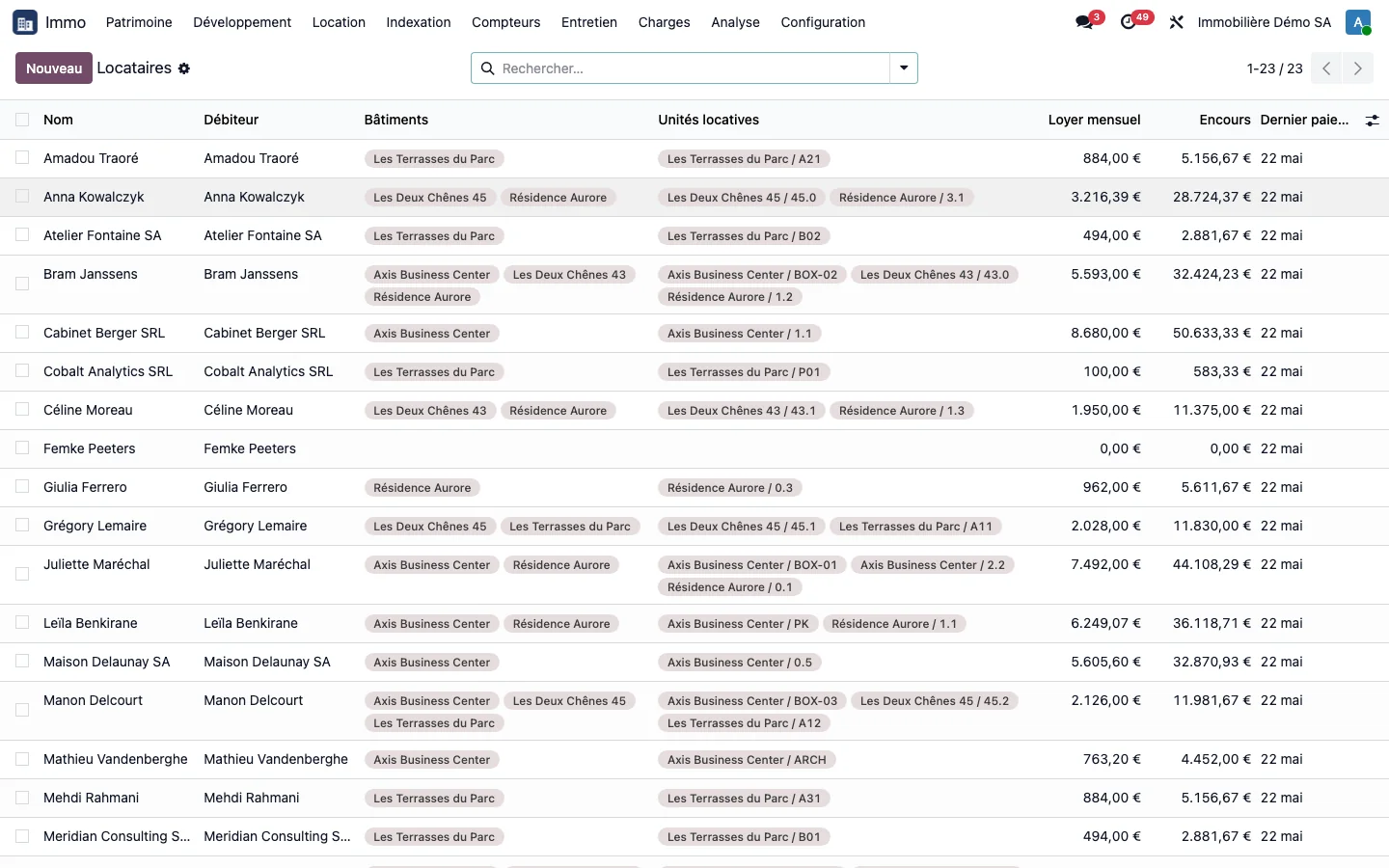
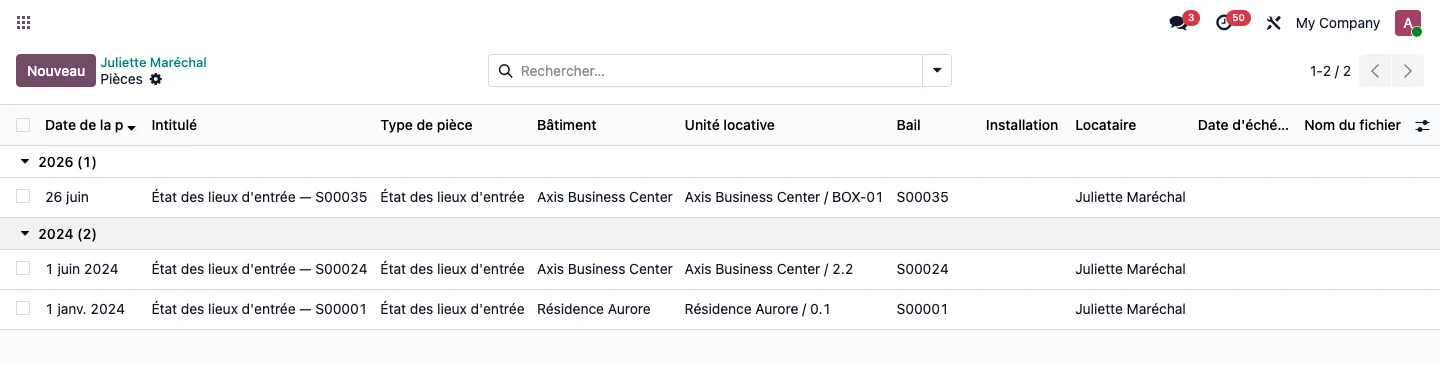
Confirming a lease applies the Tenant tag to its holder. The Tenants menu displays, for each one, their buildings and units, current monthly rent, outstanding rent and unreconciled statements, and the date of their last payment. The tenant's record also has its own document timeline: lease, entry inventory and condition report and documents filed in their name, independently of the building. See the document file.
Co-tenancy and rental deposits
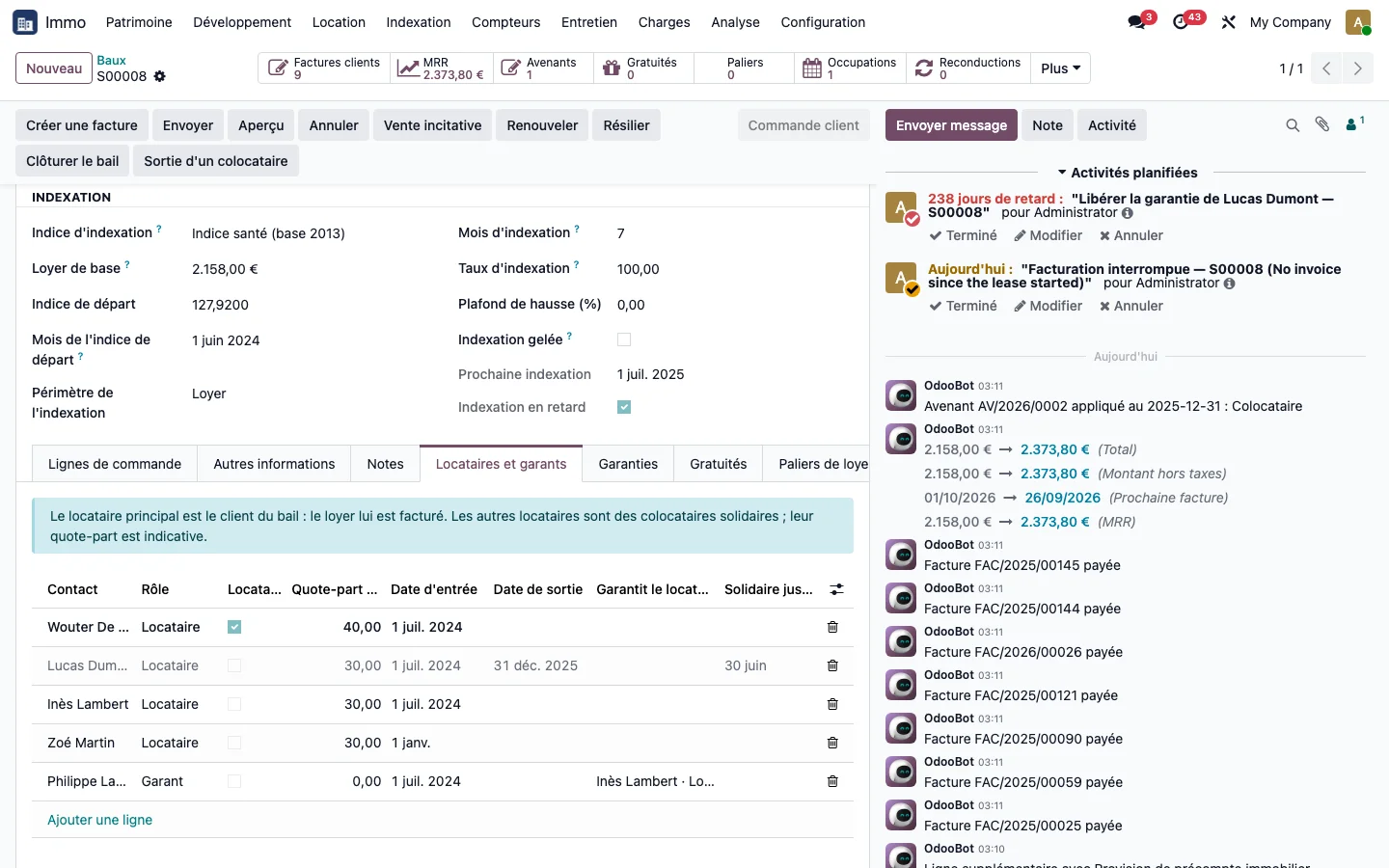
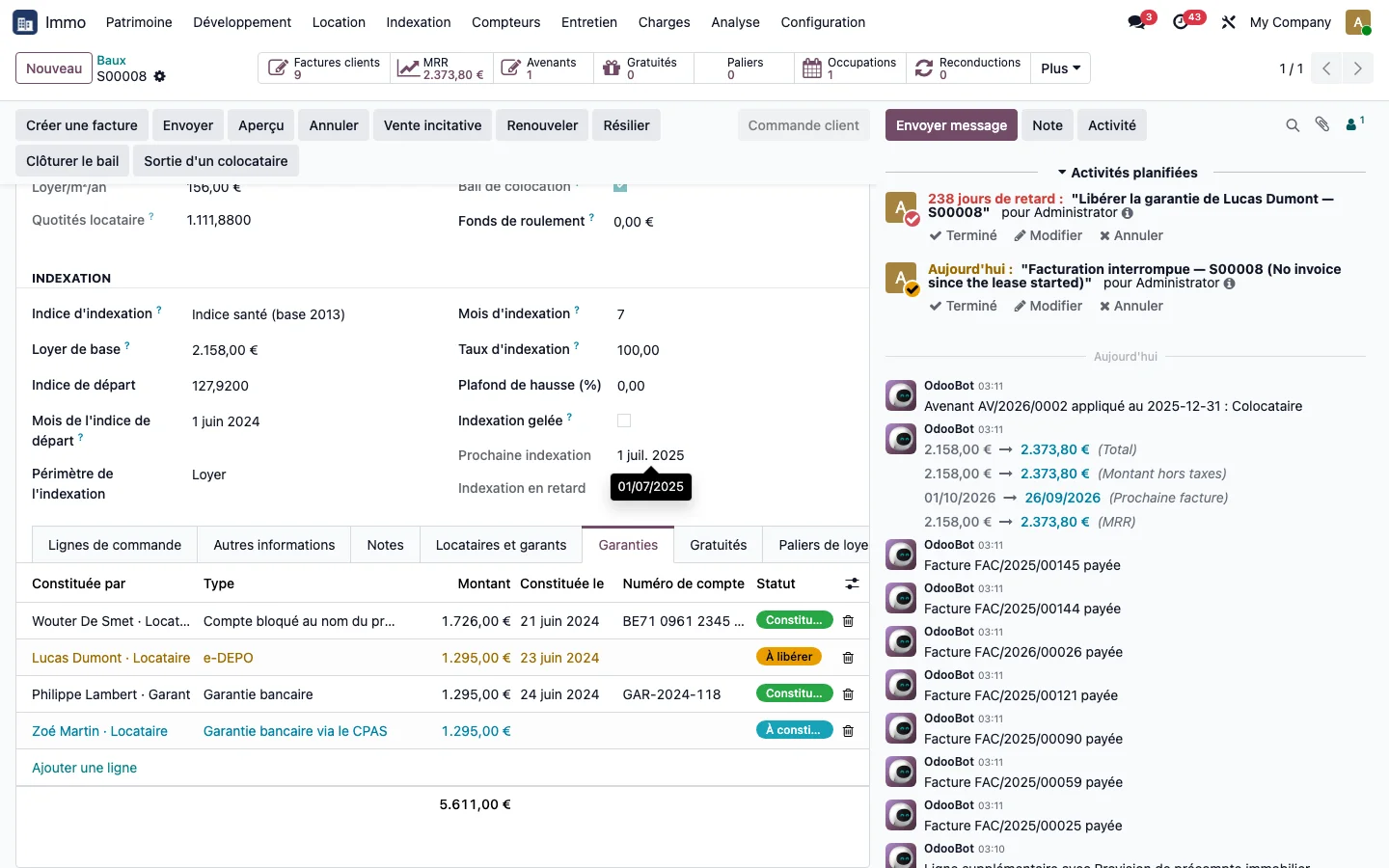
A lease holds all its tenants and their guarantors. The main tenant is the one to whom the rent is invoiced; the jointly liable co-tenants have their share and their entry and exit dates, and each guarantor is linked to the tenant they guarantee.
- One rental deposit per person: blocked account in the tenant's name, e-DEPO, bank guarantee, bank guarantee via the CPAS (public social welfare centre), bank surety, deposit with the owner, cash or letter of surety, each with its amount, date, reference and status.
- Departure of a co-tenant: a co-tenant leaves alone, replaced the next day if needed, without the lease or invoicing to the main tenant stopping.
Short lets and storage units
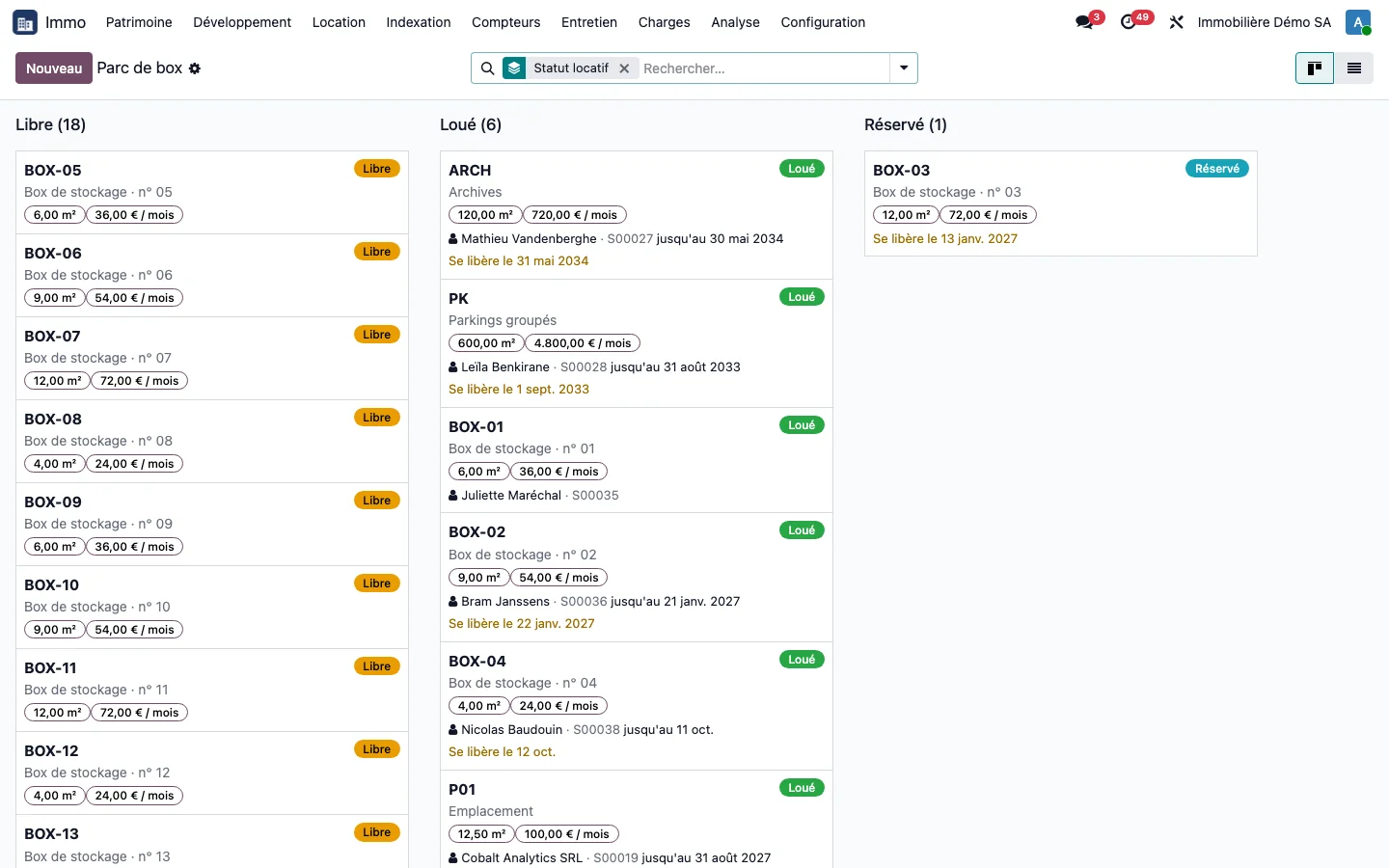
A storage unit is let by the month and turnover is the business. The "Book a storage unit" wizard only offers units that are genuinely free over the requested period, and validation creates the lease, the occupancy and the subscription. The notice period is counted in days, tacit renewal is a lease without an end date, and the portfolio can be read as a kanban with the filter "Becoming free in under 30 days". Every night, units that have been vacated return to "Vacant" and the site manager receives a re-letting task.
Reference prices can be changed in bulk, as a percentage, an amount or a fixed value, with the previous value kept on each unit. No current lease is modified by this action.
See TSC Immo on your own cases
A demonstration on a database with fictitious data, then on your own management questions.
 Connect. Transform. Grow.