One email address per building and requests linked to the lease
TSC Immo's support module is built on Odoo Helpdesk (Enterprise). It is optional: install it if you handle your tenants' requests in Odoo.
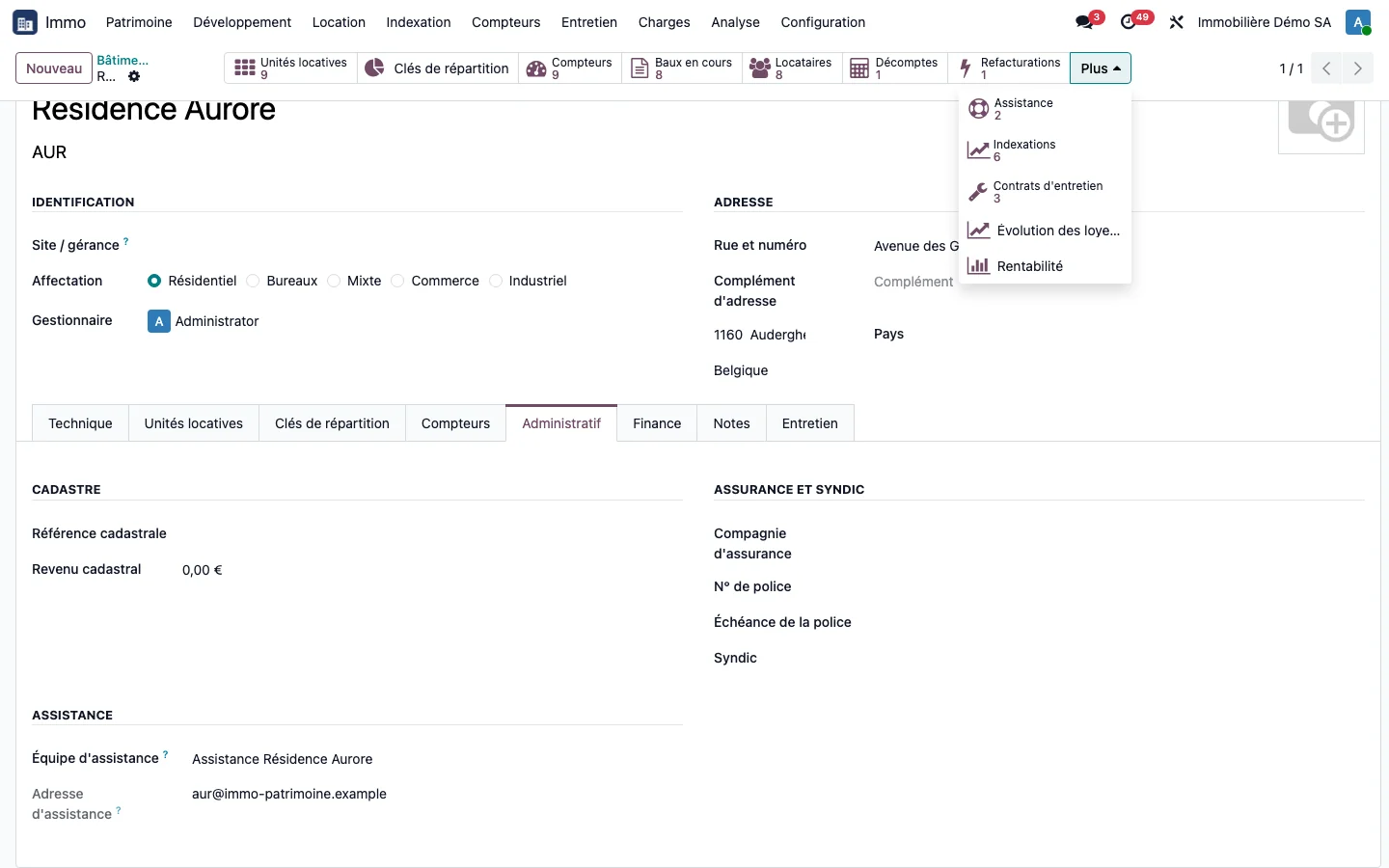
One team and one address per building
From a building record, a button creates the building's support team, with an email address derived from the building code. The property manager does this themselves, without Helpdesk administration rights. The address is visible on the record, and a missing email domain is flagged.
Tickets linked without guesswork
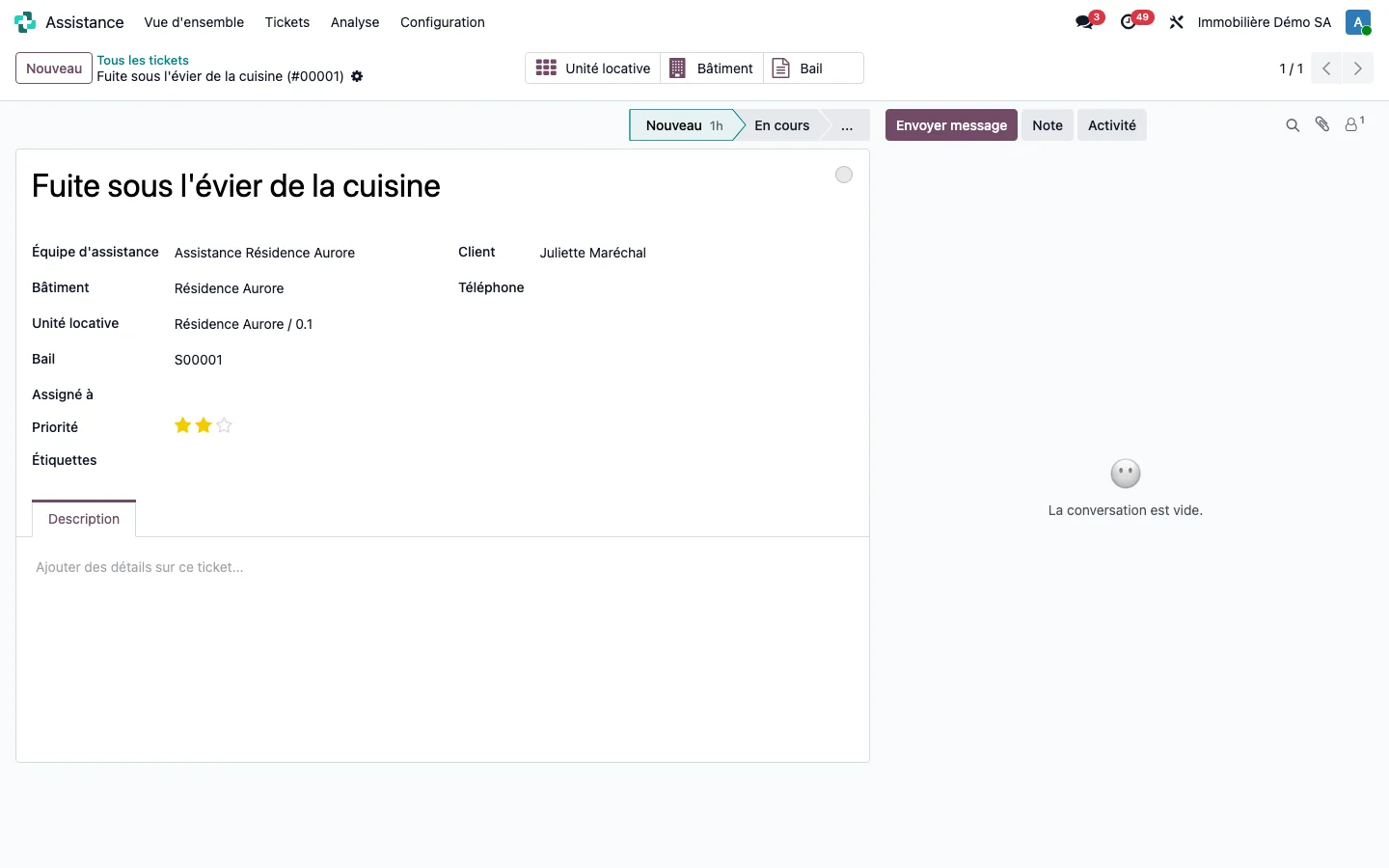
A ticket that reaches the team, by email or entered by hand, is linked automatically:
- to the building, when the team serves only one;
- to the unit and the lease, when the sender is a known tenant and only one current lease matches.
If two leases could fit, the fields stay empty rather than being filled at random. The ticket then opens the lease, the unit and the building in one click.
Tracking by building
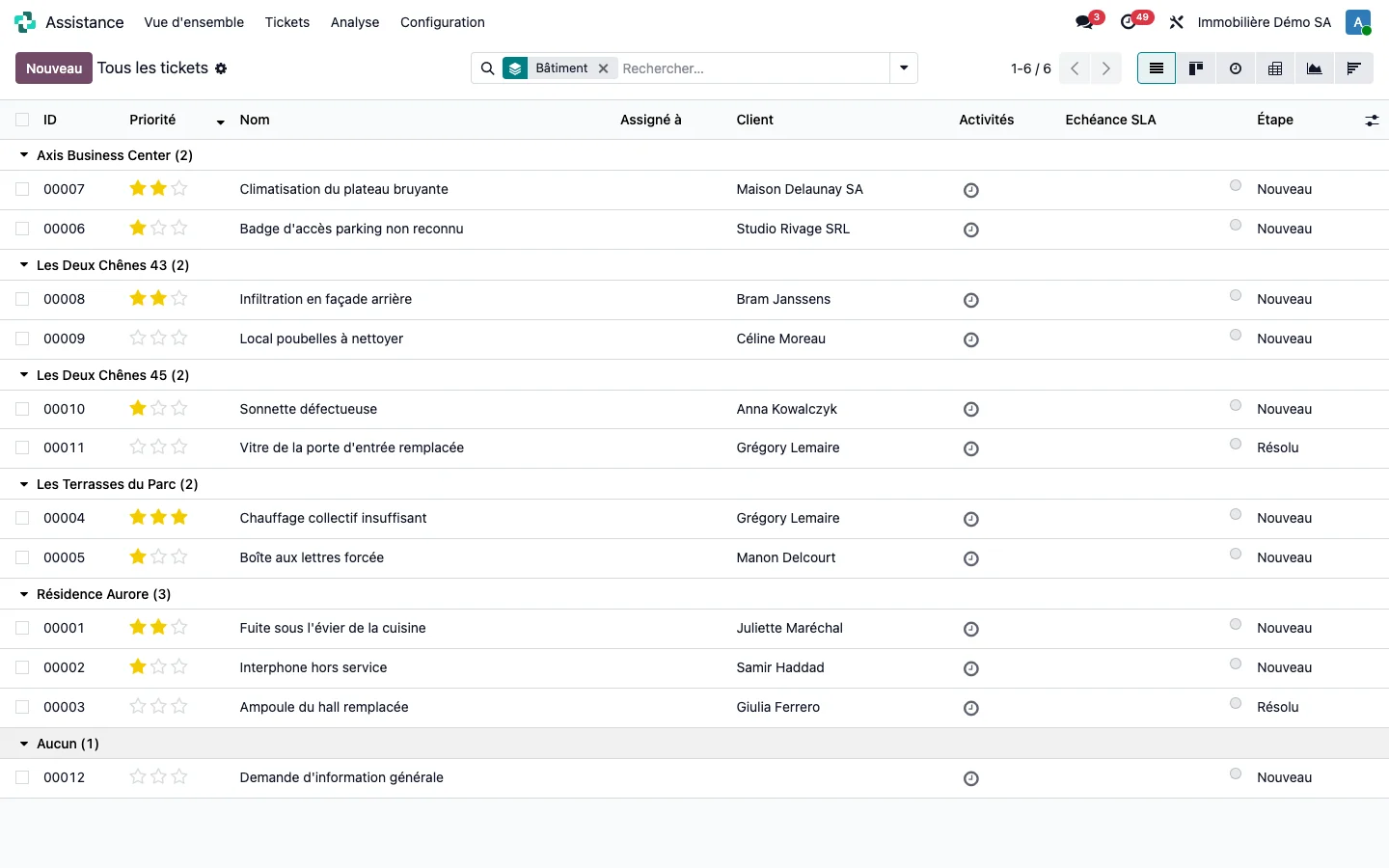
The Support button on the building record counts and opens the tickets to be handled. The history can be read in Helpdesk, grouped by building.
From a tenant's ticket, the Report an insurance claim button opens a claim linked to the building, the unit, the lease, the insurance policy and the excess of the cover concerned. See insurance and claims.
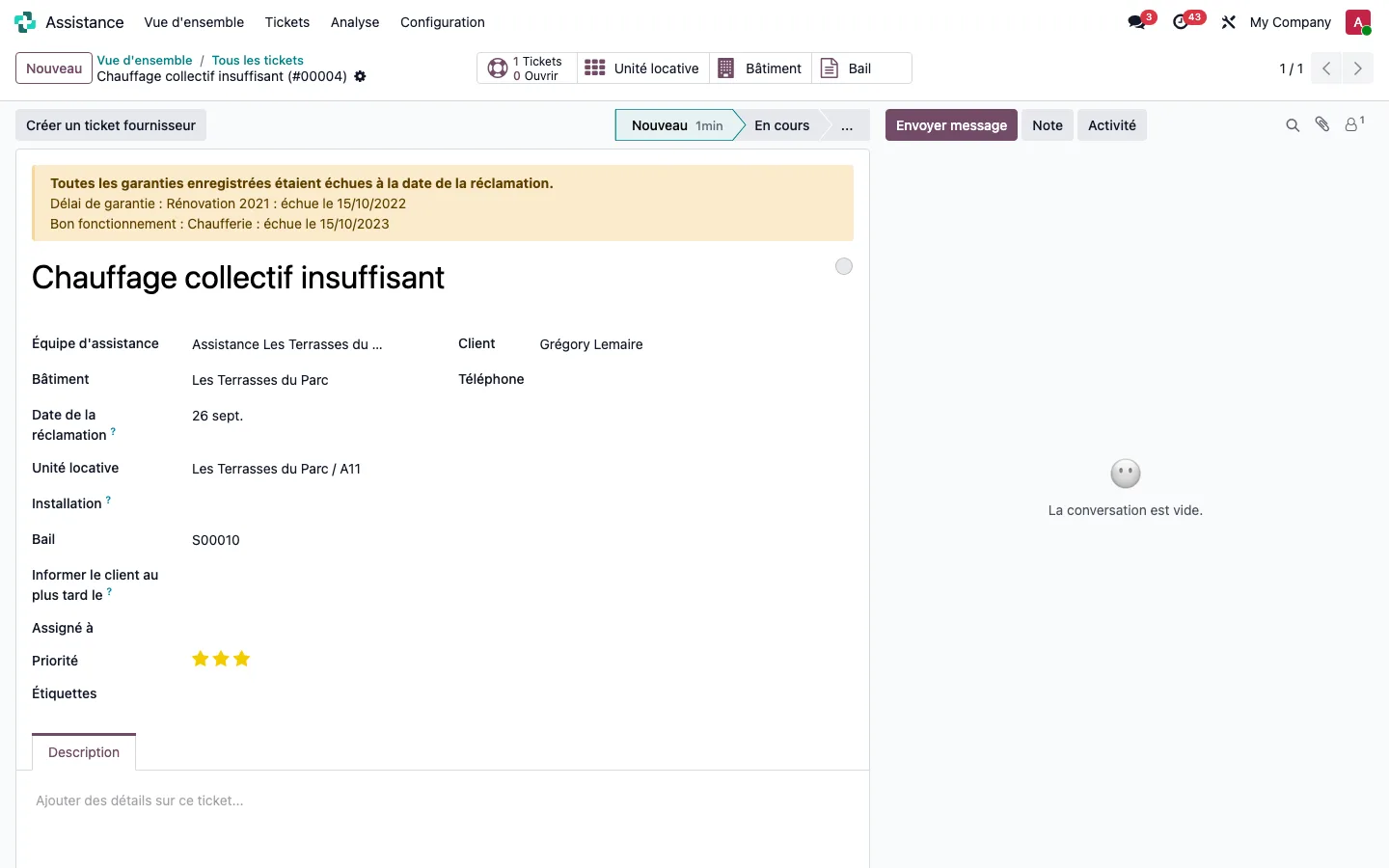
On a ticket, a banner indicates whether the property's warranties had expired at the date of the claim, without blocking the ticket.
The vendor ticket linked to the tenant's ticket is described further down, in the intervention chain.
The intervention chain: one ticket per contractor, linked to the request
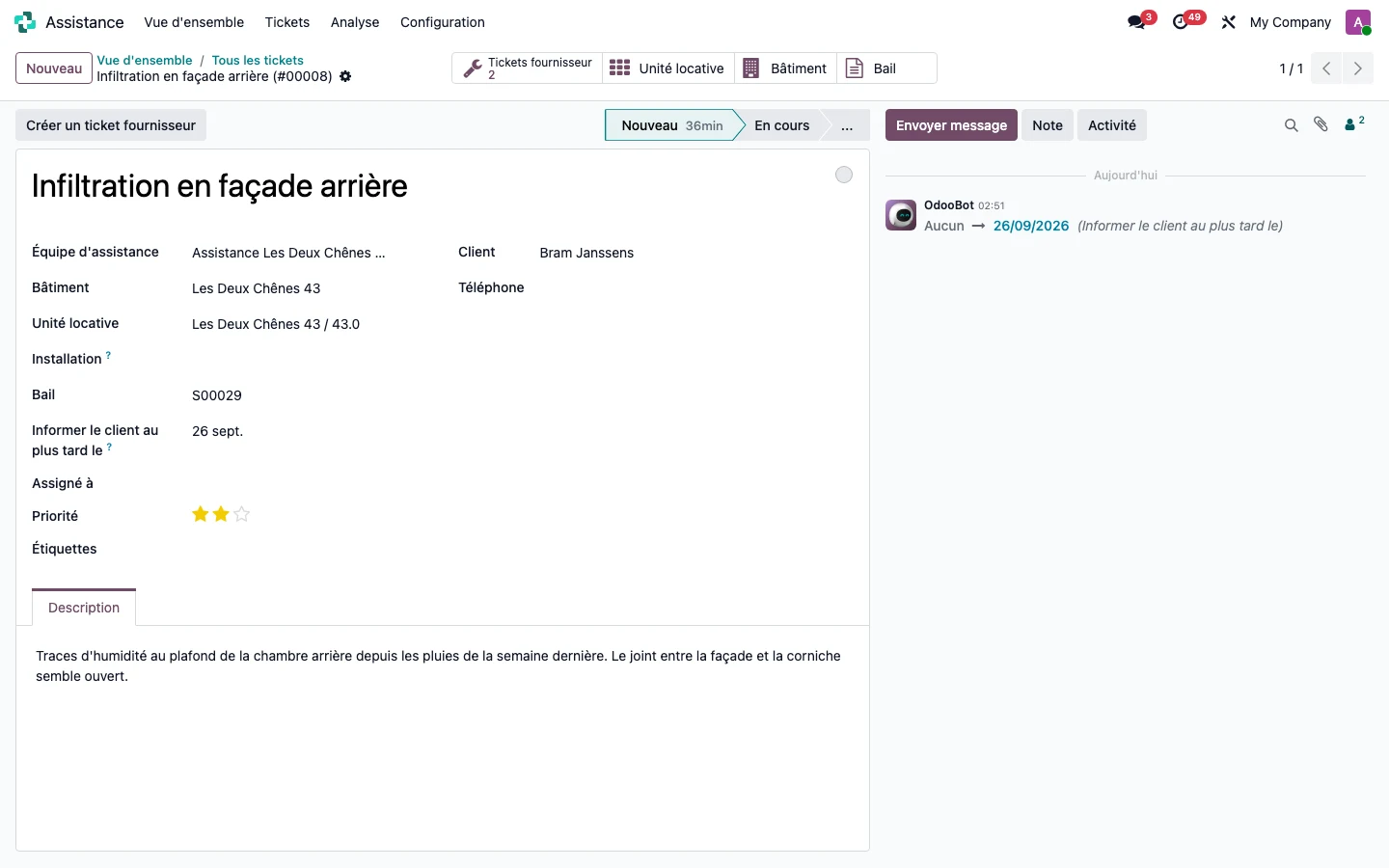
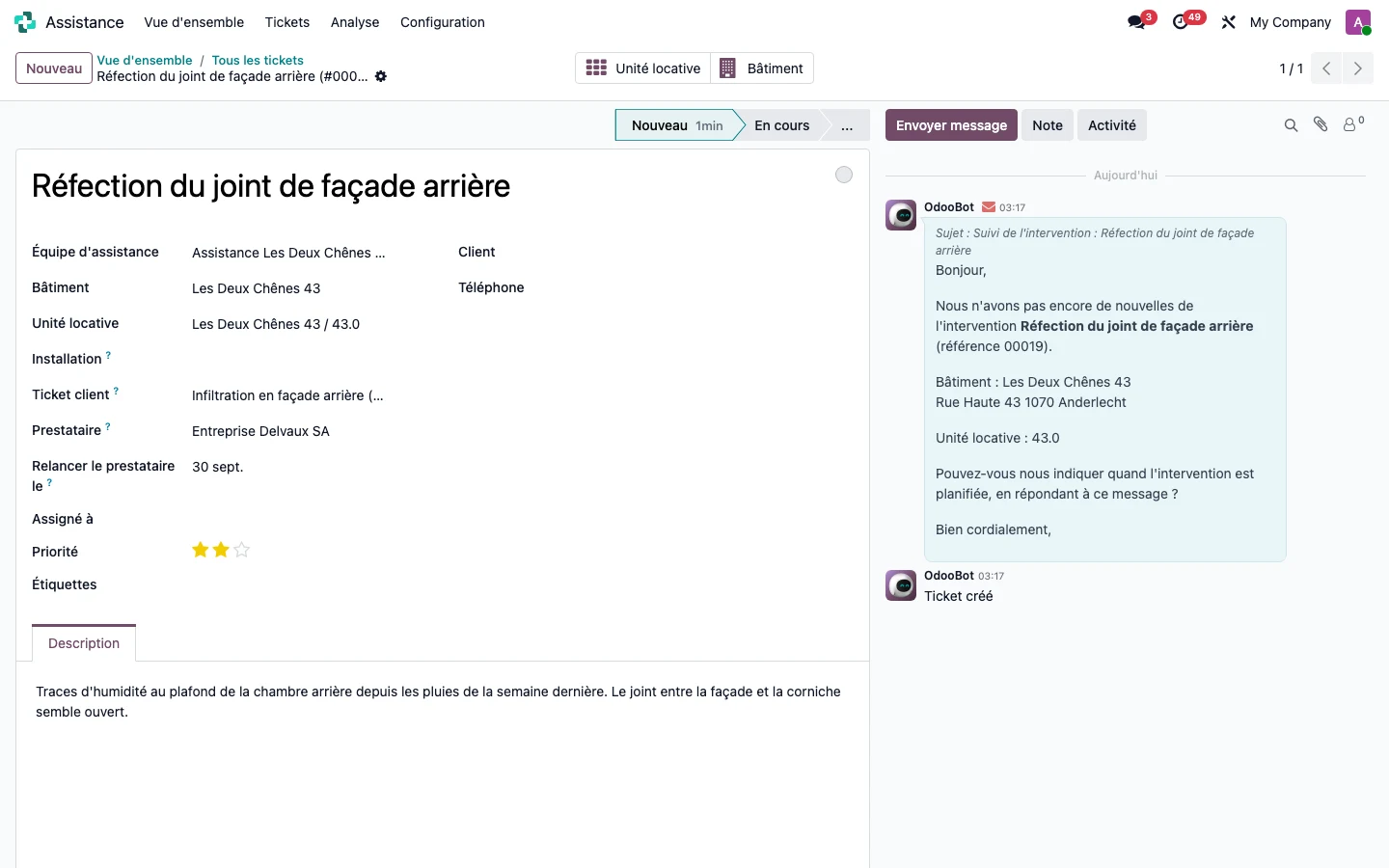
A tenant's request has two sides: the tenant, who must be kept informed within a set time, and the contractor, who must be brought in and then chased. From the tenant's ticket, the Create a vendor ticket button opens a ticket that carries over the building, the unit, the description and the photos, without the tenant. A single request can involve several contractors, one ticket each. When the request concerns an installation, the contractor under a maintenance contract is proposed by default.
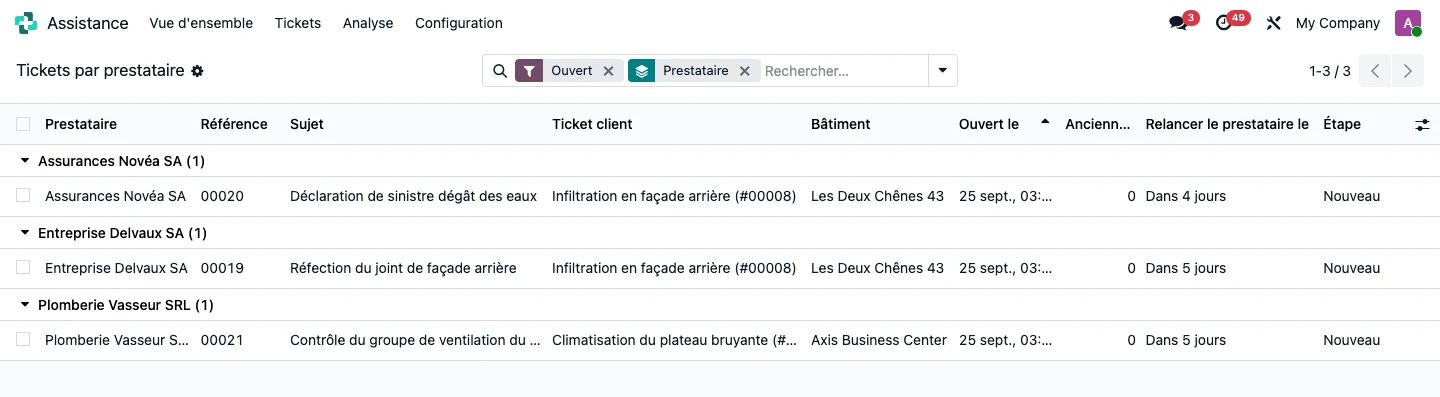
The tenant's ticket carries the date “Inform the customer by”, and the vendor ticket the date “Chase the service provider on”. Both deadlines are set on the support team. Each night, an overdue customer deadline creates a task for the property manager, and an overdue vendor deadline sends an email to the service provider from its ticket, visible in the history. The By service provider menu lists the open vendor tickets, grouped by service provider, with their age and their next follow-up.
On the demonstration database, water ingress through the facade involves two contractors, a builder for the joint and an insurer for the claim. The follow-up with the builder, due on 23/09/2026, was sent only once on 25/09/2026 and its next date moved to 30/09/2026, the five-day interval set on the team.
A cancellation is not a repair: when all the vendor tickets are closed, the property manager receives a task that cites the stage reached by each one (Resolved, Cancelled) and decides for themselves whether to close the request. Closing the request never closes the vendor tickets. The contractor receives neither the acknowledgement of receipt nor the satisfaction survey intended for tenants. See the step-by-step guide.
See TSC Immo on your own cases
A demonstration on a database with fictitious data, then on your own management questions.
 Connect. Transform. Grow.