Prerequisites: the immo_compliance module installed and the space register filled in. The menus are in the Immo application, under Compliance.
Step 1 · Check the topics
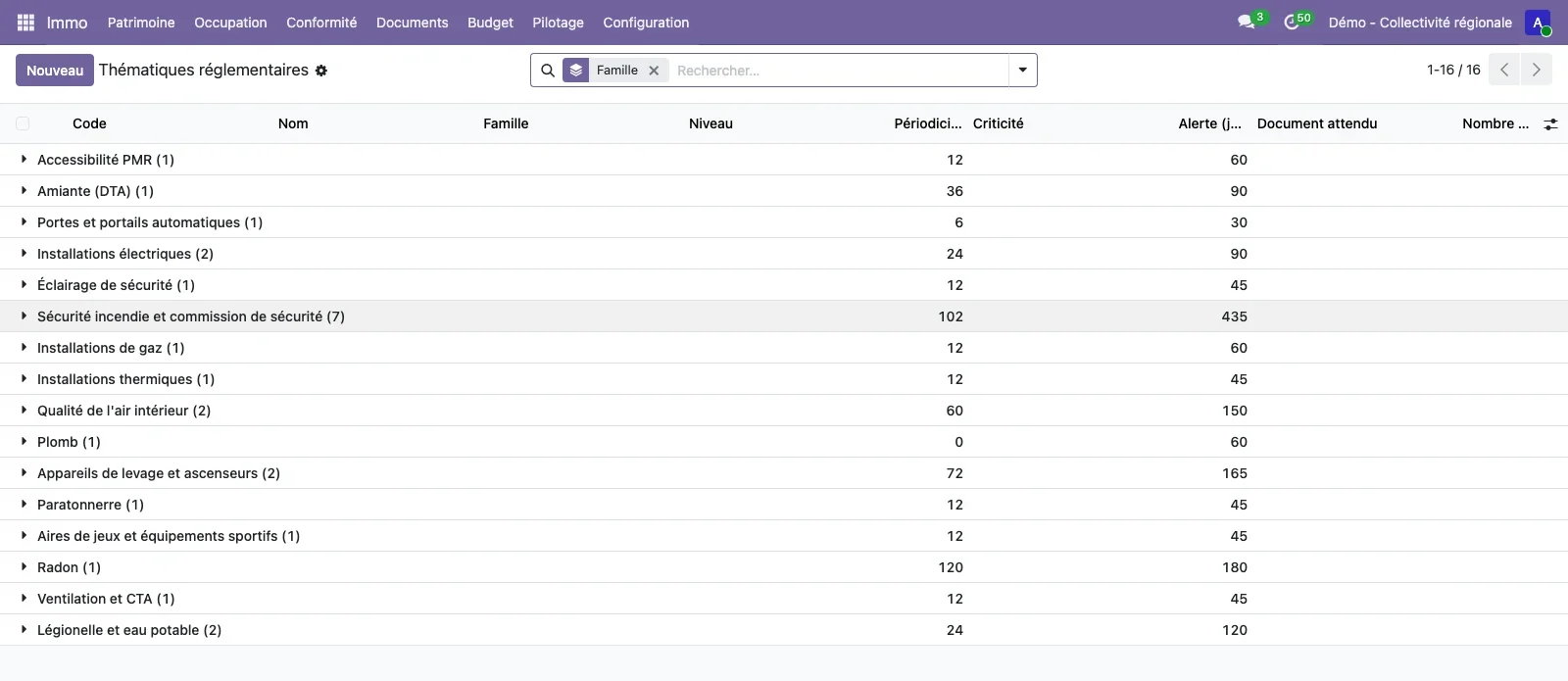
Open Configuration > Regulatory compliance > Regulatory topics. Each topic has its family, its level of application, its frequency in months, its criticality, its alert lead time and the expected document. Twenty-six topics are supplied; deactivate those that do not concern you, change the frequencies, or add your own.
Step 2 · Generate the obligations
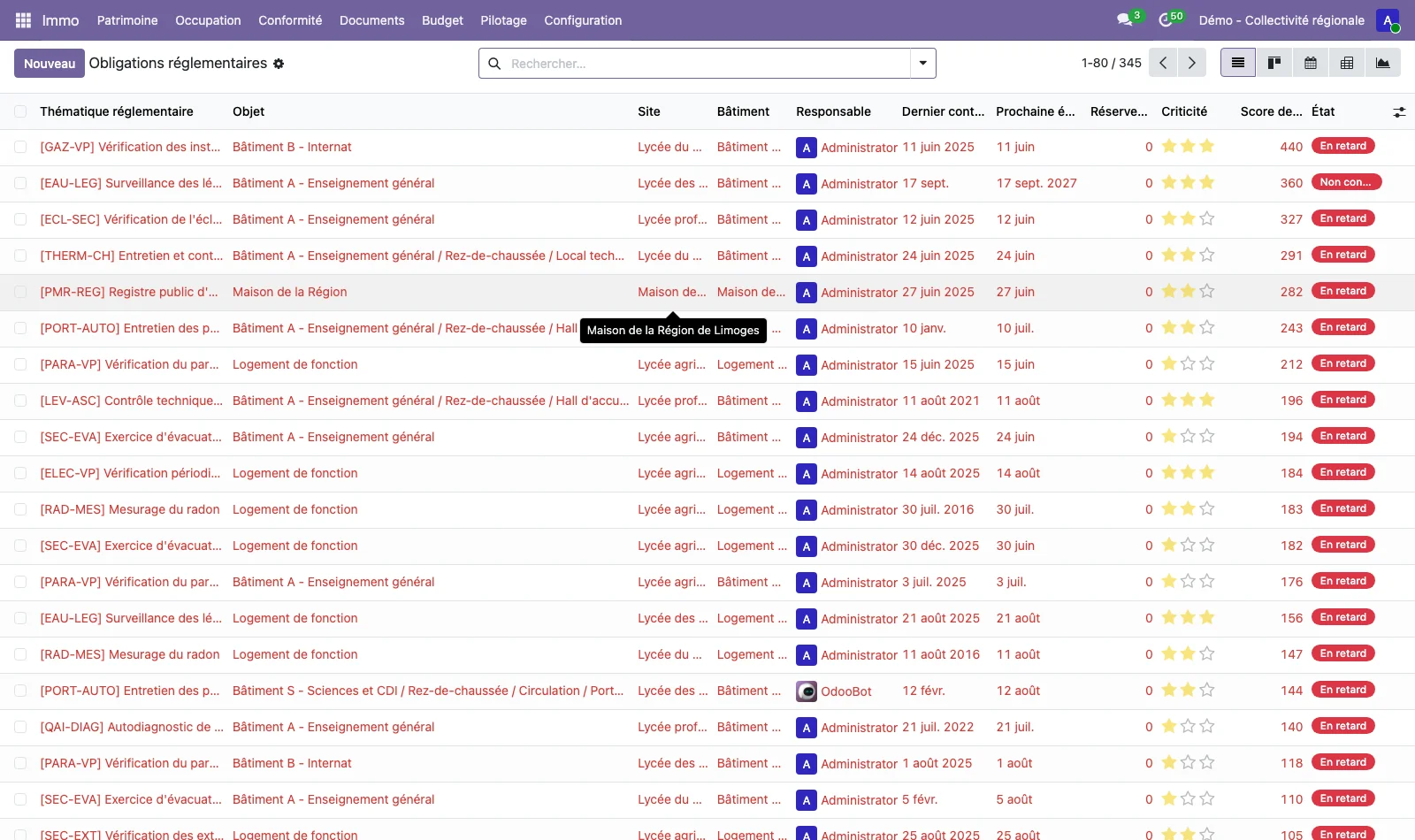
Open Compliance > Generate obligations and start the generation. One obligation is created for each applicable topic and each object concerned (site, building, space, equipment). Running the generation again creates no duplicates: only the missing obligations are added.
Step 3 · Read the priorities and the calendar
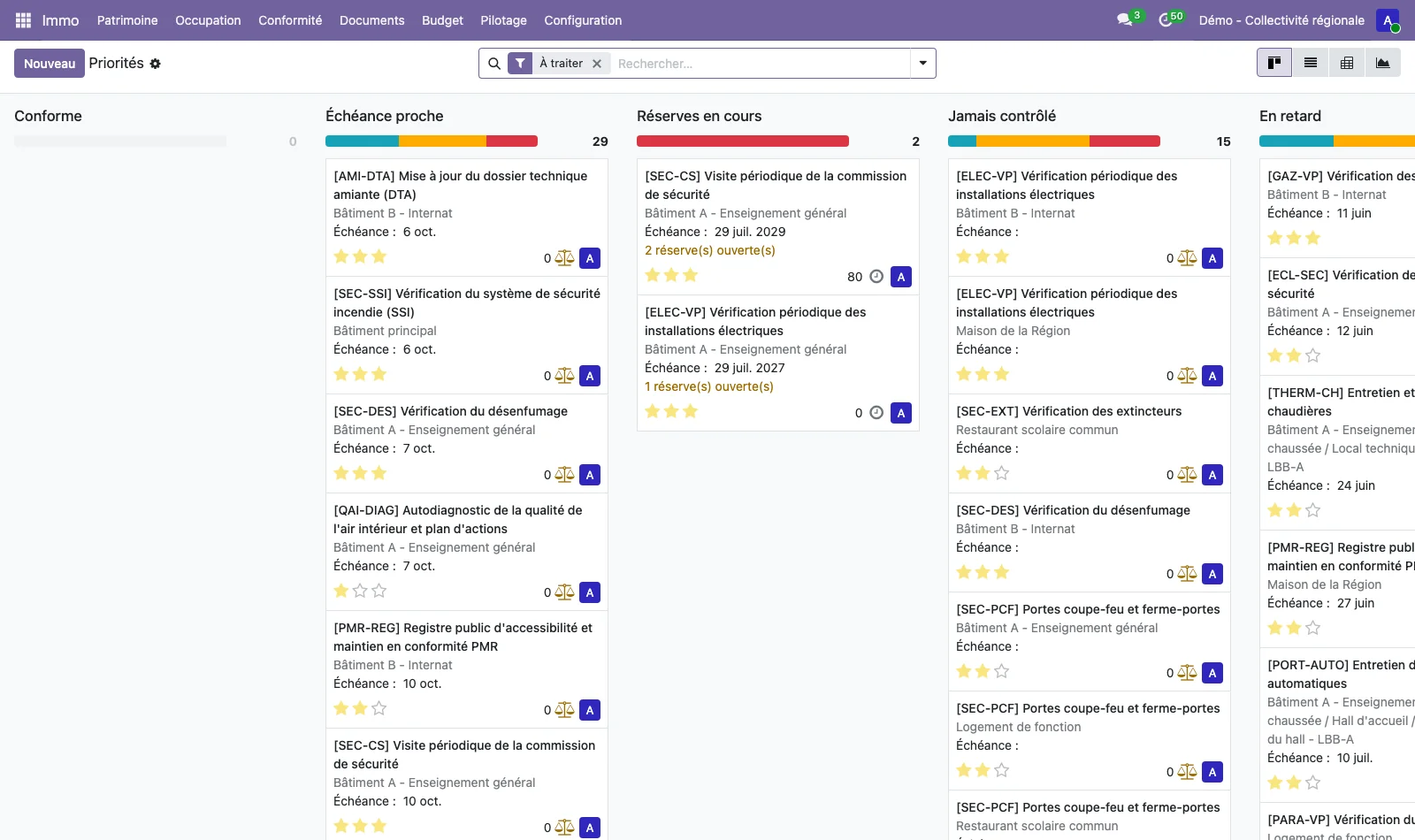
Compliance > Priorities presents the obligations to deal with in columns: due soon, outstanding issues open, never inspected, overdue. The To do filter hides compliant obligations. Compliance > Due-date calendar places the next due dates within the month, with a filter by person responsible.
Step 4 · Record an inspection
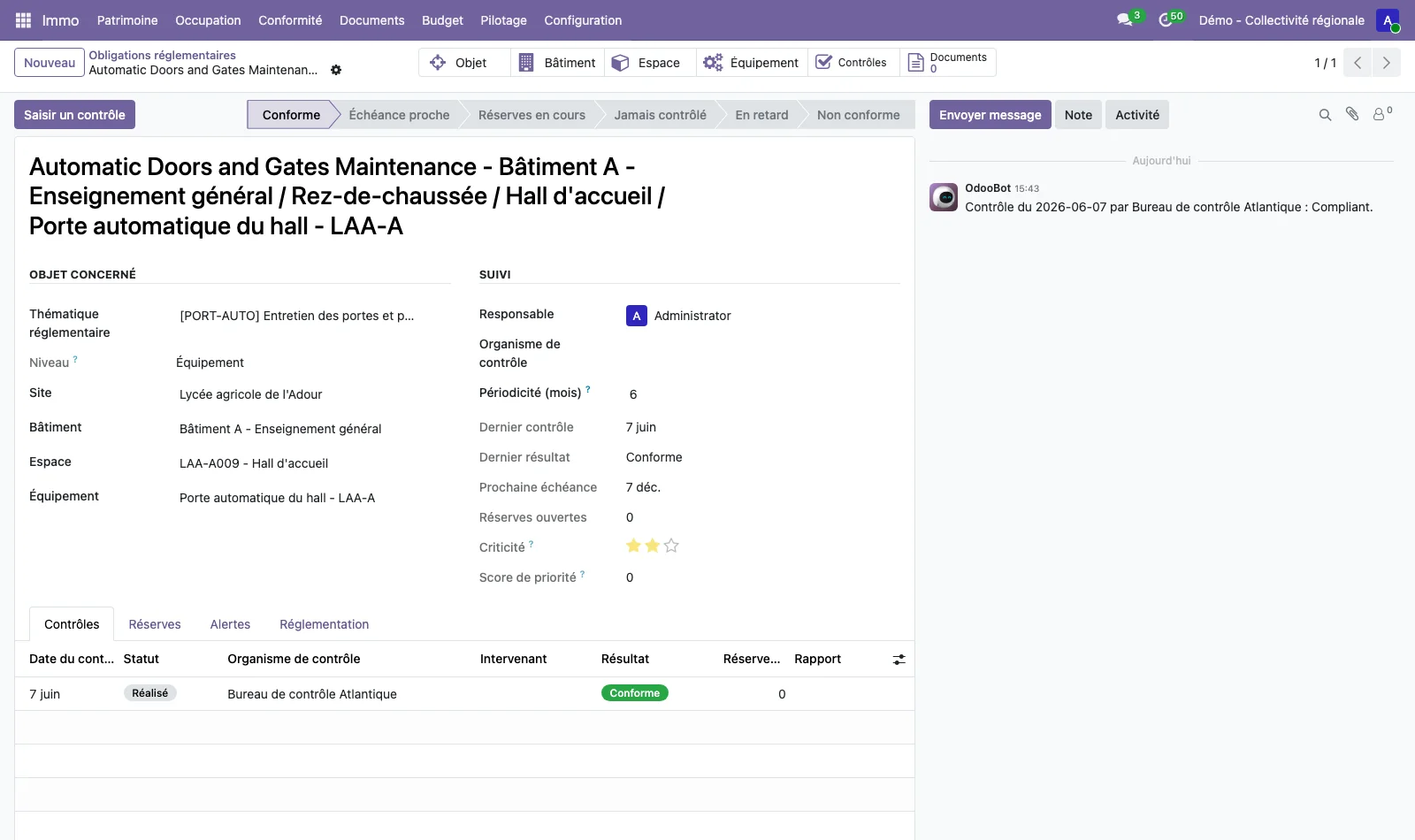
Open an obligation and click Record an inspection. Enter the date, the inspection body, the result and the report, then any outstanding issues with their severity (minor, major, critical) and their clearance due date. The status of the obligation and its next due date are recalculated. The Compliance > Inspections list keeps all the inspections carried out.
Step 5 · Clear an outstanding issue
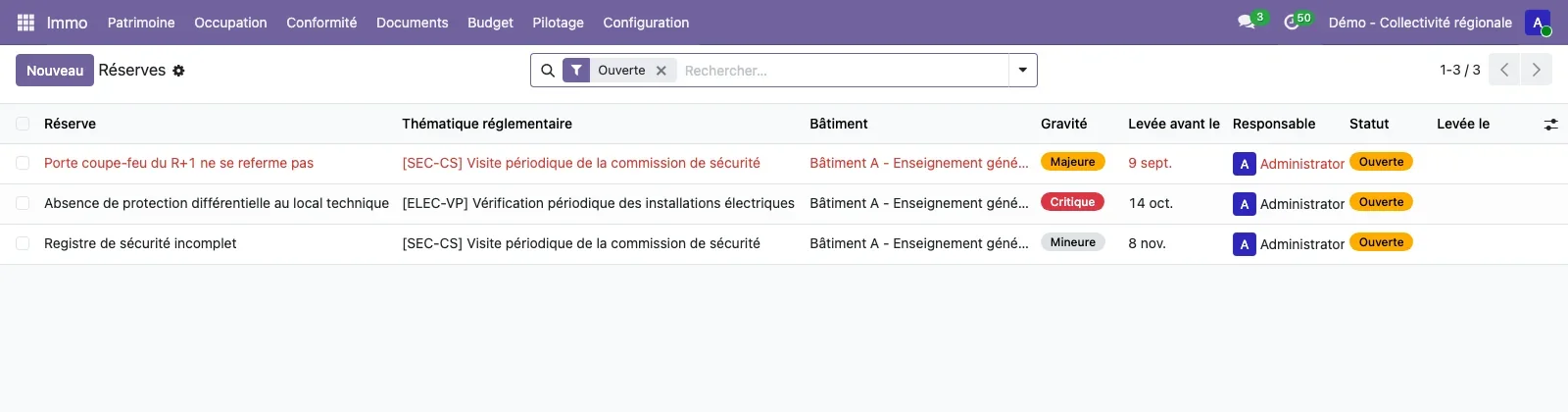
Open Compliance > Outstanding issues. The Open filter isolates the outstanding issues to clear, with their severity, their due date and their person responsible. Open the outstanding issue, click Clear the issue, enter the clearance date and attach the proof of clearance: the issue moves to the Cleared status and remains available for consultation.
Step 6 · Set the alerts
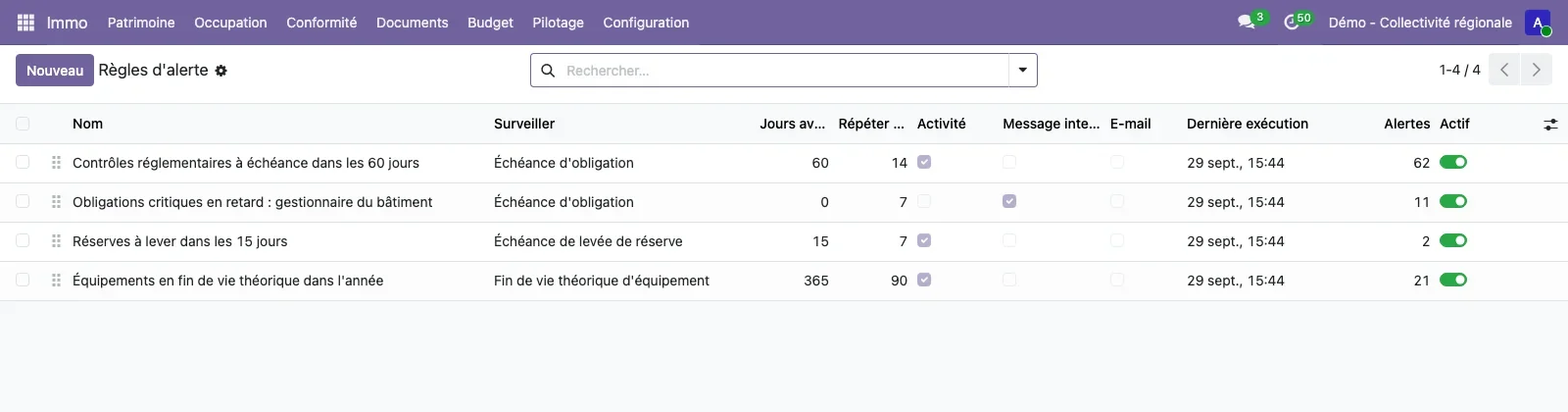
Open Configuration > Regulatory compliance > Alert rules. A rule chooses what it monitors (obligation due date, outstanding issue to clear, end of life of equipment, expiry of a document), the number of days before the due date, the repetition, the recipients, the channels (activity, internal message, email) and the scope. The Run now button runs the rule without waiting for the scheduled action of the night. Compliance > Indicators > Alert history keeps every alert sent.
Step 7 · Read compliance by site and by building
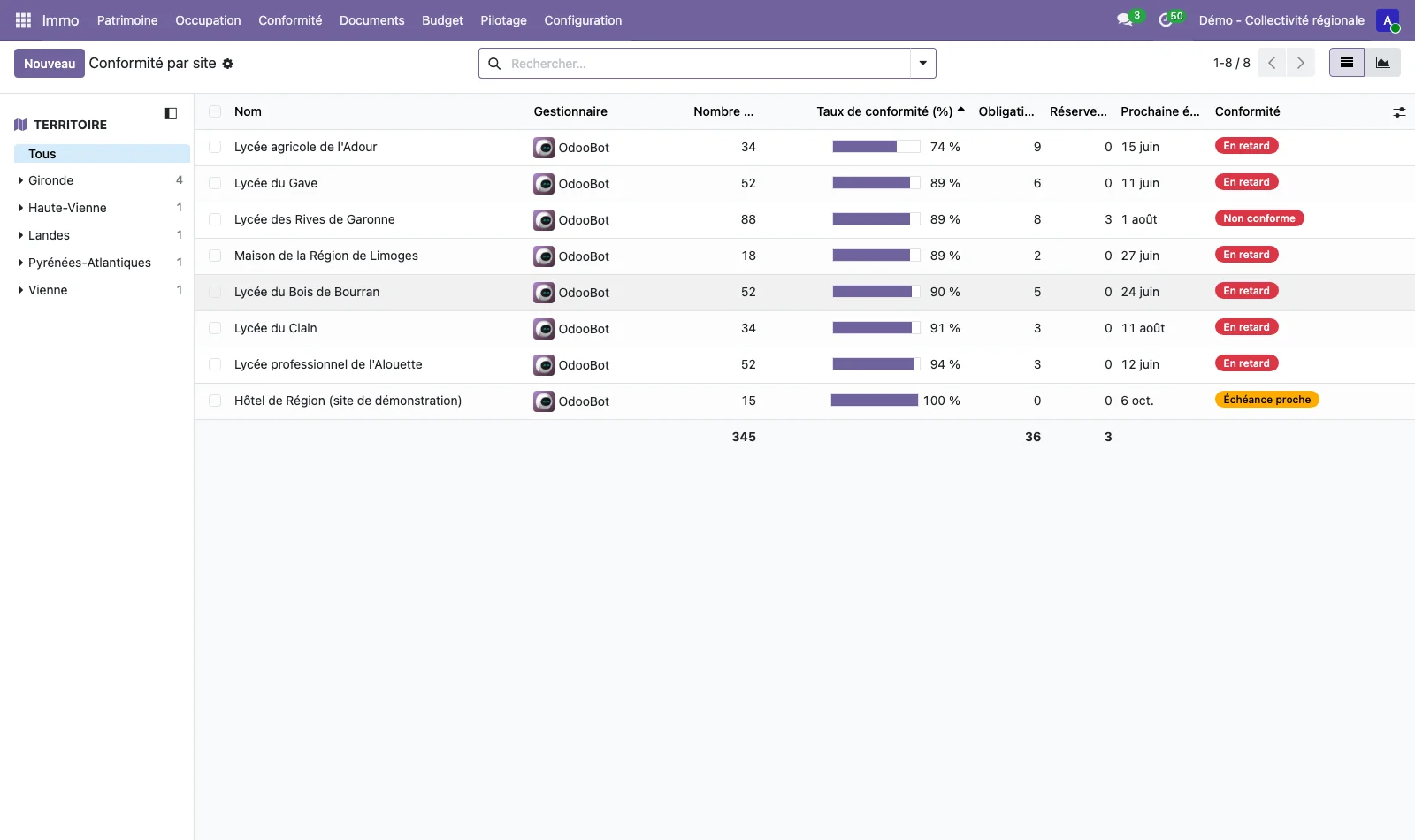
Compliance > Indicators > Compliance by site and Compliance by building give the compliance rate, the overdue obligations, the open outstanding issues and the next due date. On a plan, the Regulatory compliance theme of the plan viewer colours the rooms according to their status.