Tracking the regulatory obligations of buildings and equipment
An owner of buildings open to the public tracks dozens of periodic inspections: safety commission, electrical installations, gas, lifts, smoke extraction, legionella, radon, asbestos, accessibility. The immo_compliance module links them to the sites, buildings, spaces and equipment in the register, calculates the status of each obligation and alerts the people responsible before the due date.
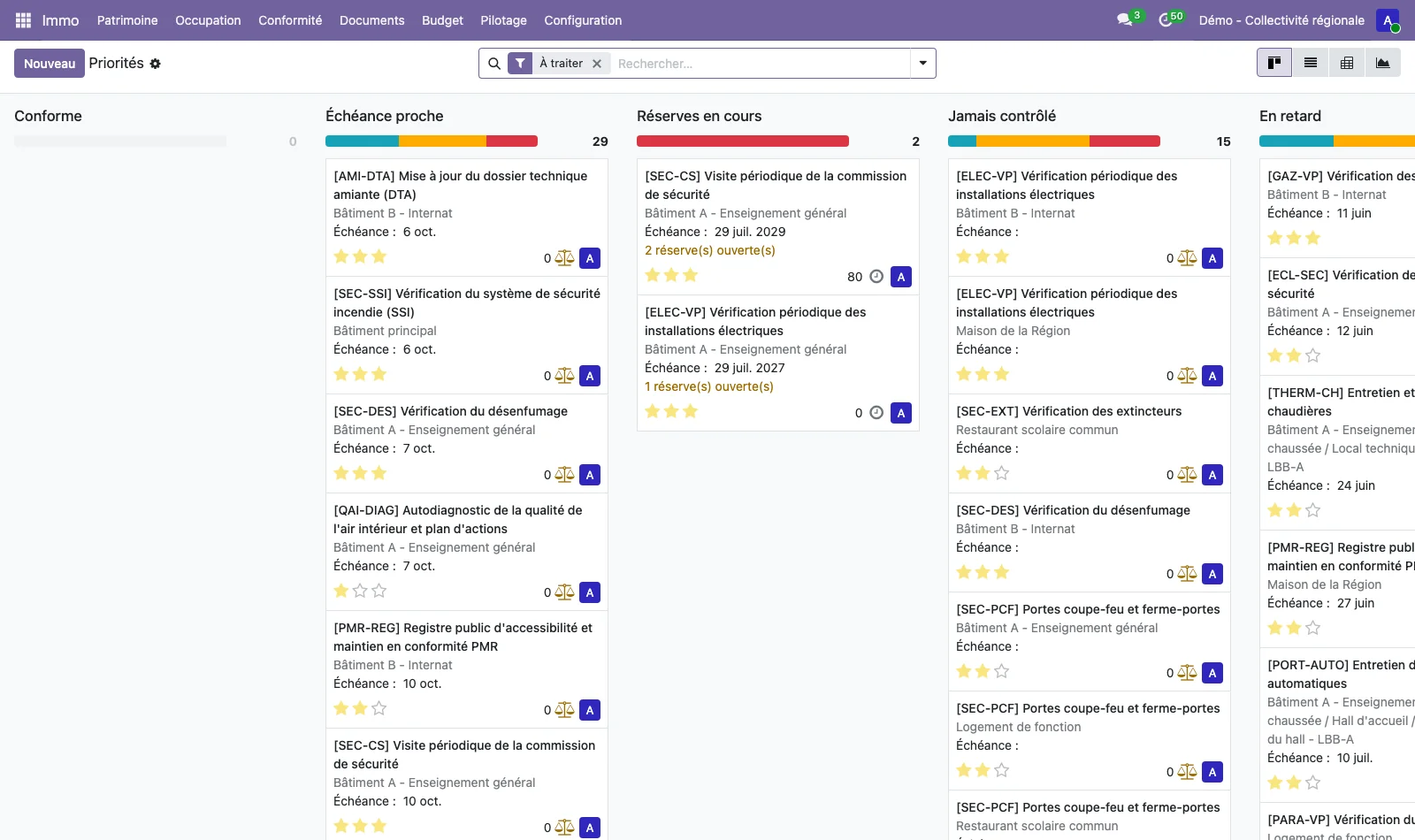
Topics that you maintain
A regulatory topic describes an inspection: its name, its family, its frequency in months, its criticality, the alert lead time, the expected document and the level at which it applies (site, building, space, equipment), with an applicability filter. The list is maintained by the administrator. Twenty-six topics are supplied as standard, drawn from French regulations: safety commission visit, fire safety system, fire extinguishers, smoke extraction, electricity and thermography, gas, boilers, lifts, ventilation, emergency lighting, asbestos, lead, air quality, legionella, drinking water, radon, automatic doors, play areas, lightning protection and accessibility. They can be edited, replaced or extended to follow another set of regulations.
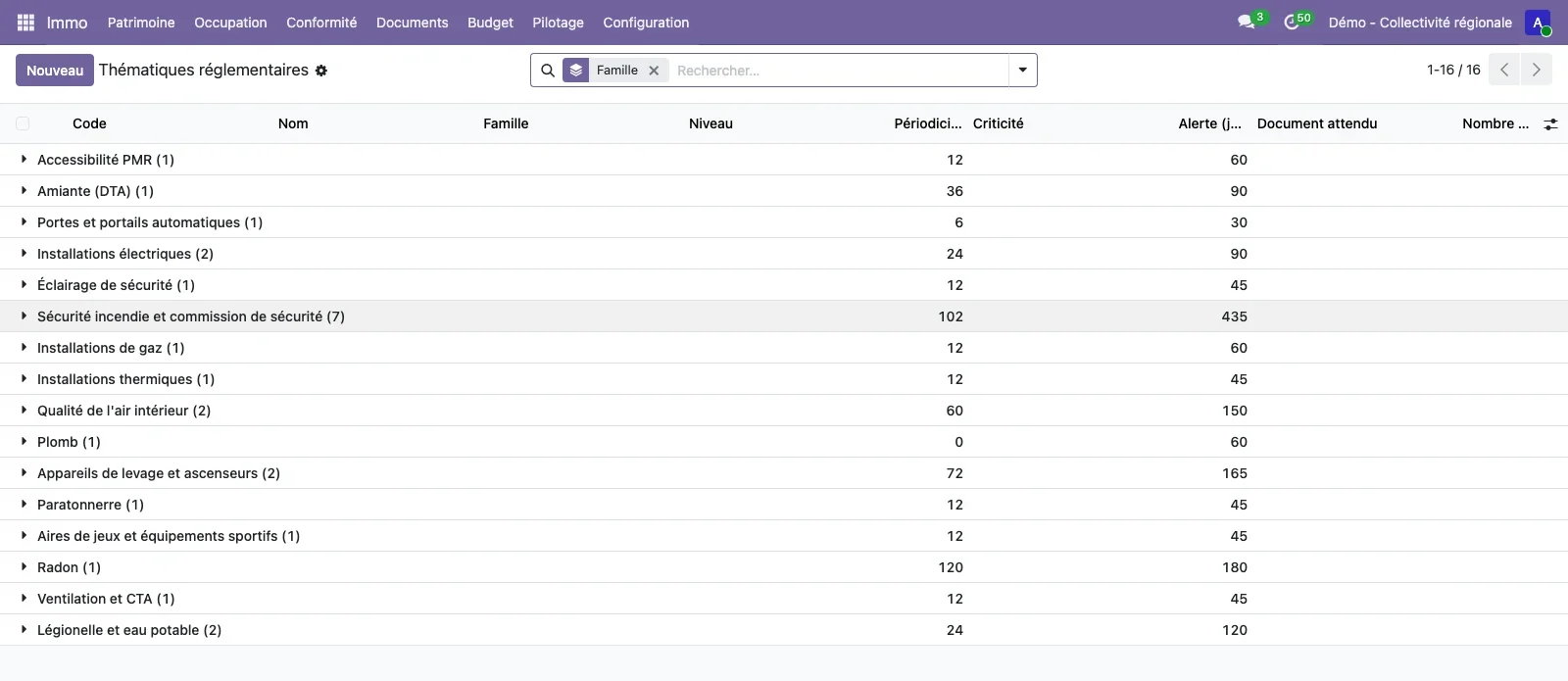
Obligations generated without duplicates
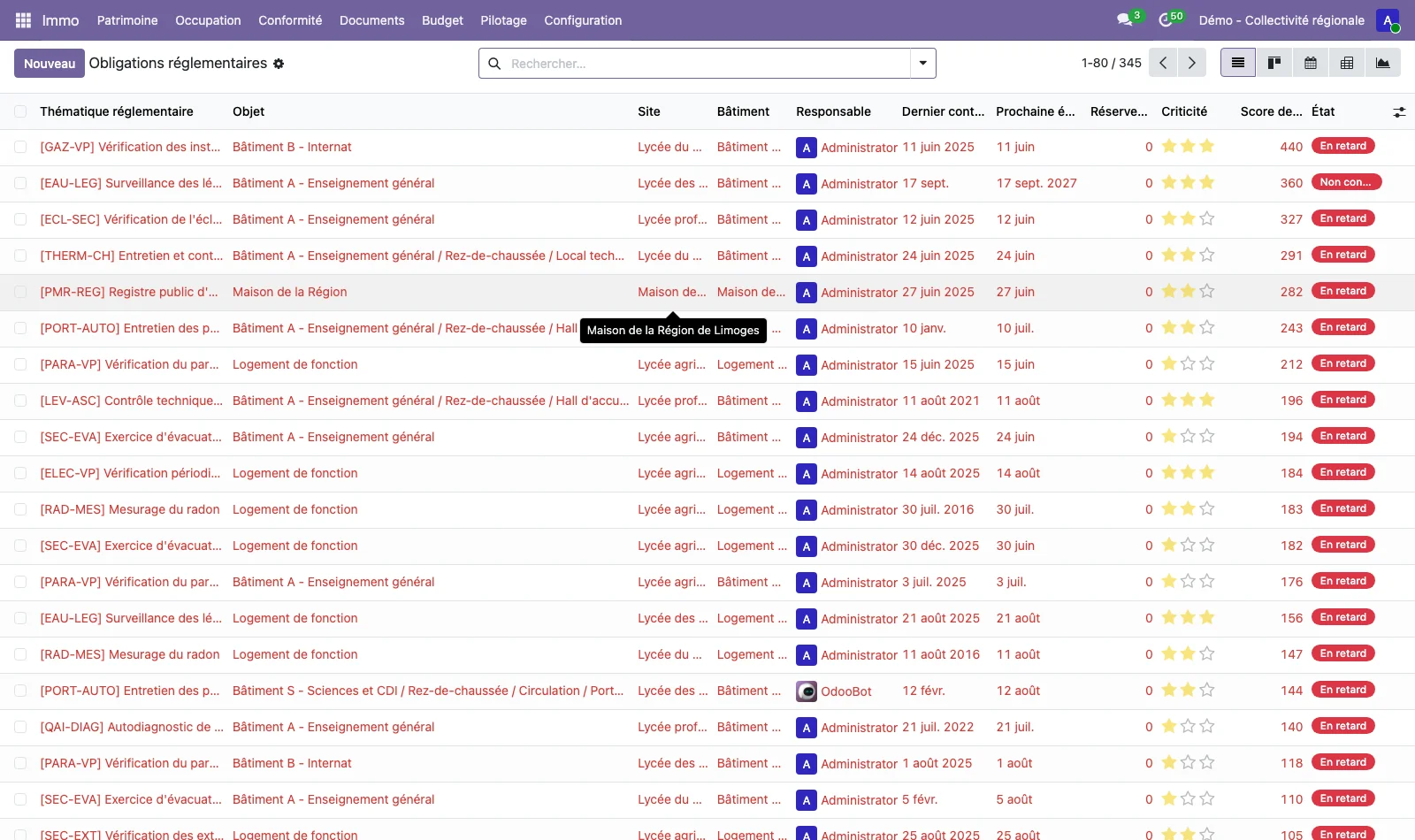
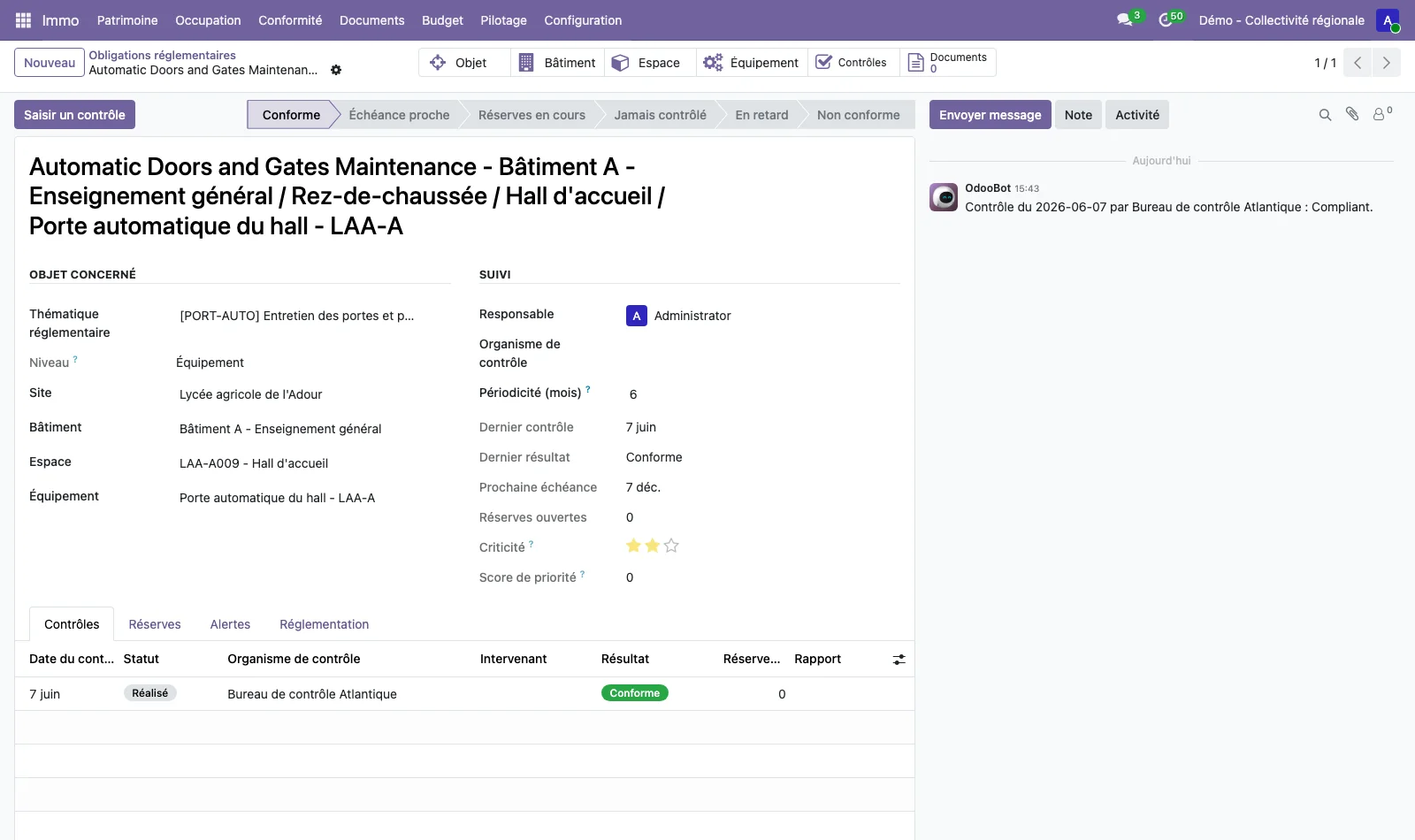
An obligation links a topic to an object: for example, the inspection of the automatic doors in the lobby of building A. The Generate obligations button creates them from the applicable topics, without ever creating two for the same pair. Each obligation carries its next due date, its person responsible, its last inspection and result, its priority score and a calculated status: compliant, due soon, outstanding issues open, never inspected, overdue or non-compliant.
The record of an obligation points to the object concerned (building, space, equipment), to its inspections, its outstanding issues, its alerts and the regulation that imposes it.
Inspections and outstanding issues cleared with proof
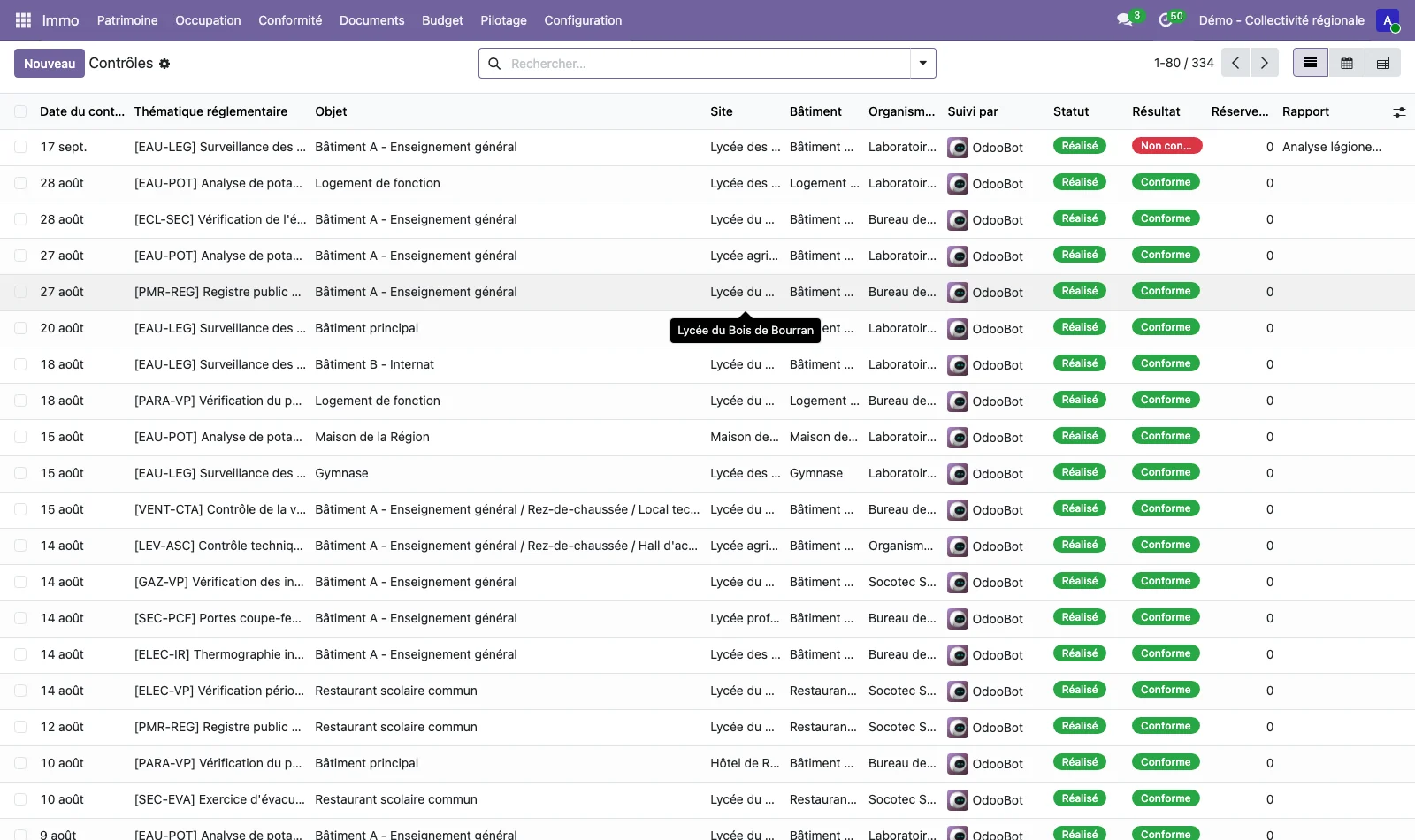
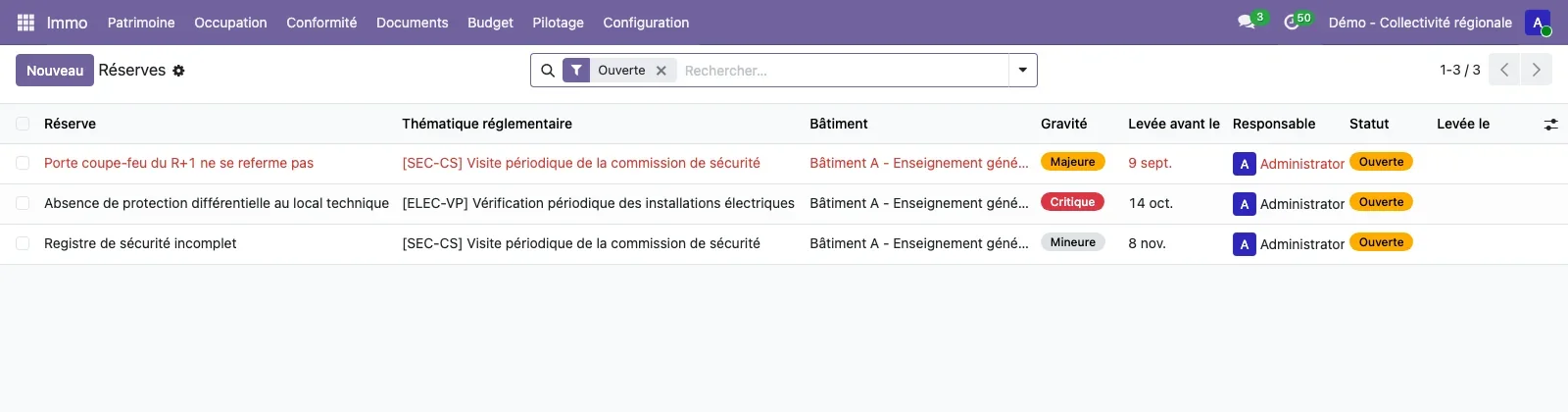
Each inspection keeps its inspection body, its result, its report and its outstanding issues. An outstanding issue has a severity (minor, major, critical), a clearance due date, a person responsible and a status. It is cleared with its date and its proof, never silently. Inspections are recorded from the obligation (Record an inspection button) or from the list of inspections, which can be filtered by result, by inspection body and by site.
Alerts that you configure
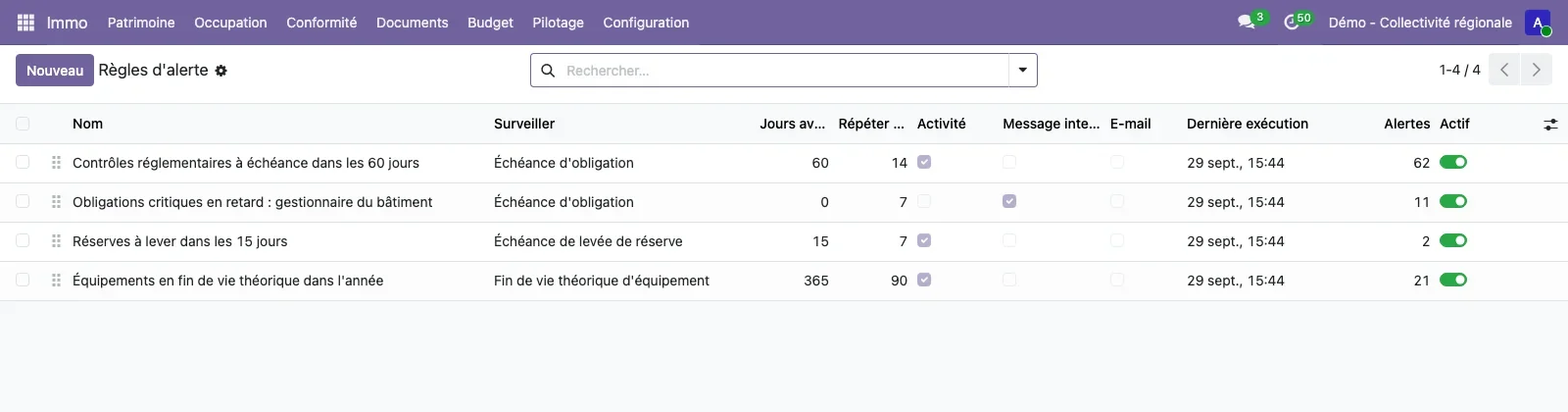
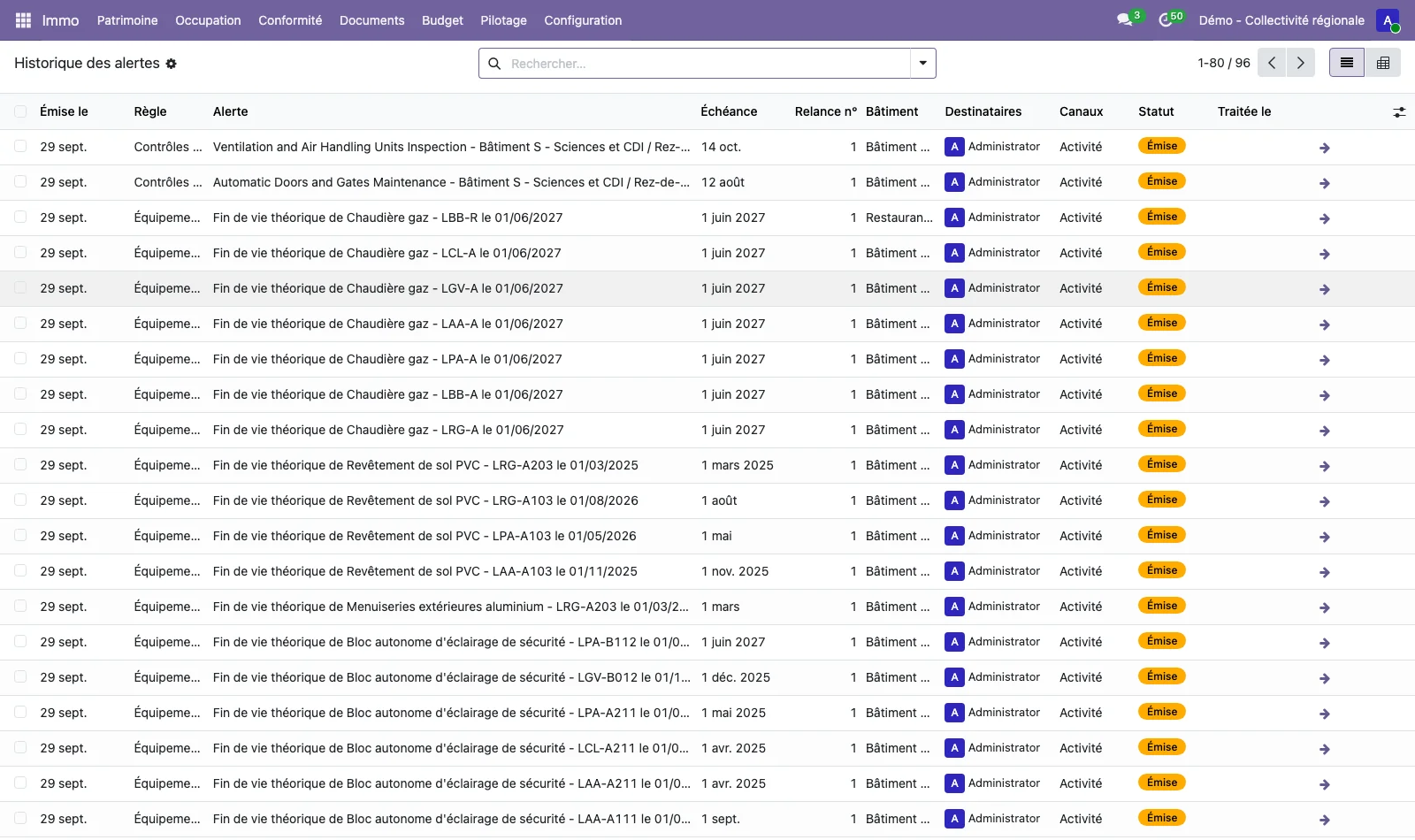
An alert engine applies rules: the object monitored (obligation due date, outstanding issue to clear, end of life of an item of equipment, expiry of a document), the number of days before the due date, the repetition in days, the recipients (person responsible for the object, building manager, users, groups), the channels (Odoo activity, internal message, email) and the scope (sites, buildings, topics, minimum criticality). A daily scheduled action creates the activities, messages and emails, and every alert sent is recorded in a history.
Five rules are supplied: inspections due within 60 days, critical overdue obligations (sent to the building manager), outstanding issues to clear within 15 days, equipment reaching end of life within a year, documents expiring within 30 days. The Run now button runs a rule without waiting for the night.
Indicators by building and by site
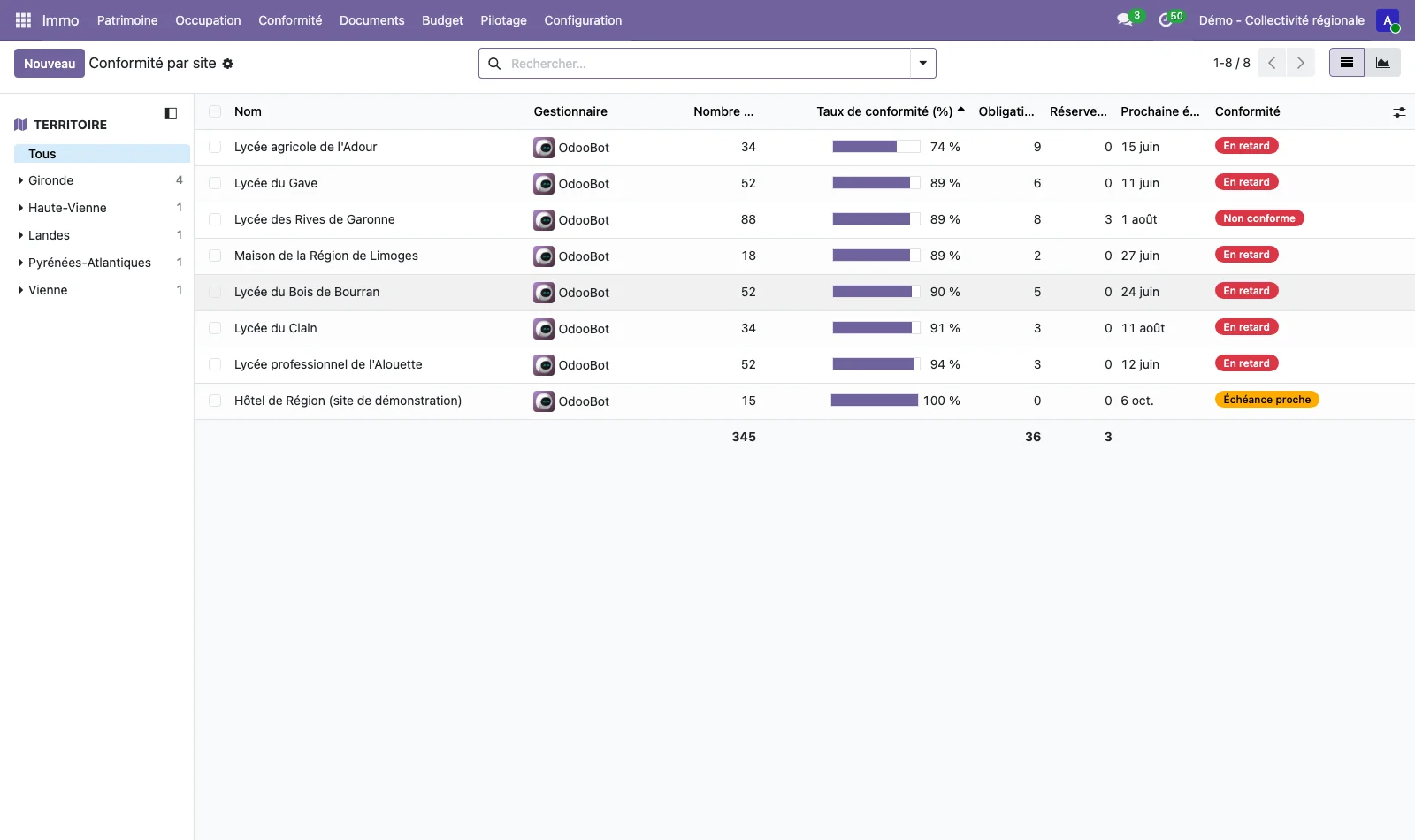
The compliance rate, the number of overdue obligations, the open outstanding issues and the next due date can be read by building and by site, in list, pivot, graph, calendar and kanban views. The due-date calendar places the inspections within the month. The third ready-to-use dashboard of the immo_synthesis module shows these indicators, and the building health record of a building prints its overdue or approaching obligations and its open outstanding issues: see the owner-occupier Portfolio.
Compliance on the plan
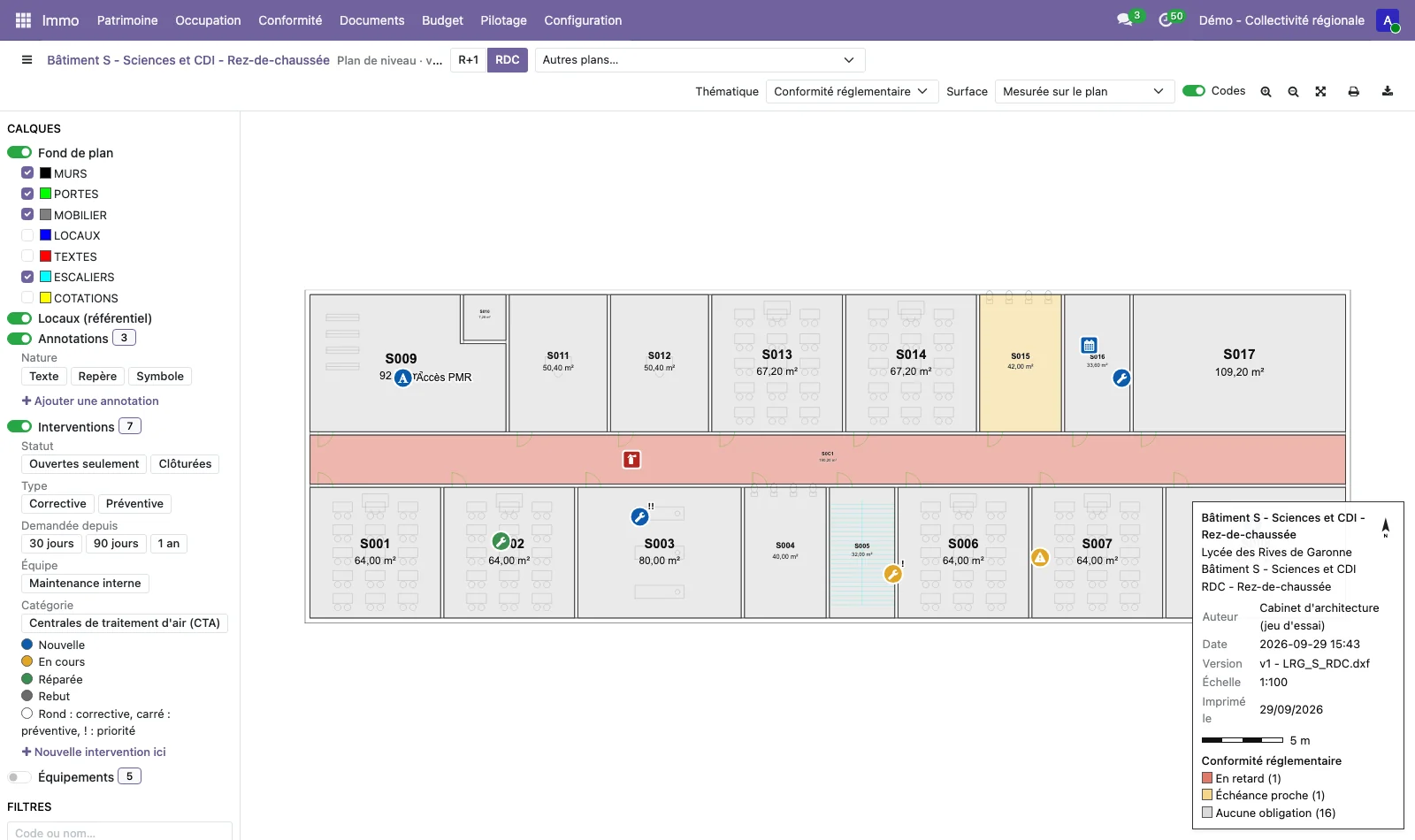
When the immo_plan module is installed, the immo_plan_compliance module adds a colour theme to the plan viewer: each room is coloured according to the regulatory status of the room and of its equipment, with the legend at the bottom right. A person responsible can see at a glance, on the plan of a floor, where the overdue obligations are. See plans and spaces.
See TSC Immo on your own cases
A demonstration on a database with fictitious data, then on your own management questions.
 Connect. Transform. Grow.